EasyManua.ls Logo

ActiGraph CPW01 - User Manual

Default Icon
29 pages
Print Icon
To Next Page IconTo Next Page
Loading...
CentrePoint Insight Watch | E.200.6002 | Released: 01/09/2023 | Rev: 7
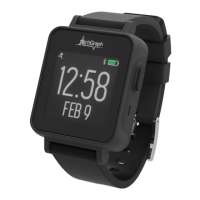
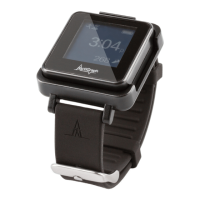
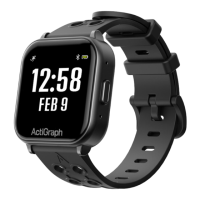
CENTREPOINT Insight Watch
User Guide

Other manuals for ActiGraph CPW01

Question and Answer IconNeed help?

Do you have a question about the ActiGraph CPW01 and is the answer not in the manual?

Summary

Getting Started Guide

Charging the CPW01 Device

Instructions for charging the CPW01 device before assignment and deployment.

Device Assignment Process

Assigning a New Participant

Step-by-step guide to assign a CPW01 device to a new study participant.

Device Assignment Details Entry

Enter participant details like Subject ID, DOB, weight, and wear position for device assignment.

Assignment Completion and Instructions

Finalize assignment and provide participant instructions for device usage.

Assigning to an Existing Participant

Procedure for assigning a CPW01 to an existing participant or replacing a lost/broken device.

Uploading Data and Wear Compliance

CPW01 Upload Process

Steps to upload data using ActiSync and acknowledge wear compliance.

Viewing Participant Data

Unassignment Process

Final Data Upload and Unassignment

Perform final data upload and unassign the CPW01 from the participant.

Stop Data Collection and Remove Assignment

Stop data collection and remove participant assignment to complete unassignment.

Handling Lost or Broken CPW01(s)

ActiGraph CPW01 Specifications

General IconGeneral
BrandActiGraph
ModelCPW01
CategoryWatch
LanguageEnglish

Related product manuals