20
THEACTIGRAPH.COM
CENTREPOINT INSIGHT WATCH | E.200.6002 | RELEASED: 01/09/2023 | REV: 7
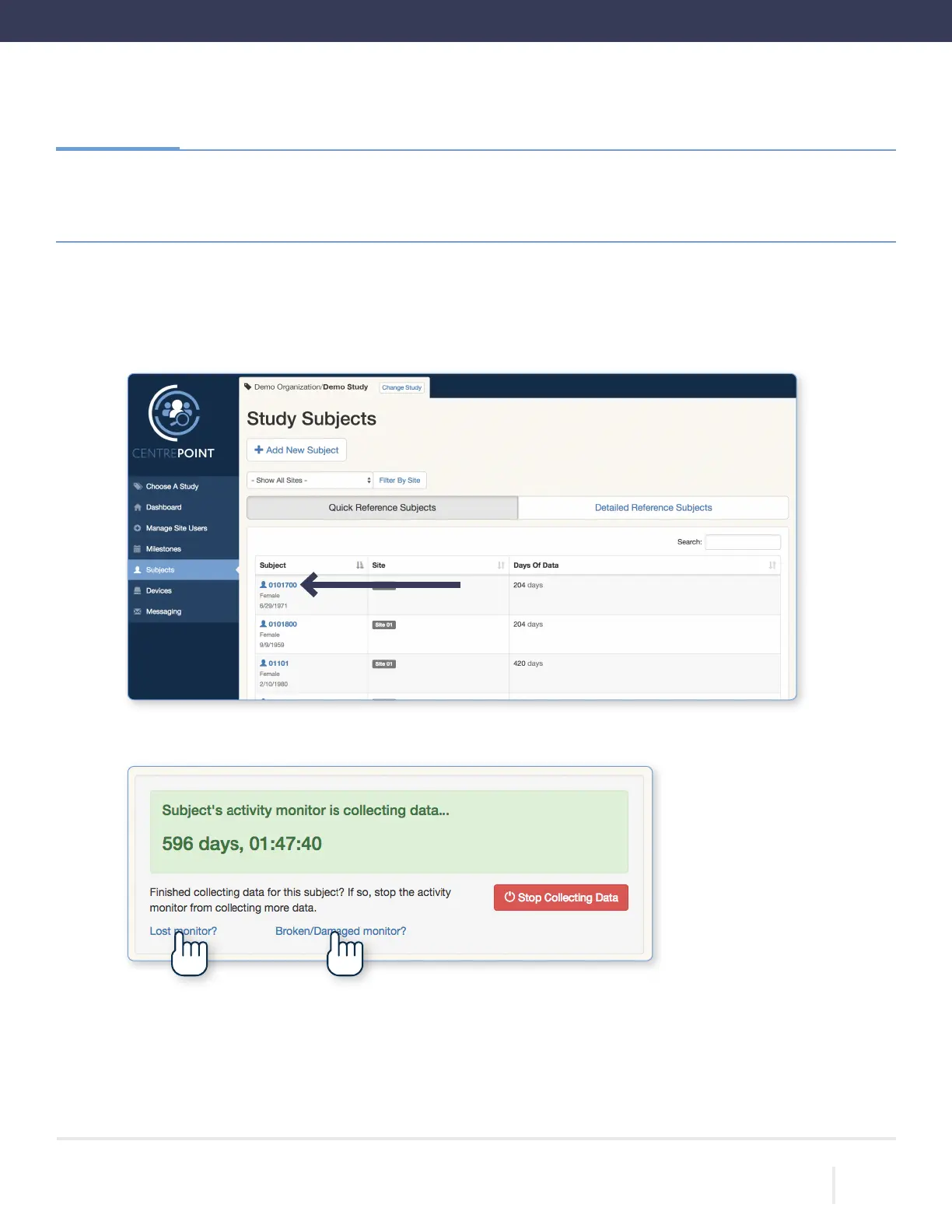
To disassociate an CPW01, select the “Subjects” tab from the left hand menu, and select the desired subject from
the list.
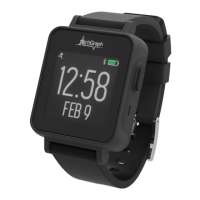
From the “Subject Details” page, select either “Lost monitor” or “Broken/Damaged monitor.”
Lost or Broken CPW01(s)
If a CPW01 is lost or broken, it must be disassociated from the participant before assigning a replacement.
Only one CPW01 can be assigned to a participant at any given time.
1.
2.
Lost or broken CPW01(s)



 To Next Page