15
THEACTIGRAPH.COM
CENTREPOINT INSIGHT WATCH | E.200.6002 | RELEASED: 01/09/2023 | REV: 7
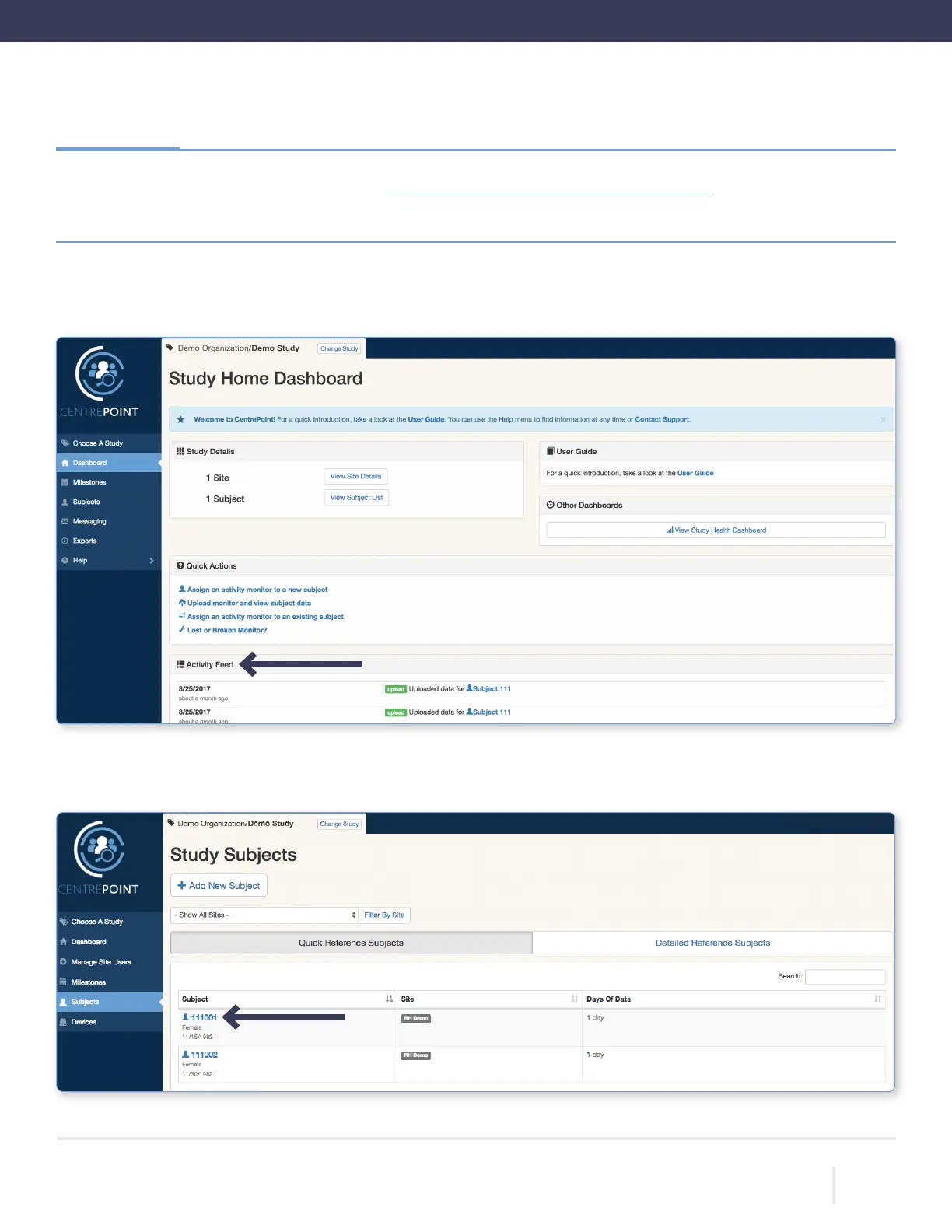
Once logged in, you will be directed to the “Study Home Dashboard” page. All uploads are instantly logged in the “Activity
Feed” on the “Study Home Dashboard.”
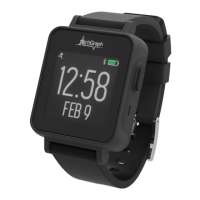
To view detailed upload information for a participant, select the “Subjects” tab from the left hand menu, and select the desired
subject ID from the list.
Go to the CentrePoint Main Portal at https://centrepoint.actigraphcorp.com and login using your
username and password.
Viewing Participant Data



 To Next Page