16
THEACTIGRAPH.COM
CENTREPOINT INSIGHT WATCH | E.200.6002 | RELEASED: 01/09/2023 | REV: 7
Reviewing wear compliance
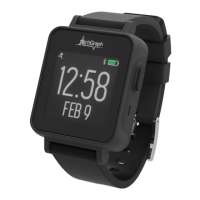
To review a participant’s wear compliance, go to the “Subject Details” page and select “Wear Details” from the drop down menu
labeled “Subject Detail Views.” The “Wear Details” section displays daily details on subject wear time compliance. For this study,
a participant is considered wear compliant for the day if the CPW01 was worn for 80% of the time in a 24 hour period. You
should review “Wear Details” regularly to verify that participants’ wear compliance meets minimum requirements for this study.
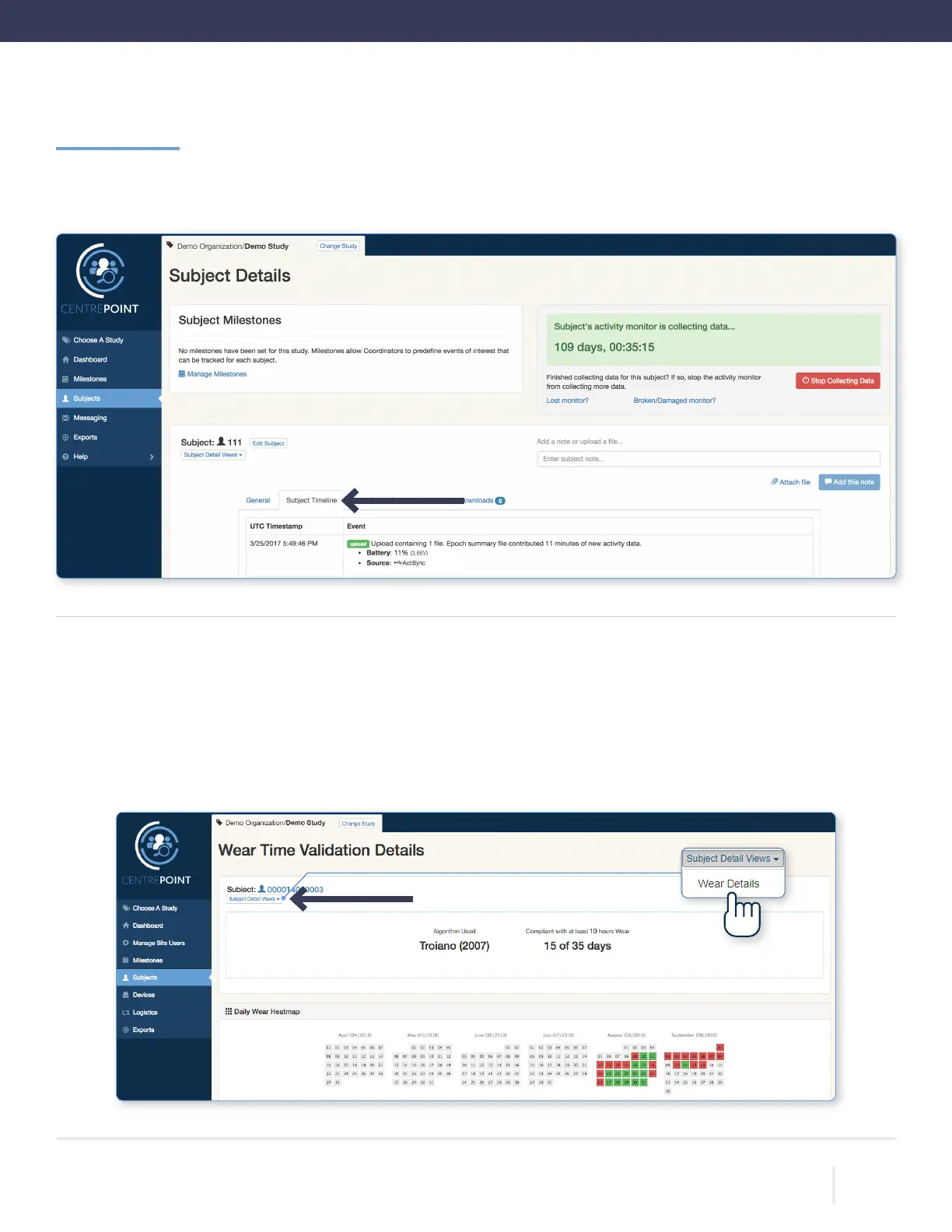
Go to the “Subject Details” page and select “Subject Timeline.” Each timestamped data upload is logged and the amount of
new data, CPW01 battery level, and upload source are provided.
Viewing Participant Data | Continued



 To Next Page