10
THEACTIGRAPH.COM
CENTREPOINT INSIGHT WATCH | E.200.6002 | RELEASED: 01/09/2023 | REV: 7
Assignment | Continued
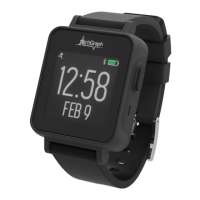
Remove the CPW01 from the charging dock by pulling the plastic tab to the left and away from the CPW01.
12.
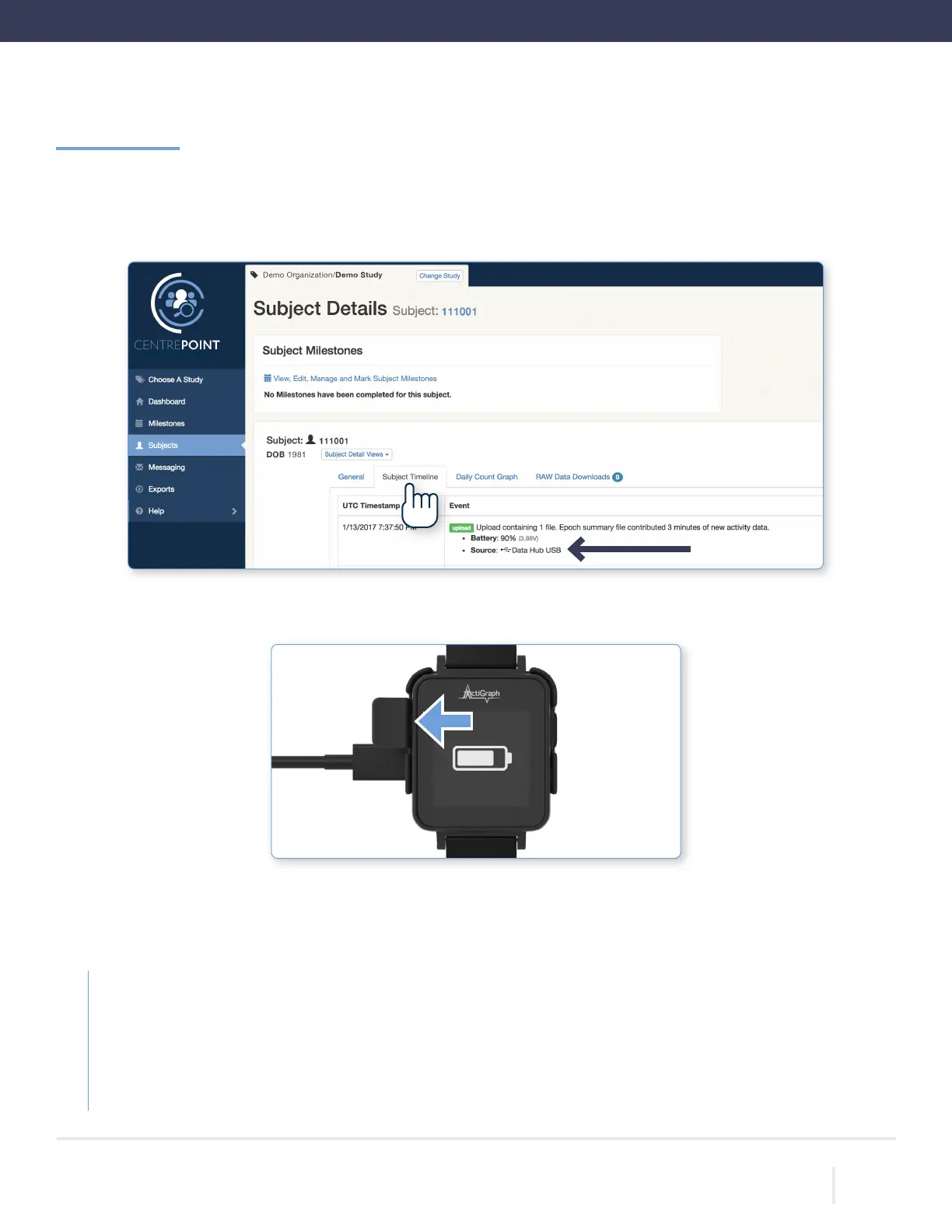
• You will be directed to the “Subject Details” page. Select the “Subject Timeline” tab, and verify that an upload
has occurred via Data Hub USB. The CPW01 and the CP Data Hub are now paired.
Assignment Completed
Give the CPW01, charging dock, and all accessories to the participant and provide the following instructions:
Wear the CPW01 securely on your non-dominant wrist for 24 hours a day for the duration of the study. There is no need
to remove the CPW01 for bathing or other water activities. There is no need to remove the CPW01 at night or during sleep
periods.
Use the charging dock to fully charge the CPW01 once every 3 weeks. Be sure to bring the CPW01, charging dock, and all
accessories back to the Final Visit for a nal upload and completion of the assessment.



 To Next Page