5
THEACTIGRAPH.COM
CENTREPOINT INSIGHT WATCH | E.200.6002 | RELEASED: 01/09/2023 | REV: 7
Charge the CPW01
The CPW01 should be fully charged before assignment and deployment. It takes up
to 2-3 hours to fully charge a CPW01. Charging temperature range is 0°C to 45°C.
Connect the charging dock to a wall outlet using the supplied wall plug.
Connect the CPW01 to the charging dock by pulling the plastic tab on the
dock to the left and inserting the CPW01 with the screen facing up and the
button on the opposite side of the charger cable.
The CPW01 is fully charged once a solid battery icon appears on the
screen.
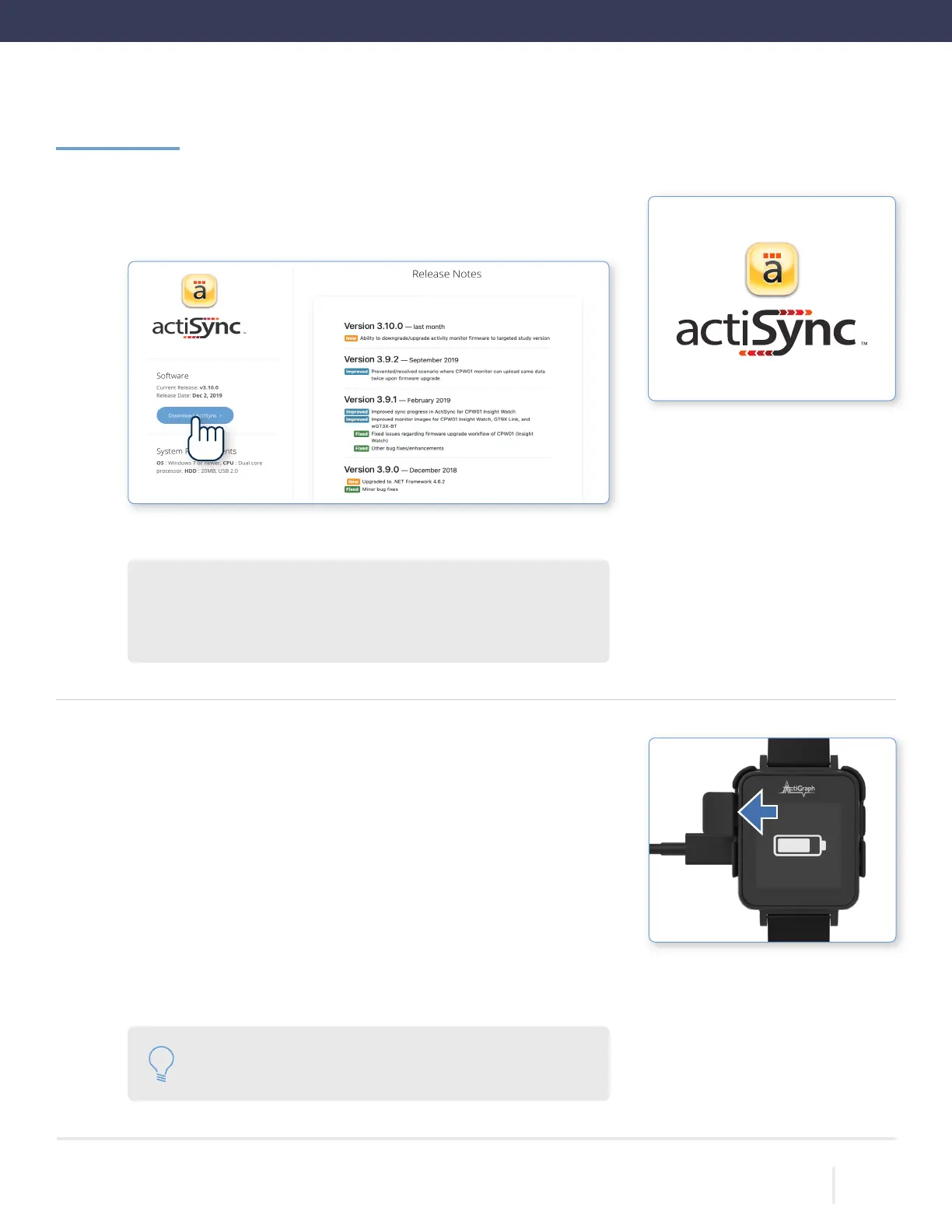
Install ActiSync software
Download the ActiSync software from https://actigraphcorp.com/actisync
Double click the le to open and follow prompts to complete installation.
ActiSync System Requirements
OS Windows 10 or later (ActiSync is not compatible with MacOS)
CPU Dual core processor | HDD 20MB, USB 2.0
Getting Started | Continued
1.
2.
1.
2.
3.
Please note: An Internet connection is not required to
charge the CPW01(s).



 To Next Page