actigraphcorp.com7
Setup and Initialization (Continued)
Wireless Options
Enable Wireless
Activates Bluetooth® functionality.
Heart Rate
Capture heart rate data when device is used with compatible Bluetooth® heart rate monitor. Note
that wireless must be enabled to activate heart rate data collection.
Recording Options
Idle Sleep Mode
When enabled, the device enters a low power state after experiencing 10 seconds of inactivity in
order to preserve battery life.
Show Display
Activates the display window on the device. Click ‘Options’ to select whether to display date and
time in 24 hour format and to enable subject feedback.
IMU
Enables Inertial Measurement Unit (IMU), which contains a gyroscope, magnetometer, secondary
accelerometer, and IMU temperature sensor. The IMU data are collected at a 100 Hz sample rate.
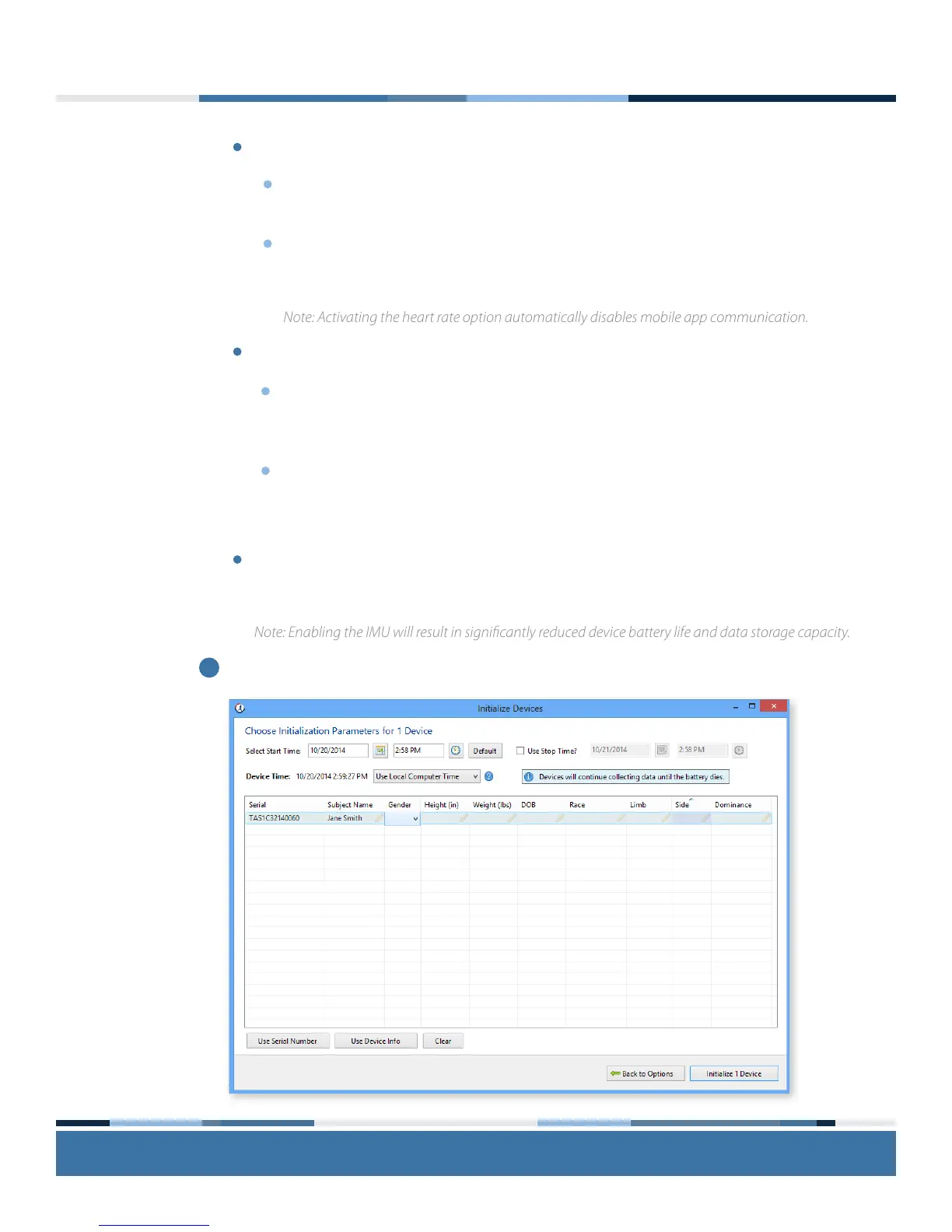
Complete the initialization parameters form and select ‘Enter Subject Info.’
Note: Enabling the IMU will result in signicantly reduced device battery life and data storage capacity.
5
Note: Activating the heart rate option automatically disables mobile app communication.


 To Next Page