CP9180 – USB Driver Installation Instructions
2
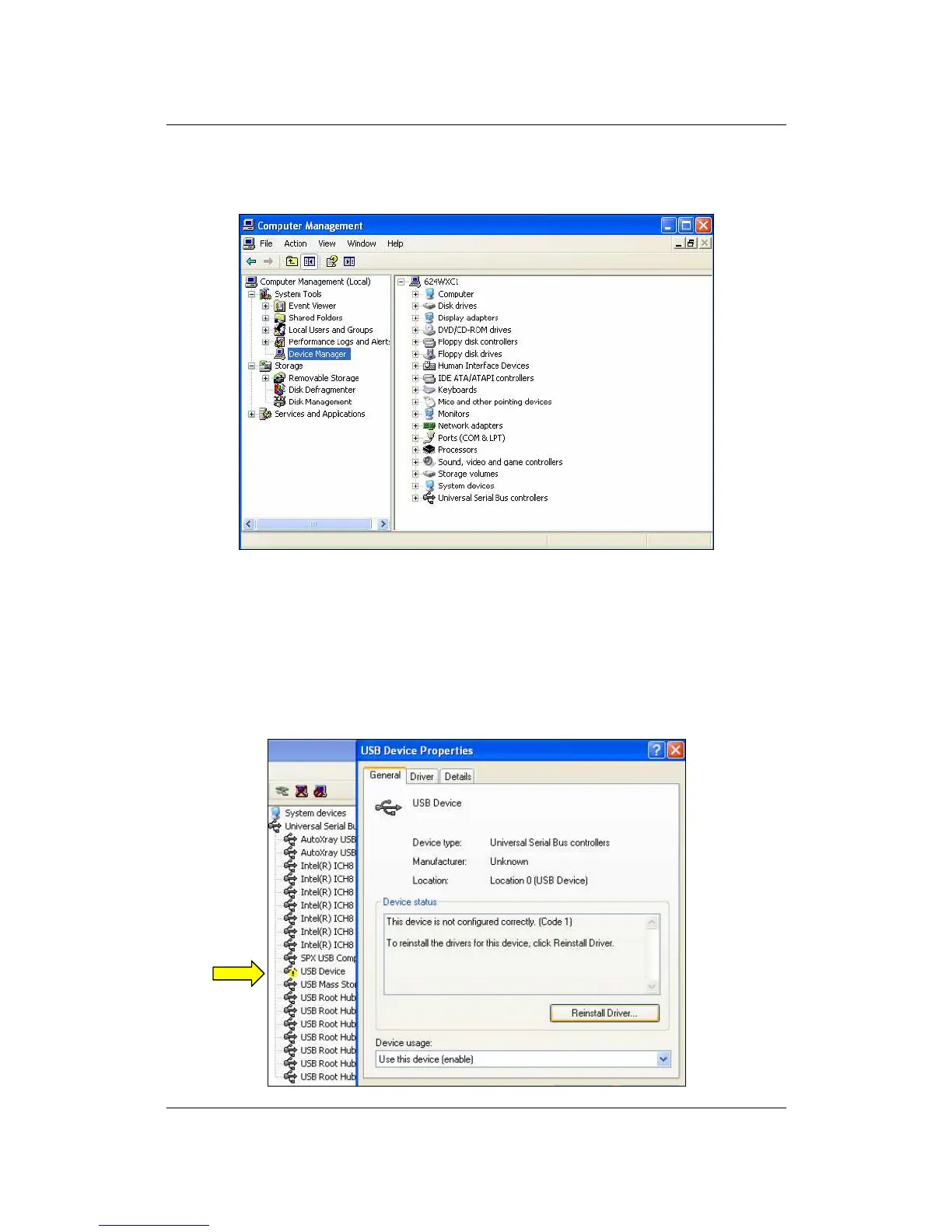
3. In the left-hand side of the Computer Management window, click Device
Manager
4. In the right-hand column, *double-click* USB Device. This should be
located under the Other Devices icon or the Universal Serial Bus
controllers icon. Then, click Reinstall Driver or Update Driver.
**There is usually a yellow question mark or exclamation mark next to the icon and it is usually
located under the “Other Devices” folder. If you have trouble locating the icon, reinsure that your
tool is plugged in and powered on.



 To Next Page