1
CP9680 Update Instructions
Note: Scanning Suite 4.3 should be installed on the PC prior to performing the tool
update.
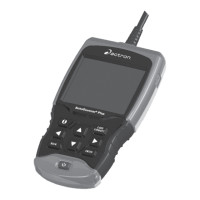
Prepare the AutoScanner® Plus
1. Plug the tool into the PC via the USB port using a USB A to mini B cable.
2. In the Main Menu, arrow down to System Setup and press ENTER.
3. In the System Setup menu, arrow down to Program Mode and press ENTER.
Note: Antivirus software and firewalls installed on your PC can prevent
updates from properly downloading. It is recommended to disable these for
the duration of the update.

 Need help?








 To Next Page
 General