EasyManua.ls Logo

ActronAir WRC-026CS - User Manual

ActronAir WRC-026CS
16 pages
Print Icon
To Next Page IconTo Next Page
Loading...
Serene 2
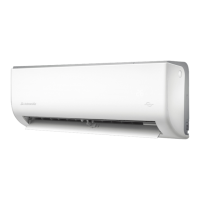
Wall Hung Split System
Owner's Manual
Model Numbers:
WRC-026CS/WRE-026CS
WRC-035CS/WRE-035CS
WRC-050CS/WRE-050CS
WRC-072CS/WRE-072CS
WRC-085CS/WRE-085CS
IMPORTANT NOTE:
Please read this manual carefully before operating your air conditioning unit.
That’s better. That’s Actron.

Questions and Answers

  • S
    simonchadAug 18, 2025
    What to do if my ActronAir Air Conditioner is not working?
    • J
      Jeremy BrownAug 18, 2025
      If your ActronAir Air Conditioner isn't working, first, check for a power failure and wait for the power to be restored. Ensure the power is turned on. If the fuse is burned out or the remote control batteries are dead, contact a qualified service technician to replace the fuse or replace the batteries. If the unit's 3-minute protection has been activated, wait three minutes after restarting the unit. Also, check if the timer is activated and turn it off.
  • K
    Krystal AlvarezAug 20, 2025
    Why do both ActronAir Air Conditioner units make noises?
    • B
      Brian EvansAug 20, 2025
      A low hissing sound during the operation of your ActronAir Air Conditioner is normal, caused by refrigerant gas flowing through both units. A similar sound when the system starts, stops, or is defrosting is also normal, due to the refrigerant gas stopping or changing direction. Squeaking sounds can occur due to the normal expansion and contraction of plastic and metal parts caused by temperature changes.
  • D
    Dr. Jerry WalkerAug 22, 2025
    Why does my ActronAir WRC-026CS Air Conditioner indoor unit make noises?
    • E
      ernest18Aug 22, 2025
      A rushing air sound may occur when the louvre of your ActronAir Air Conditioner resets its position. Additionally, a squeaking sound may occur when running the unit due to expansion and contraction of the unit’s plastic parts.
  • V
    vhansenAug 26, 2025
    Why is my ActronAir WRC-026CS Air Conditioner not cooling properly?
    • D
      Dr. William GambleAug 26, 2025
      Several factors can cause poor cooling in your ActronAir Air Conditioner. The temperature setting might be higher than the room temperature; if so, lower it. Ensure doors and windows are closed to prevent heat entry, and close curtains to block sunlight. Reduce heat sources in the room, such as computers or electronics. Also, make sure that the air inlet or outlet isn't blocked—if it is, turn off the unit, remove the obstruction, and turn it back on. If the air filter is dirty, remove and clean it according to instructions. QUIET mode can lower product performance by reducing operating frequency, so turn off QUIET mode. For issues like a dirty heat exchanger or low refrigerant, it's best to contact a qualified service technician.
  • C
    Charles MckayAug 27, 2025
    Why does my ActronAir WRC-026CS Air Conditioner start and stop frequently?
    • T
      Thomas AndersenAug 27, 2025
      If your ActronAir Air Conditioner starts and stops frequently, it could be due to several technical issues. It may be caused by too much or too little refrigerant in the system, or if incompressible gas or moisture has entered the system. The compressor could also be broken, or the voltage might be too high or too low. In any of these cases, it's best to contact a qualified service technician.
  • C
    Cory CarterAug 30, 2025
    Why is my ActronAir WRC-026CS's heating performance poor?
    • S
      sean20Aug 30, 2025
      If your ActronAir Air Conditioner's heating performance is poor, the outdoor temperature may be too low; operate the system at a lower set temperature, then gradually increase the set temp to the desired level. Ensure that all doors and windows are closed during use to prevent cold air from entering. If there’s low refrigerant, which could be due to a leak or long-term use, contact a qualified service technician.
  • M
    Matthew WongSep 1, 2025
    Why does my ActronAir Air Conditioner change to FAN mode?
    • J
      Janet Hopkins MDSep 2, 2025
      Your ActronAir Air Conditioner might switch from COOL/HEAT to FAN mode for a couple of reasons. It may enter a defrost setting to prevent frost, displaying 'dF' on the indoor unit until the temperature rises. Alternatively, it could be that the set temperature has been reached, causing the compressor to turn off; the unit will resume normal operation when the temperature fluctuates again.
  • D
    donaldjacksonSep 4, 2025
    What to do if indicator lamps continue flashing on ActronAir WRC-026CS?
    • R
      Rose NolanSep 4, 2025
      If the indicator lamps on your ActronAir Air Conditioner continue to flash, the unit may stop operation or continue to run safely. Wait about 10 minutes, as the problem may resolve itself. If not, disconnect the power, then connect it again, and turn the unit on. If the problem persists, disconnect the power and contact a qualified service technician.
  • L
    laura25Sep 7, 2025
    Why does my ActronAir WRC-026CS Air Conditioner emit a bad odour?
    • J
      Jorge CostaSep 7, 2025
      Your ActronAir Air Conditioner might emit a bad odor because it has absorbed smells from the environment, such as furniture, cooking, or cigarettes. Also, the unit’s filters might have become moldy and need cleaning.
  • D
    Dylan MorganSep 9, 2025
    Why does my ActronAir Air Conditioner indoor unit emit mist?
    • C
      Connor WrightSep 9, 2025
      In humid regions, your ActronAir Air Conditioner's indoor unit may emit mist due to a large temperature difference between the room's air and the conditioned air.

Summary

General Information

Safety Instructions

Hazardous Voltage - Risk of Electrocution

Turn off power via main isolator before service. Observe LOTO procedures to prevent accidental switching on.

General Safety Warnings

Turn off power for abnormal situations. Avoid electric shock, fire, injury. Do not get unit wet, insert objects, or use flammable sprays.

Safety Precautions

Cautionary Advice

Do not inspect unit yourself. Avoid product deterioration. Do not operate with wet hands or touch coils. Prevent moisture damage. Ventilate room when using other heating devices.

Refrigerant Safety Warning

Unit contains R-32 refrigerant (mildly flammable). Refer to R-32 Safety Manual for details.

Service and Refrigerant Notes

Service by licensed HVAC technician. R-32 gas in fire emits poisonous gas. Avoid open flames and ignition sources.

Unit Specification and Features

Unit Parts Identification

Identifies key components of the indoor unit including front panel, louvre, display window, air filter, and sensors.

Display Code Explanations

Explains the meaning of various codes displayed on the indoor unit window for temperature, features, and errors.

Achieving Optimal Performance

Product Features Overview

Additional Features

Setting Vertical Airflow Direction

Louvre Angle Usage Precautions

Cautions on setting vertical louvre to minimum to prevent condensation or reduced performance.

Setting Horizontal Airflow Direction

Sleep Operation

Manual Operation

Forced Auto and Cool Modes

Details the sequence of manual operation: Forced Auto mode (24°C), Forced Cooling mode (fc), and turning the unit Off.

Manual Operation Caution

Advises that manual operation is for testing/emergency only and regular use of the remote is recommended.

Care and Maintenance

Maintenance Safety Precautions

Dangers of live electrical connections and rotating fan blades. Warnings about hazardous voltage and LOTO procedures.

Annual Maintenance Checklist

List of recommended annual checks including inspections, leak tests, electrical connections, fan balance, and filter checks.

Cleaning the Condenser Coils

Coil Cleaning Procedures

Step-by-step guide for cleaning coils, including power disconnection, cleaning, rinsing, and reassembly.

Air Filter Cleaning Procedure

Maintenance - Long Periods of Non-Use

Maintenance - Pre-Season Inspection

Maintenance Cautions

Reminds that outdoor unit repairs/maintenance must be done by a technician and filter cleaning by the owner.

Troubleshooting

Safety Precautions for Troubleshooting

Immediate actions for critical issues like burning smell, loud sounds, fuse blows, or falling objects – turn off unit and contact service.

Non-Malfunction Issues

Explains common occurrences like unit not turning on immediately, mode changes, mist emission, various noises, and dust emission.

Troubleshooting Common Performance Issues

Error Code Interpretation

Overview

The document describes the ActronAir Serene 2 Wall Hung Split System, an air conditioning unit designed for optimal air conditioning and maximum energy efficiency. This owner's manual provides detailed information on the unit's specifications, features, operation, and maintenance.

Function Description

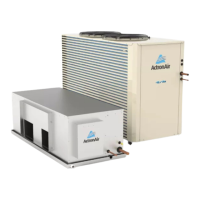
The ActronAir Serene 2 is a wall-hung split system air conditioner that provides cooling, heating, and dehumidification (DRY mode) for indoor spaces. It is designed to maintain comfortable indoor temperatures while optimizing energy usage. The system consists of an indoor unit and an outdoor unit, with various model numbers indicating different capacities (e.g., WRC-026CS/WRE-026CS, WRC-035CS/WRE-035CS, WRC-050CS/WRE-050CS, WRC-072CS/WRE-072CS, WRC-085CS/WRE-085CS). The unit can be operated manually via a control button on the indoor unit or, more commonly, via a remote control (details of which are found in a separate remote manual).

Important Technical Specifications

  • Refrigerant: The unit uses R-32 refrigerant (CLASS A2L), which is mildly flammable. Specific safety guidelines for R-32 are provided in a separate R-32 Safety Manual.
  • Optimal Performance Temperature Ranges:
    • COOL Mode: Indoor Temperature 17°C - 32°C, Outdoor Temperature -15°C - 60°C
    • HEAT Mode: Indoor Temperature 0°C - 30°C, Outdoor Temperature 25°C - 30°C
    • DRY Mode: Indoor Temperature 10°C - 32°C, Outdoor Temperature 0°C - 60°C
    • Operating outside these ranges may activate safety protection features and reduce unit capacity.
  • Display Codes: The indoor unit features a display window that shows temperature, operation features, and error codes. Examples include:
    • on: Timer ON, Ioniser, Swing, Turbo, ECO, Breeze Away, Intuitive Proximity Sensor, or Quiet feature is ON.
    • OF: Timer OFF, Ioniser, Swing, Turbo, ECO, Breeze Away, Intuitive Proximity Sensor, or Quiet feature is OFF.
    • dF: System is defrosting.
    • CL: Active Clean feature is turned on.
    • FP: Freeze Protection mode is turned on.
    • eco: ECO+ feature is activated.
    • --: Easyconnect is installed.
    • (blinking): Indoor unit is in mode conflict with another operating indoor unit (for multi-split "MRC" installations).

Usage Features

  • Auto-Restart: In case of power loss, the unit automatically restarts with its prior settings once power is restored.
  • Anti-mildew: After operating in COOL, AUTO, or DRY mode, the unit continues to run at low power to dry condensed water, preventing mildew growth.
  • Easyconnect Control (Optional): This feature allows control of the unit via a mobile phone and a wireless connection. It requires installation by a licensed technician and is an accessory purchased separately.
  • Louvre Angel Memory: The louvre automatically resumes its previous angle when the unit is turned on. This setting can be adjusted via the SET menu to avoid direct airflow.
  • Active Clean Function: This function cleans the heat exchanger by automatically freezing and then rapidly thawing frost, producing condensed water to improve cleaning. After cleaning, the internal blower fan uses hot air to dry the evaporator and prevent mold. The display shows CL when active, and the unit turns off automatically after 20-45 minutes.
  • Breeze Away: Prevents direct airflow onto occupants.
  • Refrigerant Leakage Detection: The indoor unit displays ELOC and switches off if refrigerant leakage is detected, requiring service.
  • Intuitive Proximity Sensor: In COOL mode, if no occupancy is detected for 30 minutes, the unit automatically lowers its frequency to save energy. It resumes normal operation upon sensing activity.
  • LED Display Control: The LED button on the remote control can turn off the indoor unit panel display and silence the 'beep' noise.
  • Freeze Protection: In HEAT mode, if the indoor temperature drops below 8°C, FP is displayed, and the system enters freeze protection mode.
  • Adjustable Airflow:
    • Vertical Angle: Set using the SWING button on the remote control.
    • Horizontal Angle: Set by pressing and holding the SWING button on the remote control.
    • Caution: Avoid setting vertical louvres to the minimum angle for extended periods in COOL or DRY mode, as this can cause condensation. Do not manually move the louvre, as this can cause it to go out of sync.
  • Sleep Operation: Activated via the remote control, this function adjusts the temperature by ±1°C per hour for the first two hours (increasing in COOL mode, decreasing in HEAT mode) and maintains the new temperature for 7 hours before automatically turning off. This feature is not available in FAN or DRY mode.
  • Manual Operation: In case of remote control failure, the unit can be operated manually using a button on the indoor unit.
    • One press: FORCED AUTO mode (24.0°C set point).
    • Two presses: FORCED COOLING mode (outdoor unit runs at minimum capacity, indoor fan at low speed; switches to AUTO mode at 24.0°C after 30 minutes).
    • Three presses: Unit Off.
    • Note: Manual operation is for emergency use only; remote control is recommended for regular operation.

Maintenance Features

  • General Maintenance: All maintenance, apart from filter cleaning, should be performed by a licensed HVAC technician. Regular servicing is recommended to maintain optimal performance and reliability. Always disconnect electrical power before performing maintenance.
  • Annual Maintenance Checklists:
    • General maintenance inspections.
    • Scheduled start-up checks.
    • Refrigerant circuit leak tests.
    • Inspection and replacement of contactor/relay contacts.
    • Inspection, cleaning, and tightening of electrical connections.
    • Fan checks for balanced operation, loose screws/bolts, blade interference, and damage.
    • Air filter inspection, cleaning, or replacement.
    • Cleaning and repainting corroded panel sections.
    • Ensuring no airflow blockage through the variable speed drive.
  • Condenser Coil Cleaning:
    • Clean coils at least once a year, or more frequently in dusty environments, to maintain operating performance.
    • Use a soft brush and water spray (garden hose or low-pressure washer).
    • Caution: Do not use high alkaline detergents (pH > 8.5) to avoid corrosion. Prevent water from entering electrical compartments.
    • Procedure: Disconnect power, remove louvred panels, brush off dirt, straighten fins, spray detergent solution (90° angle, min 15° spray angle, 1800mm distance, 600 psi pressure), let stand for 5 minutes, rinse with cool water, inspect, clean/wipe dry unit components, ensure drain lines are not blocked, reinstall panels, and restore power after components are dry.
  • Air Filter Cleaning Procedure:
    • Clean filters every two weeks to maintain cooling efficiency and health.
    • Location: Top of the indoor unit.
    • Steps: Grip tab, lift, pull out. Clean with warm, soapy water and mild detergent. Rinse with fresh water, shake off excess, dry in a cool, dry place away from direct sunlight. Slide back into place and clip in.
    • Magnets hold the filter in place for easy re-fitting.
  • Maintenance - Long Periods of Non-Use:
    • Clean the filter.
    • Turn on FAN function until the unit dries out completely.
    • Turn off the unit and isolate the power.
    • Remove batteries from the remote control.
  • Maintenance - Pre-Season Inspection:
    • Clean the filter.
    • Replace batteries in the remote control.
    • Ensure nothing is blocking air inlets and outlets.
  • Troubleshooting: The manual provides a comprehensive list of common faults, their possible causes, and remedies, such as:
    • Unit not turning on (3-minute protection feature).
    • Mode changes (defrost setting, temperature reached).
    • Mist emission (humidity, defrosting).
    • Unit noises (louvre reset, plastic expansion/contraction, refrigerant flow).
    • Dust emission (accumulation during non-use).
    • Bad odour (absorption from environment, mouldy filters).
    • Outdoor fan not operating (optimized product operation).
    • Poor cooling/heating performance (incorrect temperature setting, dirty heat exchanger/filter, blocked airflow, open doors/windows, excessive heat sources, low refrigerant, QUIET mode).
    • Unit not working (power failure, fuse, dead batteries, 3-minute protection, timer activated).
    • Unit starting/stopping frequently (incorrect refrigerant levels, incompressible gas/moisture, broken compressor, voltage issues).
    • Indicator lamps flashing or error codes displayed (E(x), P(x), F(x)... EH(xx), EL(xx), EC(xx)... PH(xx), PL(xx), PC(xx)...).
    • For persistent issues, users are instructed to turn off the unit and contact ActronAir technical support.

The document emphasizes that only licensed HVAC technicians should perform service or alterations to the equipment to avoid injury, damage, and voiding the warranty. It also highlights the importance of observing WH&S regulations and proper LOCK-OUT/TAG-OUT (LOTO) procedures during any maintenance involving electrical components.

ActronAir WRC-026CS Specifications

General IconGeneral
BrandActronAir
ModelWRC-026CS
CategoryAir Conditioner
LanguageEnglish

Related product manuals