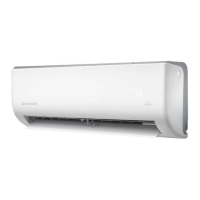
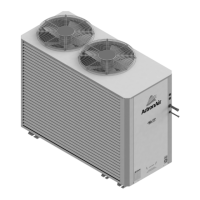
The document describes the ActronAir Serene 2 Wall Hung Split System, an air conditioning unit designed for optimal air conditioning and maximum energy efficiency. This owner's manual provides detailed information on the unit's specifications, features, operation, and maintenance.
Function Description
The ActronAir Serene 2 is a wall-hung split system air conditioner that provides cooling, heating, and dehumidification (DRY mode) for indoor spaces. It is designed to maintain comfortable indoor temperatures while optimizing energy usage. The system consists of an indoor unit and an outdoor unit, with various model numbers indicating different capacities (e.g., WRC-026CS/WRE-026CS, WRC-035CS/WRE-035CS, WRC-050CS/WRE-050CS, WRC-072CS/WRE-072CS, WRC-085CS/WRE-085CS). The unit can be operated manually via a control button on the indoor unit or, more commonly, via a remote control (details of which are found in a separate remote manual).
Important Technical Specifications
- Refrigerant: The unit uses R-32 refrigerant (CLASS A2L), which is mildly flammable. Specific safety guidelines for R-32 are provided in a separate R-32 Safety Manual.
- Optimal Performance Temperature Ranges:
- COOL Mode: Indoor Temperature 17°C - 32°C, Outdoor Temperature -15°C - 60°C
- HEAT Mode: Indoor Temperature 0°C - 30°C, Outdoor Temperature 25°C - 30°C
- DRY Mode: Indoor Temperature 10°C - 32°C, Outdoor Temperature 0°C - 60°C
- Operating outside these ranges may activate safety protection features and reduce unit capacity.
- Display Codes: The indoor unit features a display window that shows temperature, operation features, and error codes. Examples include:
on: Timer ON, Ioniser, Swing, Turbo, ECO, Breeze Away, Intuitive Proximity Sensor, or Quiet feature is ON.OF: Timer OFF, Ioniser, Swing, Turbo, ECO, Breeze Away, Intuitive Proximity Sensor, or Quiet feature is OFF.dF: System is defrosting.CL: Active Clean feature is turned on.FP: Freeze Protection mode is turned on.eco: ECO+ feature is activated.--: Easyconnect is installed. (blinking): Indoor unit is in mode conflict with another operating indoor unit (for multi-split "MRC" installations).
Usage Features
- Auto-Restart: In case of power loss, the unit automatically restarts with its prior settings once power is restored.
- Anti-mildew: After operating in COOL, AUTO, or DRY mode, the unit continues to run at low power to dry condensed water, preventing mildew growth.
- Easyconnect Control (Optional): This feature allows control of the unit via a mobile phone and a wireless connection. It requires installation by a licensed technician and is an accessory purchased separately.
- Louvre Angel Memory: The louvre automatically resumes its previous angle when the unit is turned on. This setting can be adjusted via the SET menu to avoid direct airflow.
- Active Clean Function: This function cleans the heat exchanger by automatically freezing and then rapidly thawing frost, producing condensed water to improve cleaning. After cleaning, the internal blower fan uses hot air to dry the evaporator and prevent mold. The display shows
CL when active, and the unit turns off automatically after 20-45 minutes.
- Breeze Away: Prevents direct airflow onto occupants.
- Refrigerant Leakage Detection: The indoor unit displays
ELOC and switches off if refrigerant leakage is detected, requiring service.
- Intuitive Proximity Sensor: In COOL mode, if no occupancy is detected for 30 minutes, the unit automatically lowers its frequency to save energy. It resumes normal operation upon sensing activity.
- LED Display Control: The LED button on the remote control can turn off the indoor unit panel display and silence the 'beep' noise.
- Freeze Protection: In HEAT mode, if the indoor temperature drops below 8°C,
FP is displayed, and the system enters freeze protection mode.
- Adjustable Airflow:
- Vertical Angle: Set using the SWING button on the remote control.
- Horizontal Angle: Set by pressing and holding the SWING button on the remote control.
- Caution: Avoid setting vertical louvres to the minimum angle for extended periods in COOL or DRY mode, as this can cause condensation. Do not manually move the louvre, as this can cause it to go out of sync.
- Sleep Operation: Activated via the remote control, this function adjusts the temperature by ±1°C per hour for the first two hours (increasing in COOL mode, decreasing in HEAT mode) and maintains the new temperature for 7 hours before automatically turning off. This feature is not available in FAN or DRY mode.
- Manual Operation: In case of remote control failure, the unit can be operated manually using a button on the indoor unit.
- One press: FORCED AUTO mode (24.0°C set point).
- Two presses: FORCED COOLING mode (outdoor unit runs at minimum capacity, indoor fan at low speed; switches to AUTO mode at 24.0°C after 30 minutes).
- Three presses: Unit Off.
- Note: Manual operation is for emergency use only; remote control is recommended for regular operation.
Maintenance Features
- General Maintenance: All maintenance, apart from filter cleaning, should be performed by a licensed HVAC technician. Regular servicing is recommended to maintain optimal performance and reliability. Always disconnect electrical power before performing maintenance.
- Annual Maintenance Checklists:
- General maintenance inspections.
- Scheduled start-up checks.
- Refrigerant circuit leak tests.
- Inspection and replacement of contactor/relay contacts.
- Inspection, cleaning, and tightening of electrical connections.
- Fan checks for balanced operation, loose screws/bolts, blade interference, and damage.
- Air filter inspection, cleaning, or replacement.
- Cleaning and repainting corroded panel sections.
- Ensuring no airflow blockage through the variable speed drive.
- Condenser Coil Cleaning:
- Clean coils at least once a year, or more frequently in dusty environments, to maintain operating performance.
- Use a soft brush and water spray (garden hose or low-pressure washer).
- Caution: Do not use high alkaline detergents (pH > 8.5) to avoid corrosion. Prevent water from entering electrical compartments.
- Procedure: Disconnect power, remove louvred panels, brush off dirt, straighten fins, spray detergent solution (90° angle, min 15° spray angle, 1800mm distance, 600 psi pressure), let stand for 5 minutes, rinse with cool water, inspect, clean/wipe dry unit components, ensure drain lines are not blocked, reinstall panels, and restore power after components are dry.
- Air Filter Cleaning Procedure:
- Clean filters every two weeks to maintain cooling efficiency and health.
- Location: Top of the indoor unit.
- Steps: Grip tab, lift, pull out. Clean with warm, soapy water and mild detergent. Rinse with fresh water, shake off excess, dry in a cool, dry place away from direct sunlight. Slide back into place and clip in.
- Magnets hold the filter in place for easy re-fitting.
- Maintenance - Long Periods of Non-Use:
- Clean the filter.
- Turn on FAN function until the unit dries out completely.
- Turn off the unit and isolate the power.
- Remove batteries from the remote control.
- Maintenance - Pre-Season Inspection:
- Clean the filter.
- Replace batteries in the remote control.
- Ensure nothing is blocking air inlets and outlets.
- Troubleshooting: The manual provides a comprehensive list of common faults, their possible causes, and remedies, such as:
- Unit not turning on (3-minute protection feature).
- Mode changes (defrost setting, temperature reached).
- Mist emission (humidity, defrosting).
- Unit noises (louvre reset, plastic expansion/contraction, refrigerant flow).
- Dust emission (accumulation during non-use).
- Bad odour (absorption from environment, mouldy filters).
- Outdoor fan not operating (optimized product operation).
- Poor cooling/heating performance (incorrect temperature setting, dirty heat exchanger/filter, blocked airflow, open doors/windows, excessive heat sources, low refrigerant, QUIET mode).
- Unit not working (power failure, fuse, dead batteries, 3-minute protection, timer activated).
- Unit starting/stopping frequently (incorrect refrigerant levels, incompressible gas/moisture, broken compressor, voltage issues).
- Indicator lamps flashing or error codes displayed (E(x), P(x), F(x)... EH(xx), EL(xx), EC(xx)... PH(xx), PL(xx), PC(xx)...).
- For persistent issues, users are instructed to turn off the unit and contact ActronAir technical support.
The document emphasizes that only licensed HVAC technicians should perform service or alterations to the equipment to avoid injury, damage, and voiding the warranty. It also highlights the importance of observing WH&S regulations and proper LOCK-OUT/TAG-OUT (LOTO) procedures during any maintenance involving electrical components.



 To Next Page

 General