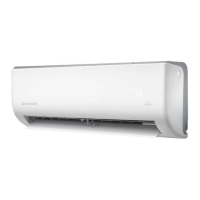
This document is the "ActronAir Easyconnect Installation and Setup Guide for Wall Hung Systems," providing instructions for installing and setting up the Easyconnect module and its accompanying mobile application for ActronAir wall-hung air conditioning units.
Function Description:
The ActronAir Easyconnect system allows users to remotely control their ActronAir wall-hung air conditioning units via a mobile application on iOS or Android devices. It enables functions such as adjusting temperature, controlling fan speed, setting operating modes, and scheduling. The system utilizes a Wi-Fi USB kit (OSK102 module) that plugs into the indoor unit's display receiver PCB, allowing the air conditioner to connect to a home Wi-Fi network and communicate with the Easyconnect app. The app facilitates convenient management of multiple linked air conditioners from a single account, offering features like vertical and horizontal swing control, turbo mode, sleep mode, system diagnostics, device sharing, and timer functions.
Important Technical Specifications:
- Model: OSK102
- Standard: IEEE 802.11b/g/n
- Antenna Type: External omnidirectional Antenna
- Frequency: Wi-Fi 2.4G (Note: Only 2.4Ghz networks are supported by this product.)
- Maximum Transmitted Power: 15dBm Max
- Operation Temperature: 0 °C ~ 45 °C / 32 °F ~ 113 °F
- Operation Humidity: 10% ~ 85%
- Power Input: DC 5V/300mA
- Applicable System: iOS, Android
- Wireless Safety Strategy: Smart kit only supports WPA-PSK/WPA2-PSK encryption and non-encryption. WPA-PSK/WPA2-PSK encryption is recommended.
- Smartphone Camera Requirement: The smartphone camera needs to be 5 megapixels or more to scan the QR code for quicker configuration on Android devices.
- USB Port Availability: USB ports are factory standard for all units manufactured after February 2018. For older units or if the port is not present, a supplied USB port cable plug can be installed into the vacant CN3 plug (provided in the WUK-WH1 bag).
Usage Features:
- Installation:
- Requires isolating power to the indoor unit before installation.
- The Easyconnect USB kit is inserted into the USB port on the display receiver PCB of the indoor unit.
- A QR code sticker should be placed on the side of the indoor unit for easy access during setup.
- Compatible with Serene and Serene 2 wall-hung AC models.
- App Download and Account Creation:
- The "Easyconnect" app can be downloaded from Google Play (for Android) or the App Store (for iOS).
- Requires an active internet connection and an active email address for account creation and login.
- Users create an account by entering an email address, creating a password, and agreeing to terms and conditions.
- Device Setup (Getting Started):
- Ensure the mobile device is connected to the Wi-Fi network (adjustable in phone settings).
- A wireless remote controller (supplied standard with ActronAir wall-hung systems) is required for configuration.
- Steps involve powering off the AC unit for 15 seconds, then powering it back on.
- Within 8 minutes of power reset, the LED button on the remote control must be pressed 7 times to initiate access point (AP) mode, indicated by "AP" on the display.
- The app directs the user to connect to the "net_ac_xxxx" network with a default password "12345678".
- Android devices can scan the QR code on the Easyconnect module for quicker setup, bypassing manual network connection.
- Users select their home Wi-Fi network (SSID) and enter the router password to commence configuration.
- Automatic setup begins once a Wi-Fi connection is established. A success message appears upon successful configuration. If the device appears offline, refreshing the device list or cycling power to the unit is recommended.
- Operating Functions (via App):
- Clickwheel: Adjusts system set temperature up/down.
- Vertical Swing: Turns vertical louvre movement On/Off.
- Horizontal Swing: Turns horizontal louvre movement On/Off.
- Turbo: Activates/deactivates turbo mode (lightning symbol) in heat and cool modes.
- Sleep Mode: Provides an 8-hour customizable sleep setting for user comfort.
- Check System: Runs a diagnostic test to check over 100 system parameters.
- Share Device: Allows sharing access to the Easyconnect app via QR code, enabling multiple family members to control the AC from their mobile phones.
- Timer On/Off: Operates on a 12/24 clock depending on user preference for scheduling.
- Multiple air conditioners can be linked and controlled from a single account, with individual activation required for each unit.
Maintenance Features:
- Software Updates: The Easyconnect App will require software updates periodically to ensure compatibility with the latest Android and iOS operating versions. ActronAir aims to provide timely updates but is not responsible for issues related to Android and iOS operating systems.
- Troubleshooting Connectivity: If connectivity issues arise from the wireless network, network encryption may need to be reconfigured. ActronAir is not liable for issues caused by network connections, Wi-Fi routers, or smart devices, advising users to contact third-party device suppliers for assistance.
- System Diagnostics: The "Check System" function allows users to run a diagnostic test to monitor over 100 system parameters, aiding in identifying potential issues.

 Need help?
 General

 To Next Page