44 | | 45
AUDIO AND CONNECTIVITYVEHICLE CONTROLS
Basic Audio Operation
Connect audio devices in the front console, and operate buttons and displays for
the audio system.
USB Adapter Cable
Connect a USB fl ash drive or other audio device, such as an iPod® or iPhone®.
1. Unclip the USB connector and loosen the
adapter cable.
2. Install the fl ash drive or cable connector to the
USB connector.
Auxiliary Input Jack
Connect standard audio devices with a 1/8-inch (3.5 mm) stereo miniplug.
1. Open the AUX cover.
2. Insert the miniplug attached to the audio
device into the jack. The audio system switches to
AUX mode. Use the device to control the audio.
iPod and iPhone are trademarks of Apple, Inc.
State or local laws may prohibit the operation of handheld electronic devices while operating a vehicle.
AUDIO AND CONNECTIVITY
Learn how to operate the vehicle’s audio system.
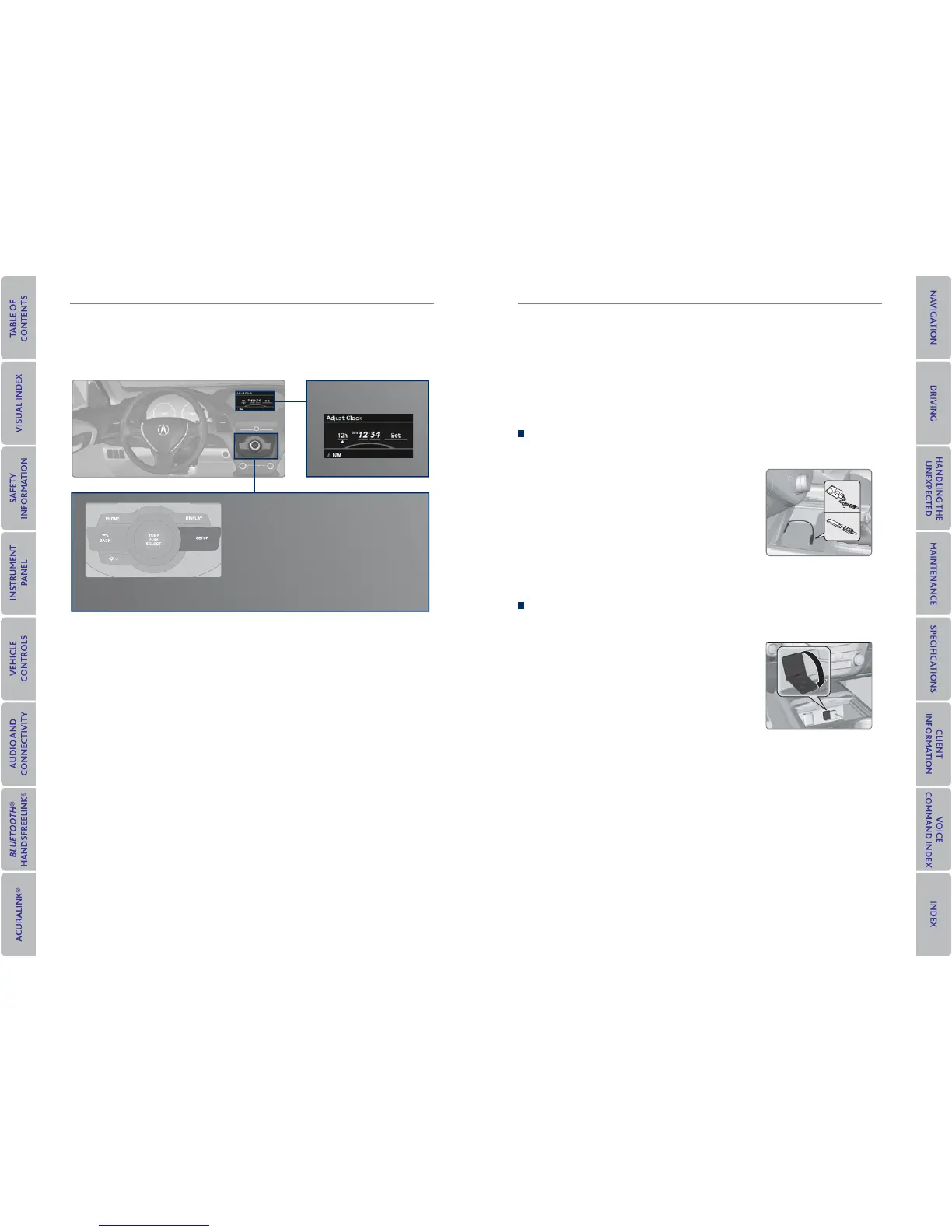
Setting the Clock
On vehicles without navigation, use the selector knob to adjust the time in the
clock display. On vehicles with navigation, the time is automatically set using GPS
signals.
1. Press SETUP.
2. Select Adjust Clock.
3. Select the item to change (12/24 hour
mode, hour, or minute).
4. Make the necessary changes for each item.
5. Select Set to set the time.
6. Press SETUP to return to the main display.
Clock setup



 To Next Page
 Loading...












