54 | | 55
AUDIO AND CONNECTIVITYAUDIO AND CONNECTIVITY
iPod®
Connect your device using the USB adapter cable (see page 45).
Models without navigation
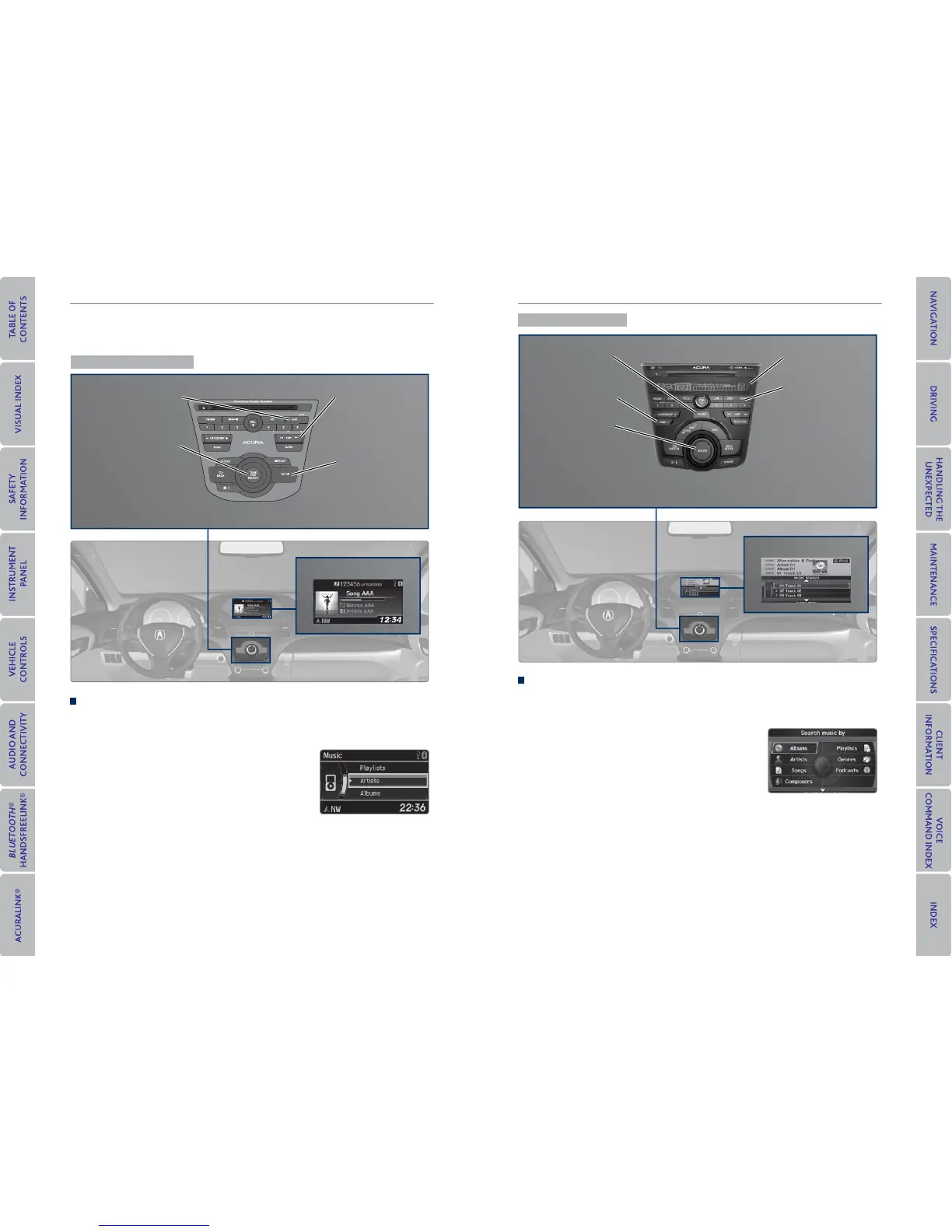
iPod display
SKIP bar: Change
tracks, or rewind or
fast forward within
a track.
SETUP button:
Choose various
play modes, such
as repeat, random,
and shuffl e.
AUX button: Play iPod.
Selector knob: Rotate
to change tracks.
Press to display the
iPod search menu,
and rotate and press
to select items.
Searching for Music
Use the selector knob to search for tracks stored on the iPod using several
methods.
1. From the audio screen, press the selector knob
to enter the iPod menu.
2. Select a search type (artist, album, track, etc.).
3. Select the song you want to play.
iPod is a trademark of Apple, Inc.
Models with navigation
iPod display
SKIP bar: Change
tracks, or rewind or
fast forward within
a track.
AUDIO button: Go
to the audio screen.
HDD/AUX button:
Play iPod.
Interface dial (from
the Audio screen):
Move up, down, left,
and right. Rotate and
press ENTER to make
selections.
Searching for Music
Use the interface dial to search for tracks stored on the iPod using several
methods.
1. Press AUDIO.
2. Select Music Search.
3. Select a search type (artist, album, track, etc.).
4. Select the song you want to play.
You can also search for and play iPod music using Song By Voice™ (see page 129).
iPod is a trademark of Apple, Inc.
TUNE bar: Go to
the next or previous
track.



 To Next Page
 Loading...












