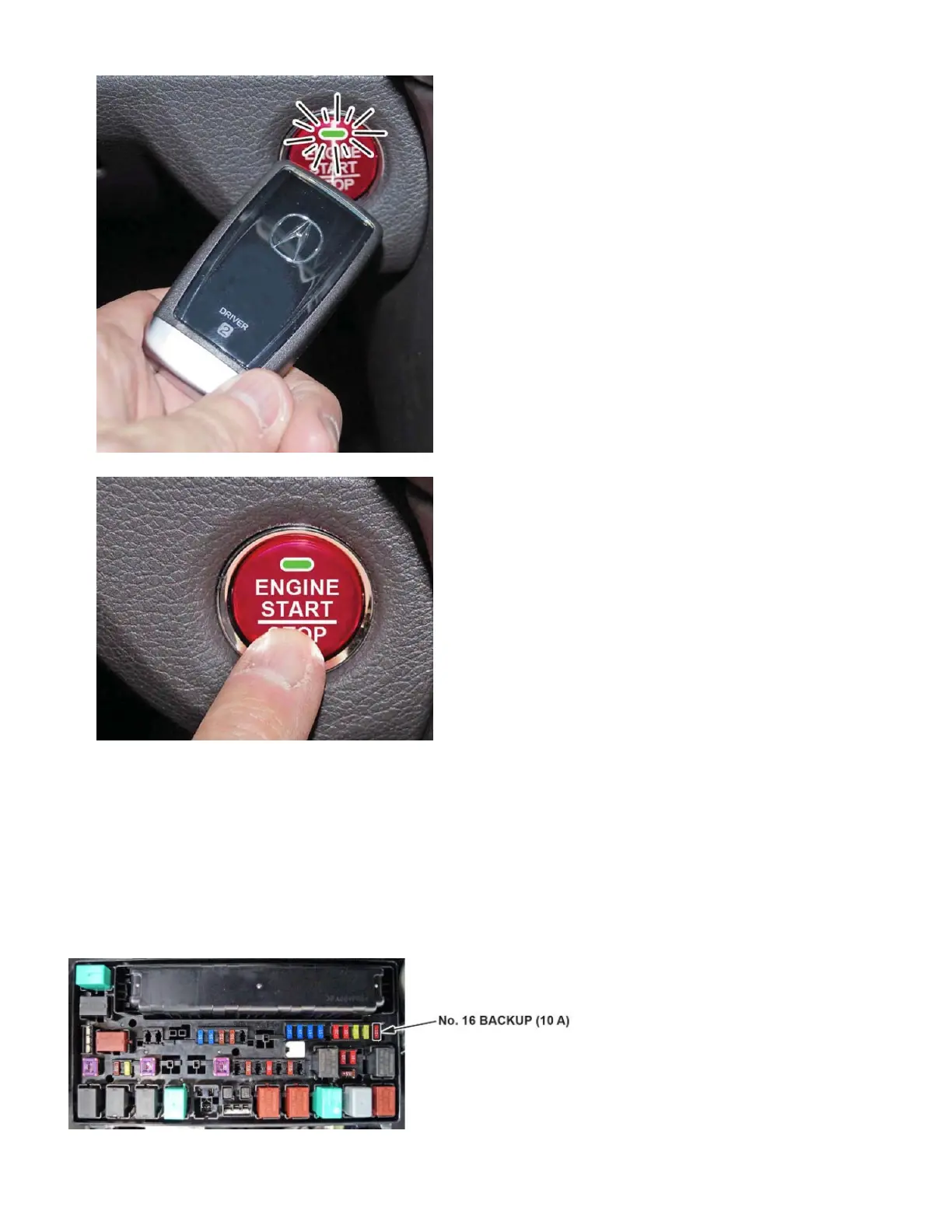
2. When the indicator blinks, touch the keyless remote to the ENGINE START/STOP button.
The indicator will switch from blinking to steady when communication is complete.
3. Start the engine by pressing the ENGINE START/STOP button while pressing the brake pedal. You must start the
engine within 10 seconds of touching the remote to the button.
1. Remove the Exterior Protective Coatings
Carefully remove all of the exterior protective coatings. See S/B 96-009, Removal of Protective Coatings During TQI.
2. Install the Fuse
To lower battery drain during vehicle shipping, the No. 16 BACKUP MAIN (10 A) fuse is removed from the under-hood
fuse/relay box and stored in the cup holder. Make sure you turn the ignition to OFF and wait at least 1 minute before
installing the fuse.
Page 3 of 13



 To Next Page
 Loading...