uuDriving to Your DestinationuViewing the Route
78
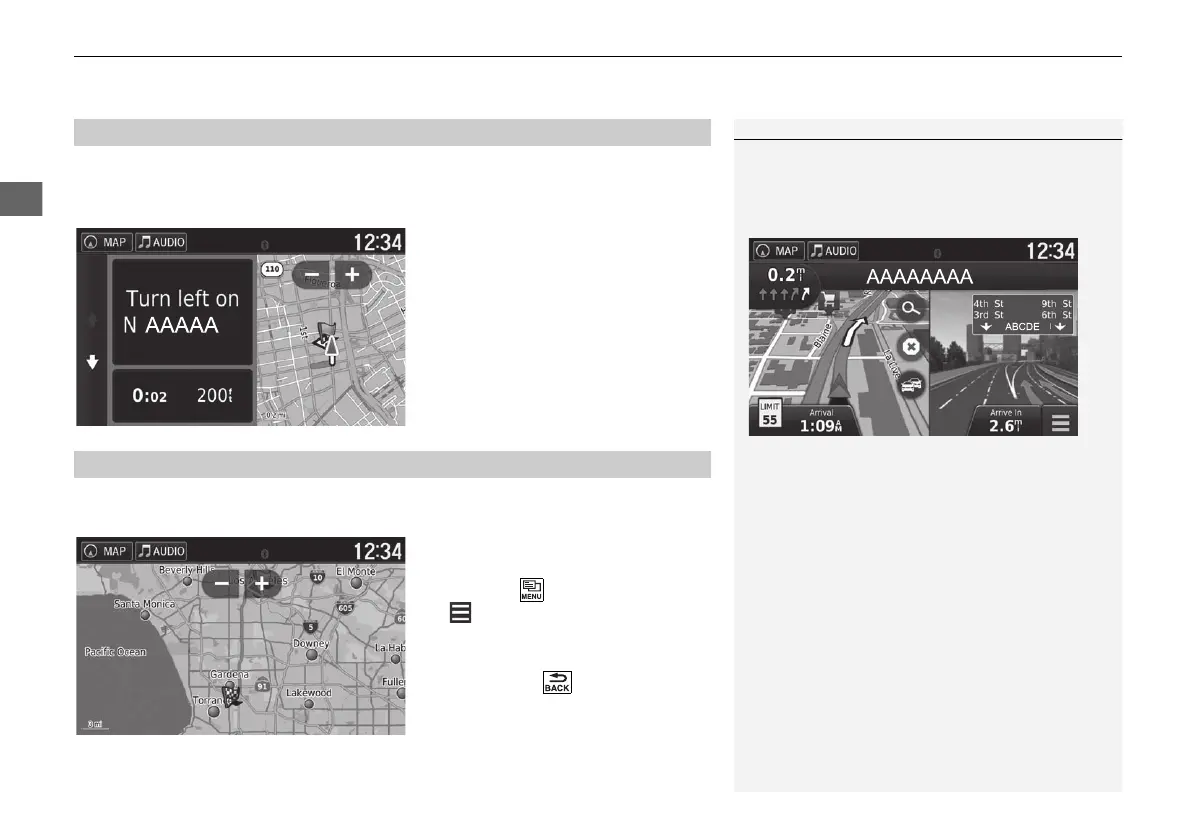
The turn information screen displays the turn on the map and the distance and time
remaining before you reach the turn. The lane assist screen may display a view of the
upcoming intersection.
Select the next guidance indicator of
the map or select any turn on the
turn list screen.
The entire route screen displays the entire route, destination name, time to
destination, and distance to destination.
1. Select the text bar on the top of
the map.
2. Press the (Menu) icon or select
.
3. Select Map to display the entire
route screen.
u Press the (Back) icon to
return to the previous screen.
■
Turn Information
1 Viewing the Route
Intersection View Screen
The intersection view screen displays a view of the
upcoming intersection and which lane you should be
driving.
■
Entire Route
18 ACURA NSX NAVI-31T6N8100.book 78 ページ 2017年10月24日 火曜日 午後2時46分



 To Next Page