54
Entering a Destination
H u
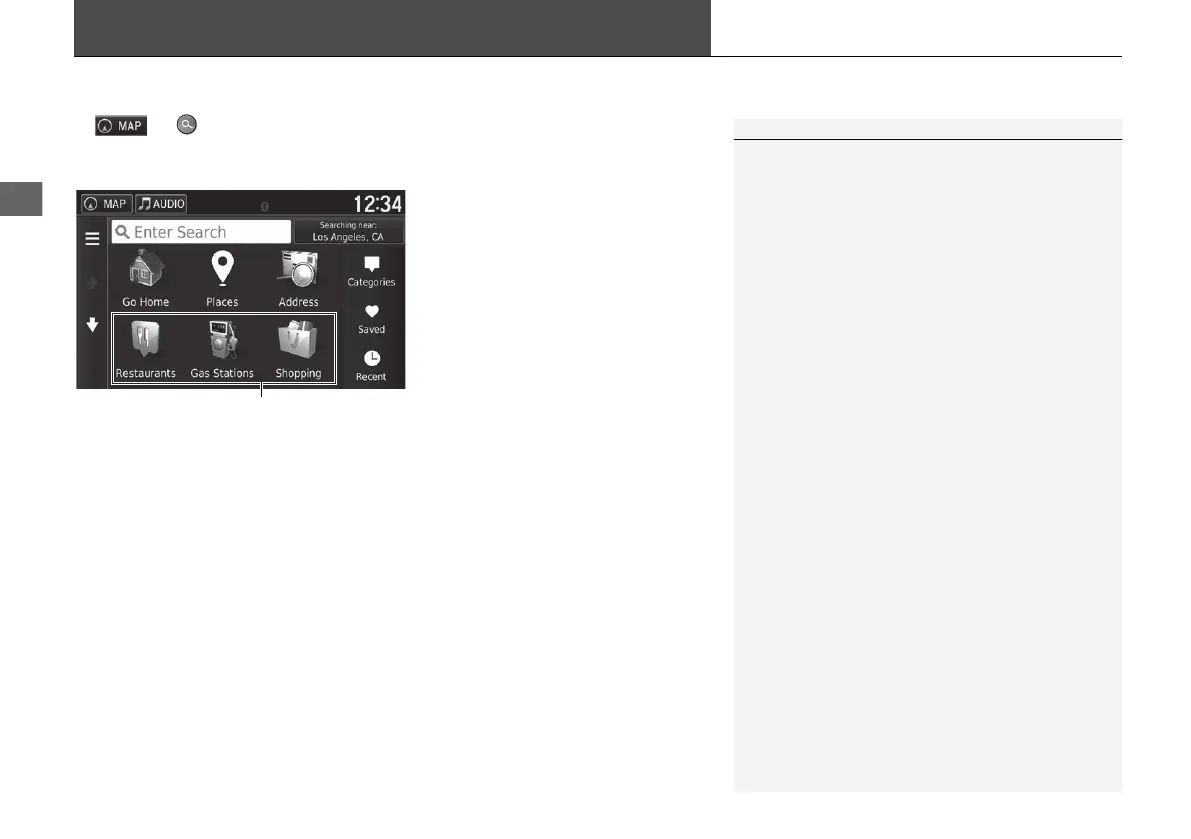
This section describes how to enter a destination for route guidance.
Select an option.
The following options are available:
• Enter Search: Sets a destination by entering a category, name, address, or city
name.
2 Using the Search Bar P. 56
• Searching near: Selects the city to search near.
2 Changing the Search Area P. 57
• Go Home: Sets your home address as the destination.
2 Going Home P. 8
• Places: Launches AcuraLink® to search for places.
For more details, see the Owner's Manual.
• Address: Sets a destination by entering an address.
2 Address P. 60
• Categories: Sets a destination by selecting a category.
2 Categories P. 65
1 Entering a Destination
The Display Audio system can only provide route guidance
from one navigation system at a time. When setting a
destination on one system, any active route guidance with
the other system is canceled, and the system you are
currently using will direct you to your destination.
To use AcuraLink®, you must connect your
smartphone to the system.
For more details about smartphone connection and
how to use AcuraLink®, see the Owner's Manual.
18 ACURA NSX NAVI-31T6N8100.book 54 ページ 2017年10月24日 火曜日 午後2時46分



 To Next Page