14
Quick Reference Guide
VSA® OFF Button (P205)
● The vehicle stability assist (VSA®) system
helps stabilize the vehicle during
cornering, and helps maintain traction
while accelerating on loose or slippery
road surfaces.
● VSA® comes on automatically every time
you start the engine.
● To turn VSA® on or off, press and hold
the button until you hear a beep.
Cruise Control (P201)
● Cruise control allows you to maintain a
set speed without keeping your foot on
the accelerator pedal.
● To use cruise control, press the CRUISE
button, then press DECEL/SET when the
vehicle speed is above 25 mph (40 km/h).
Tire Pressure Monitoring
System (TPMS)
(P206)
● TPMS monitors tire pressure.
● TPMS is turned on automatically every
time you start the engine.
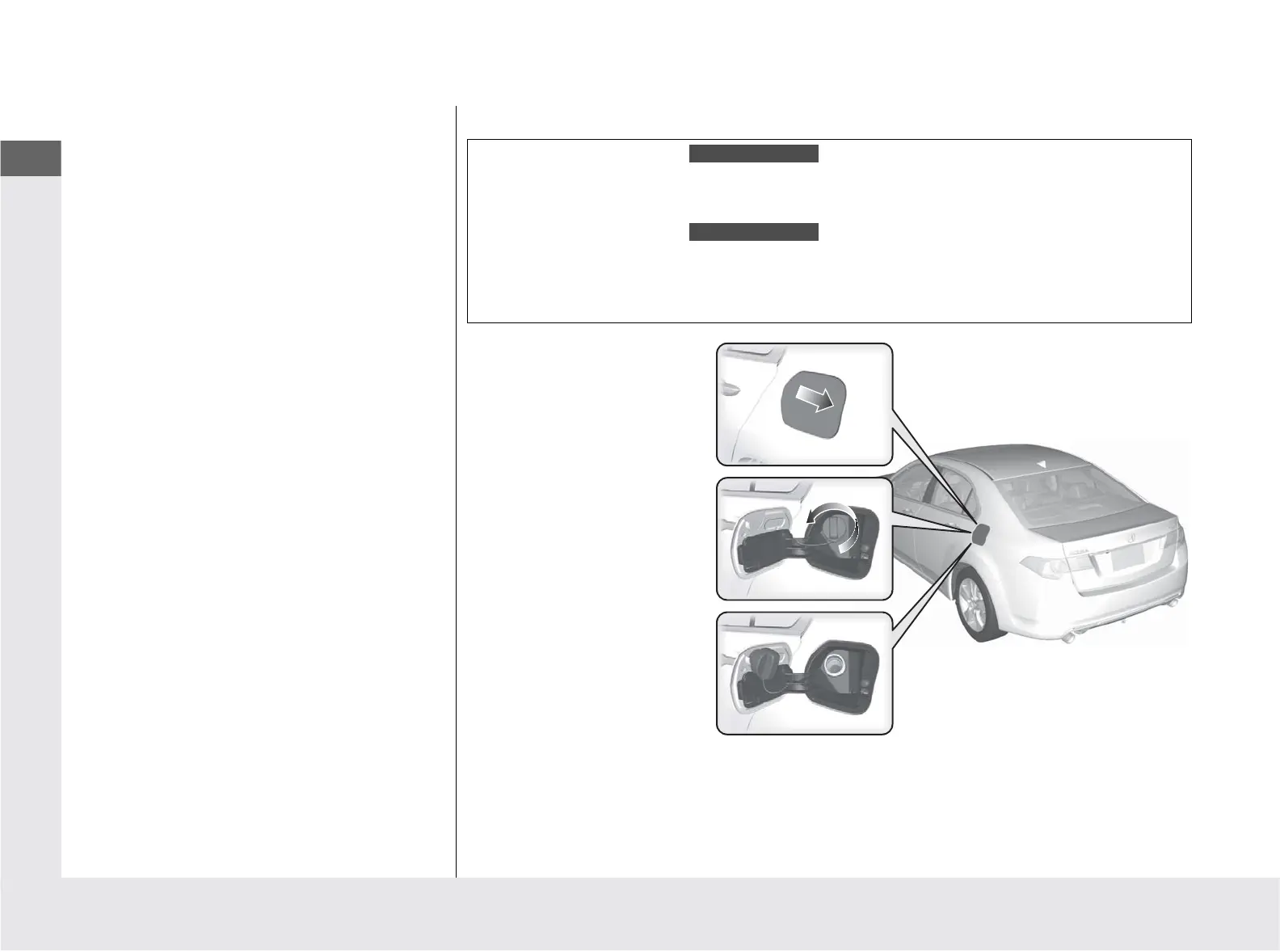
Refueling (P 215)
a Unlock the driver’s door.
b Press on the edge of the
fuel fill door to make it
pop up slightly.
c Turn the fuel fill cap
slowly to remove the
cap.
d Place the cap in the
holder on the fuel fill
door.
e After refueling, screw
the cap back on until it
clicks at least once.
Fuel recommendation:
Premium unleaded gasoline with a pump octane number
91 or higher recommended
Premium unleaded gasoline with a pump octane number
91 or higher required
Fuel tank capacity: 18.5 US gal (70 L)
4-cylinder models
6-cylinder models



 To Next Page
 Loading...