Arduino Wiring & Test
The classic ATmega328P-based Arduino's like the UNO and Metro 328 don't have I2S interfaces, so you
can't
use this
breakout with them
But the newer ATSAMD21-based boards like the Zero, Metro M0, Feather M0 can! (Note, Gemma M0 & Trinket M0 do
not have I2S pins available). And so can the even newer ATSAMD51-based boards like the Metro M4 and Feather M4.
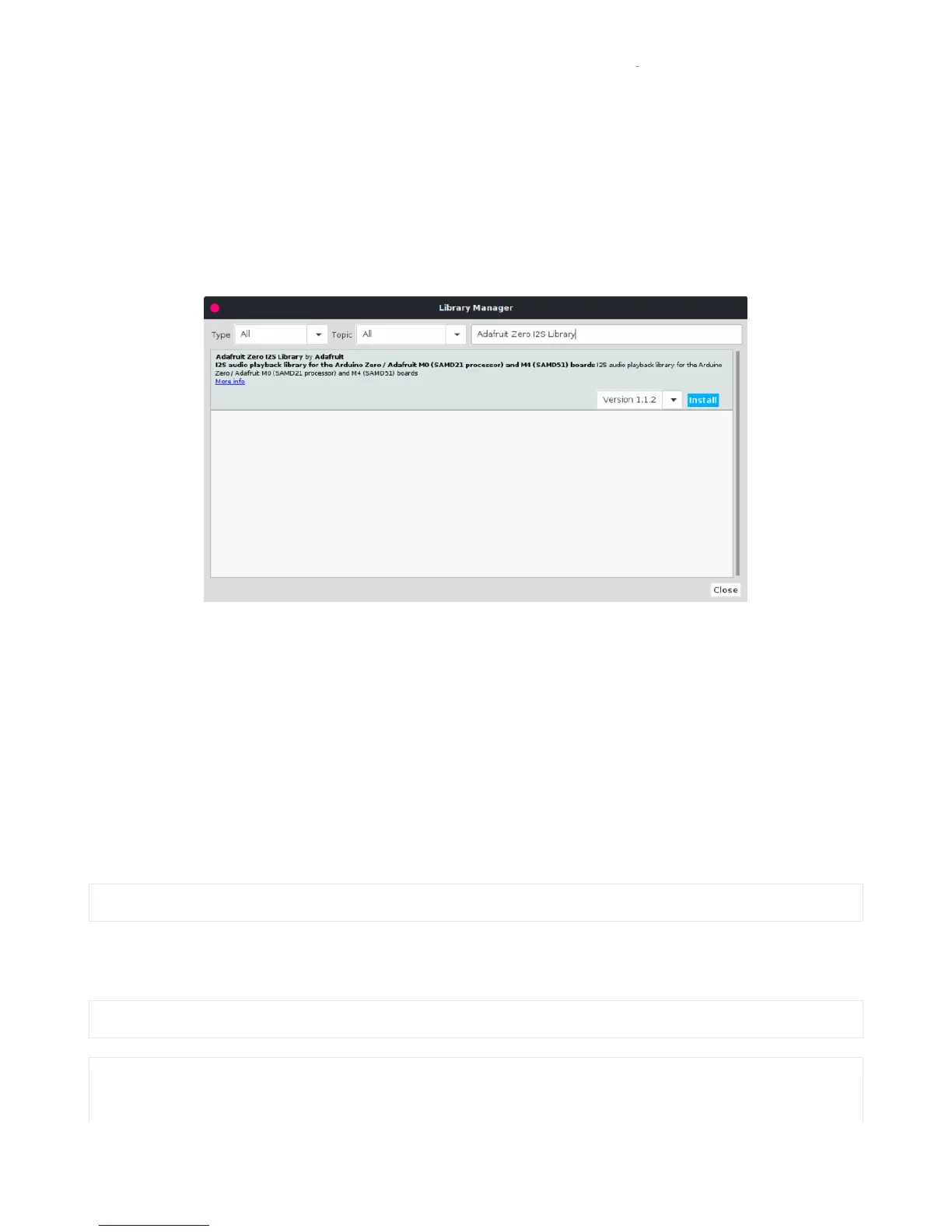
To use I2S with M0 or M4 boards, you'll need to install the Adafruit Zero I2S library (https://adafru.it/DHD). It is available
through the Library Manager. You can search for (see below) and then just click the install button.
Wiring
Wiring connections are the same as those used for CircuitPython. So go to the CircuitPython Wiring & Test page to
see how to wire the breakout for your specific board.
Basic Test
To test things out, try running the demo below. It comes with the library installation, so you can find it by going to:
File -> Examples -> Adafruit Zero I2S Library -> basic
Be sure to change this line:
to match the pins used for your setup. If you've wired as shown in this guide, then you can try using the default pins by
changing that line to this:
Adafruit_ZeroI2S i2s(0, 1, 9, 2);


 To Next Page