9
Aer a short delay, the le eye LED and right eye LED condion number
indicators will both display a “1”, indicang that Condion 1 is being displayed
on both paent eyes.
3a
3b
3c
4
Power on the model using the power switch.
The green indicator light on the switch will illuminate.
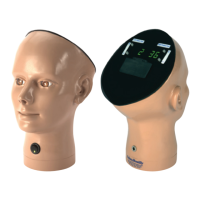
Both the le eye LED and right eye LED condion number indicators may be
hidden if required, e.g. under examinaon condions.
To use, simply li the hinged examinaon cover unl it rests over the LED eye
condion displays.
Power on and Select Condions
Using the Examinaon Cover
If the model fails to power on, check the baeries are ed correctly and
have sucient power, or check the low voltage cable is aached correctly
and the mains supply is turned on.
Whenever the model is powered o and then on again, both eye condions
will automacally default to Condion 1.
Any of the 36 condions may be set independently for each paent eye,
at any me.
To set a condion, simply press the Up (+) or Down(-) buons for each paent
eye unl the desired condion number is displayed on the LED condion
number indicator.
For detailed descripons of each condion, please refer to page 14.


 To Next Page