6 H200 MANUAL [ENGLISH] 7H200 MANUAL [ENGLISH]
3. ATTACHING THE
CONNECTION CABLE
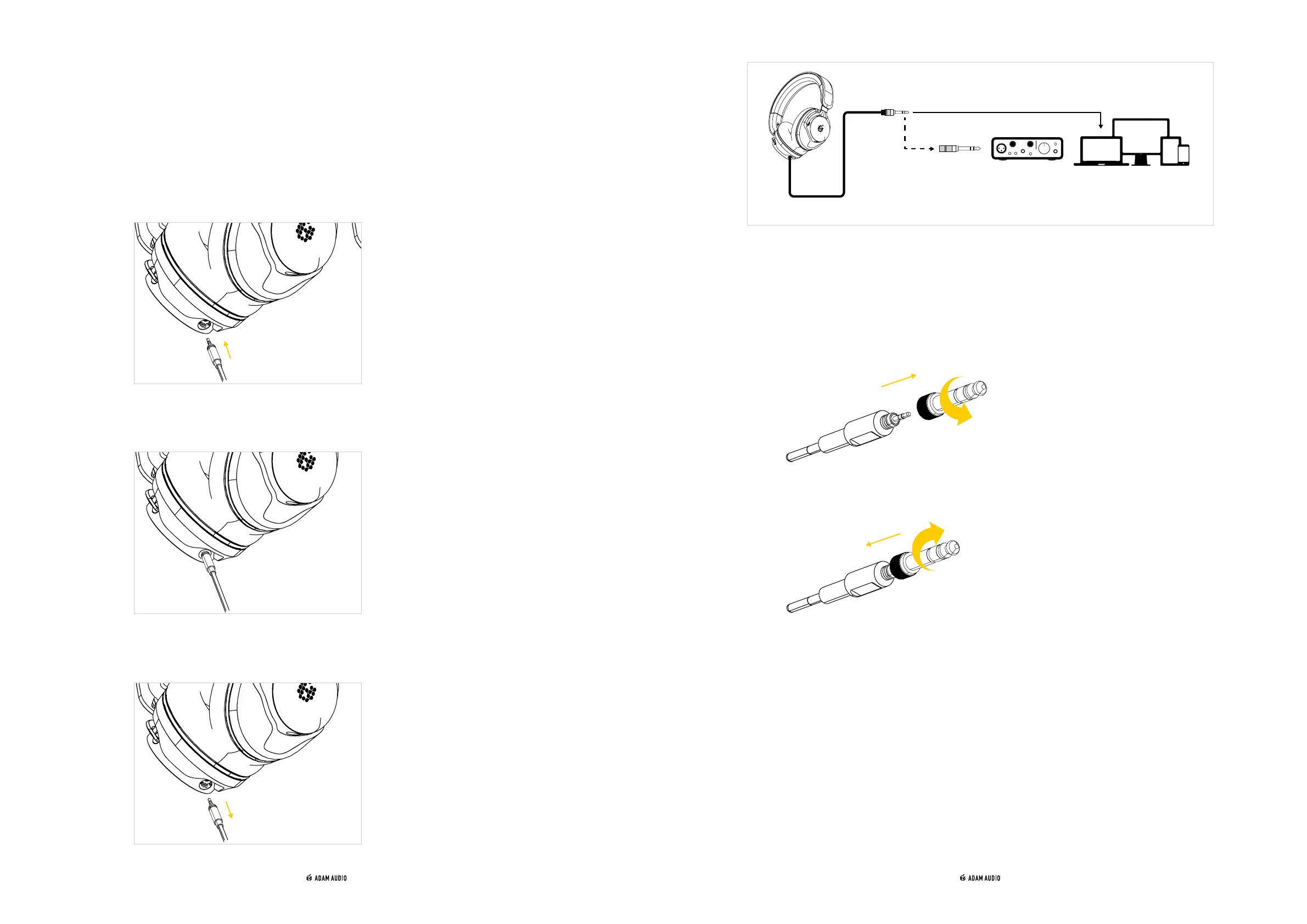
→ Attach the included connection cable either to the left or the right ear cup.
→ Insert the connection cable into one of the connectors until it locks into place with an
audible click.
→ To remove or replace the cable, pull it gently out of the connector using the barrel of
the jack connector, not the cable.
→ Connect the H200 to the headphones output of e.g. a dedicated headphone amplifier,
the headphone output of your audio interface, mixer, portable listening device or
computer.
→ Use the included 3.5 mm to 6.3 mm adapter if needed.
→ Detach the adapter from the cable by turning it anticlockwise.
→ Attach the adapter to the cable by turning it clockwise.
6.35 mm
(1/4″)
3.5 mm
(1/8″)
*CLICK*



 To Next Page