7
Connecting Wide SCSI Devices
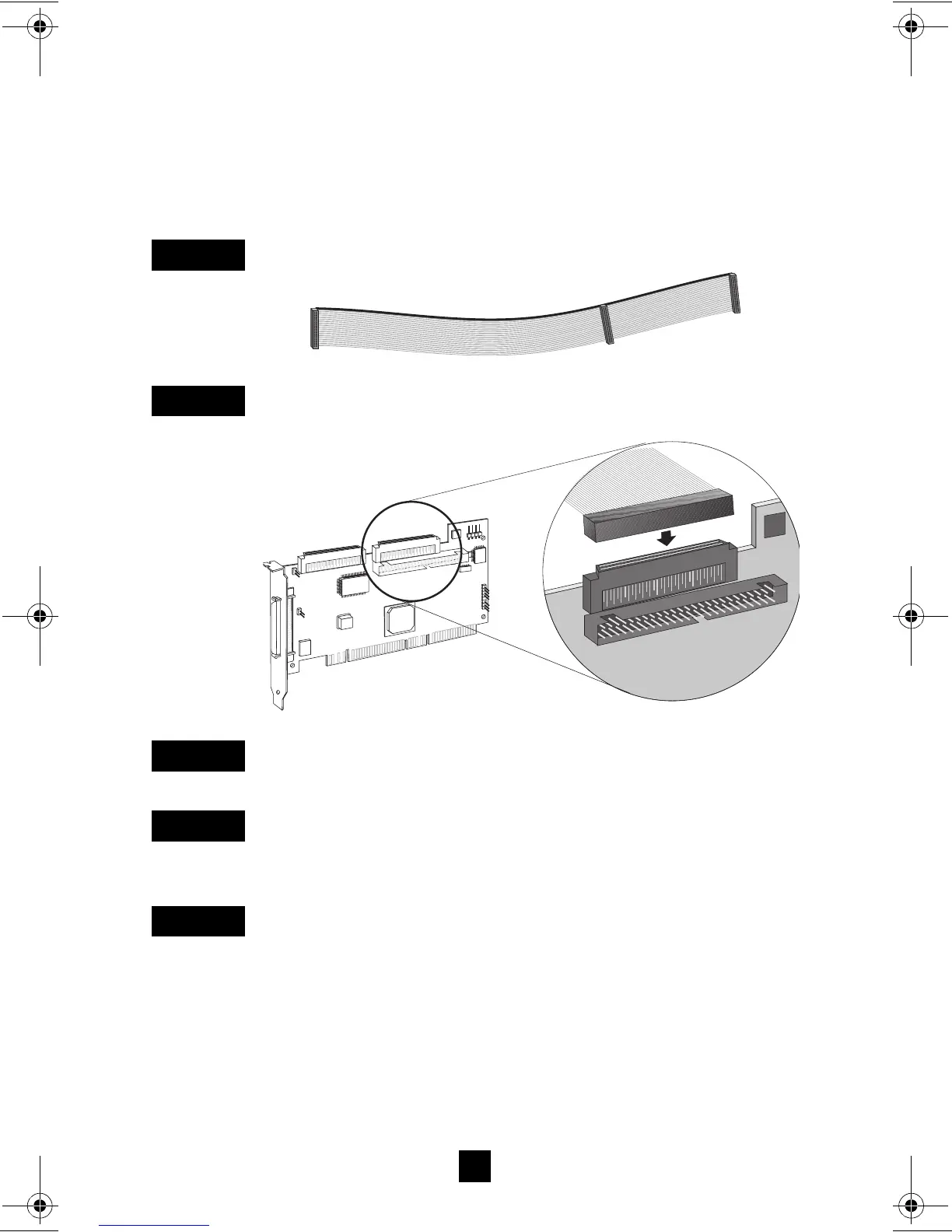
Connect internal Wide SCSI devices to the 68-pin internal SE
Wide SCSI connector. To do this, use a 68-pin Wide SCSI cable
like the one shown in Step 1 below. Follow these steps to connect
the devices:
Locate a 68-pin internal Wide SCSI cable.
Plug one end of the cable to the Wide SCSI connector on the
Adaptec SCSI Card 29160.
Plug the other end of the cable to a terminated Ultra/Fast Wide
SCSI device.
If you have other Ultra/Fast Wide SCSI devices, attach them to
the connectors between the two ends of the cable. Be sure these
other devices are un-terminated.
Connect a power cable from your computer’s internal power sup-
ply to each internal device.
S
TEP
1
S
TEP
2
S
TEP
3
S
TEP
4
S
TEP
5
29160_OEM_InsGd.fm Page 7 Tuesday, October 19, 1999 7:47 AM



 To Next Page