13
Using the Adaptec SCSI Card 29160 and SCSI Devices
Ultra160 Hard Disk Drives
■
We recommend keeping your Ultra160 and Ultra2 SCSI
devices separate from your other legacy SCSI devices. If you
connect a legacy SCSI hard disk drive to one of the Adaptec
SCSI Card 29160 LVD/SE connectors, the Ultra160 SCSI seg-
ment of the SCSI bus will slow to Ultra SCSI performance lev-
els (40 MBytes/sec).
■
Be sure to connect your Ultra160 SCSI hard disk drives to the
LVD/SE SCSI connectors on the Adaptec SCSI Card 29160 if
you want Ultra160 performance (160 MBytes/sec)
■
Internal Ultra160 SCSI devices come from the factory with ter-
mination disabled and cannot be changed. Proper termination
is provided by the terminator at the end of the internal
Ultra160 SCSI cable.
Scanners
If you connect a scanner to the Adaptec SCSI Card 29160, you must
install the scanner manufacturer’s proprietary software drivers. See
your scanner’s documentation for details.
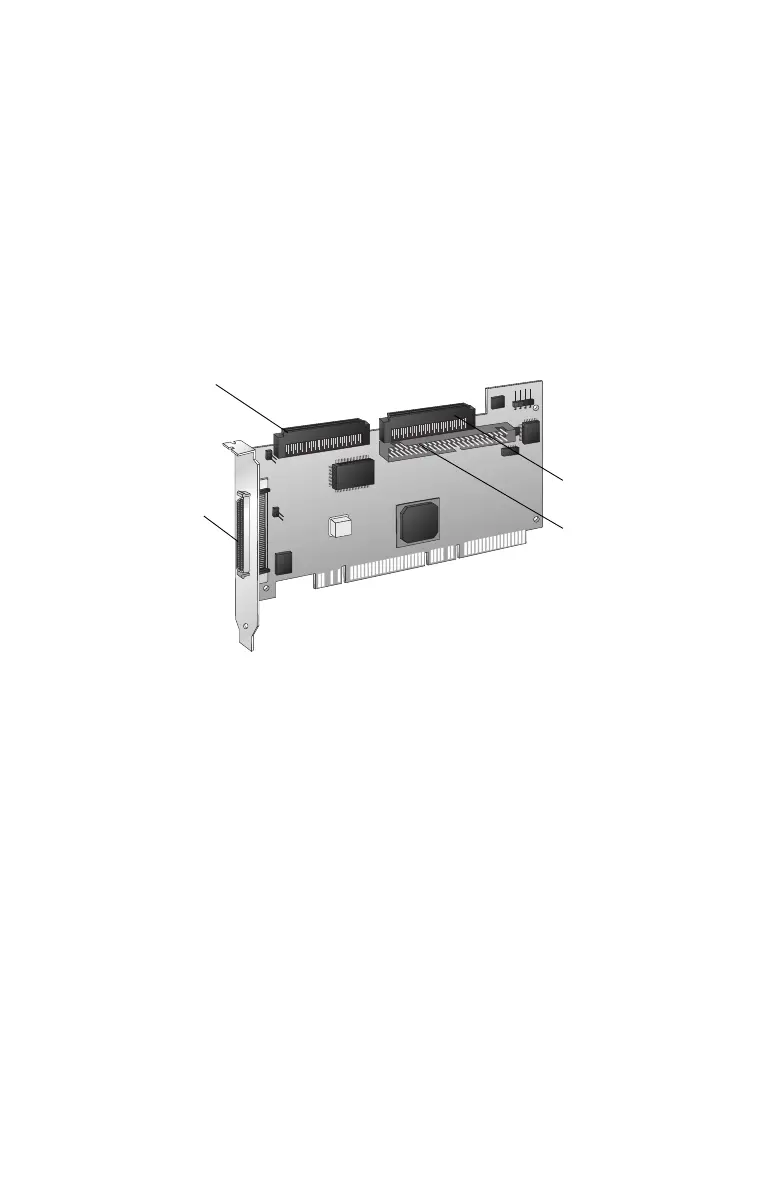
50-pin Internal Fast/
Ultra-SE Connector
68-pin Internal
LVD/SE Connector
68-pin External
High Density LVD/
SE Connector
68-pin Internal Fast/
Ultra-SE Connector



 To Next Page