12
External audio/video sources | Sound settings | Steering Wheel Control
External audio/video sources
AV inputs
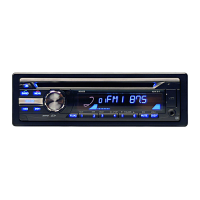
This device features two external AV inputs for audio and
video playback:
• AV-IN is implemented as a cinch socket on a cable at
the rear of the device. You can specify the installation
location of the port during the installation of the
device.
Danger!
Increased risk of injury from connector.
In case of an accident, the protruding connector in the
front AV-IN socket may cause injuries. The use of straight
plugs or adapters leads to an increased risk of injury.
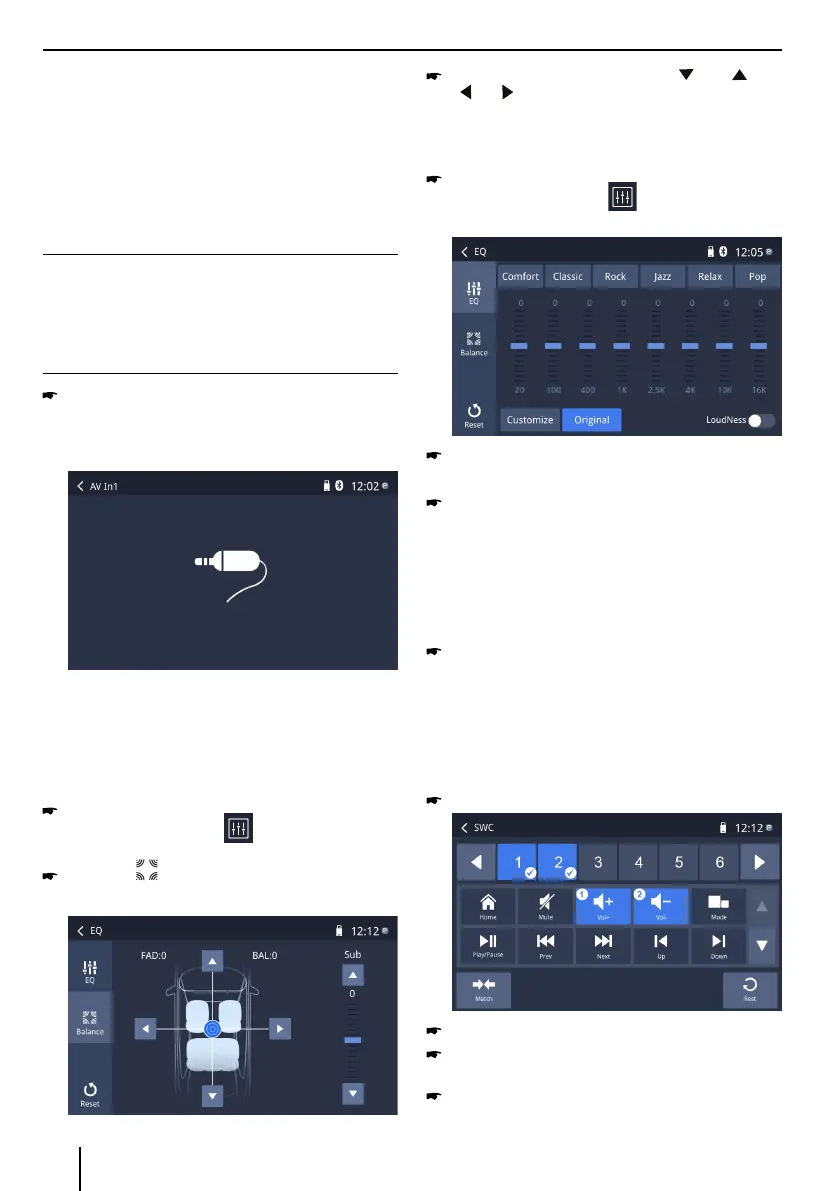
Start the AV-IN mode with the button AV-In1 /
AV-In2 .
The display shows the audio or video playback of the
selected AV source.
Sound settings
Volume distribution (fader/balance)
You can adjust the volume distribution in the vehicle
for all sources.
In the main menu or on the control bar of the current
audio source, press the button.
The equalizer menu is displayed.
Press the button.
The menu for fader and balance is displayed.
Adjust fader and balance with / or
/ .
Equalizer
You can adjust the equalizer for all sources.
In the main menu or on the control bar of the current
audio source, press the button.
The equalizer menu is displayed.
Select a preset equalizer via the buttons.
- Or -
Press the Customize button to adjust the level
of the available frequency bands according to your
preferences.
Note:
With the [ Original ] button, you can reset the
customised setting again.
- Or -
Press the LoudNess button to switch increasing
the bass at low volume on or o.
Steering Wheel Control
Select [SWC] on the manin menu to enter SWC setting
menu.
Touch number button to select a SWC button.
Select a function.
Press each individual steering wheel control button
for each corresponding function.
Touch [Match] to program.



 To Next Page