EasyManua.ls Logo

ADC Adtemp 429 - User Manual

ADC Adtemp 429
20 pages
Print Icon
To Next Page IconTo Next Page
Loading...
PLEASE NOTE:
THIS MEDICAL INSTRUMENT MUST BE
USED ACCORDING TO INSTRUCTIONS
TO ENSURE ACCURATE READINGS.
Questions?
Call ADC toll free at 1-800-232-2670
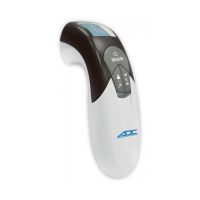
Non-Contact
Thermometer
Model 429
User’s Manual

Questions and Answers

  • O
    osmithJul 27, 2025
    What to do if my ADC Thermometer shows a temperature too high?
    • O
      obowersJul 27, 2025
      If your ADC Thermometer displays a temperature higher than 122°F (50°C) in Human Mode or 212°F (100°C) in Object Mode, first, try taking the measurement again, carefully following the instructions in Section 5. If the issue persists, gently clean the sensor lens. Should the error message continue to appear after these steps, please contact your retailer or ADC’s Customer Service at 1-800-ADC-2670.
  • G
    Gregory HartAug 10, 2025
    Why does my ADC Adtemp 429 show an error about operating temperature?
    • E
      Eric TaylorAug 10, 2025
      If your ADC Thermometer displays an error related to operating temperature, it might be outside the range of 60.8°F to 95°F (16°C to 35°C). Ensure you are using the thermometer within these specified temperatures. If the error persists, contact your retailer or ADC’s Customer Service line at 1-800-ADC-2670.

Summary

Symbols

Documentation Symbols

Explains symbols like Warning, Caution, IFU, CE marking for documentation.

Symbols, Introduction, and Warnings

General Safety Overview

Highlights the importance of following warnings and cautions to prevent illness, injury, death, or equipment damage.

General Warnings and Cautions

User Safety Warnings

Details warnings regarding measurement accuracy, child safety, electronic waste disposal, and potential chemical hazards.

General Warnings and Cautions (Continued)

Using the Thermometer

Controls and Features

Identifies and illustrates the thermometer's buttons, display, sensor, and battery compartment.

Using the Thermometer (Continued)

Taking a Measurement

Measurement Steps 1-3

Covers powering on, selecting mode, and positioning the thermometer for measurement.

Taking a Measurement (Continued)

Measurement Steps 4-7

Explains pressing measure, moving device, distance confirmation, repetition, and auto-off functionality.

Troubleshooting and Error Messages

Error Code Explanations

Lists common error codes (H, Lo, Err) with their causes and recommended solutions.

Maintenance

Battery Replacement

Details how to replace the thermometer's batteries when the low battery symbol appears.

Maintenance (Continued)

Battery Replacement Steps

Provides step-by-step instructions for removing old batteries and inserting new ones.

Maintenance, Calibration, and Disposal

RF Equipment Separation and Warranty

ADC Adtemp 429 Specifications

General IconGeneral
BrandADC
ModelAdtemp 429
CategoryThermometer
LanguageEnglish

Related product manuals