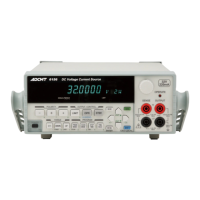
6247G/6247C DC Voltage Current Source/Monitor Operation Manual
Table of Contents
C-4
5.4.1 Block Diagram ............................................................................................ 5-72
5.4.2 Operational Principles ................................................................................ 5-72
6. REMOTE PROGRAMMING ................................................................... 6-1
6.1 Using Interface .................................................................................................. 6-1
6.1.1 Selecting Interface ...................................................................................... 6-1
6.2 GPIB .................................................................................................................. 6-2
6.2.1 Overview .................................................................................................... 6-2
6.2.2 Precautions when Using GPIB ................................................................... 6-3
6.2.3 Setting GPIB ............................................................................................... 6-4
6.3 USB ................................................................................................................... 6-5
6.3.1 Overview .................................................................................................... 6-5
6.3.2 USB Specifications ..................................................................................... 6-5
6.3.3 Setting Up USB .......................................................................................... 6-5
6.3.3.1 Connecting with a PC ................................................................................. 6-5
6.3.3.2 Setting USB ID ........................................................................................... 6-6
6.3.3.3 Precautions when Using USB .................................................................... 6-6
6.4 RS-232 ............................................................................................................... 6-7
6.4.1 Overview .................................................................................................... 6-7
6.4.2 Precaution when Using RS-232 .................................................................. 6-7
6.4.3 Specifications ............................................................................................. 6-7
6.4.4 Setting RS-232 ............................................................................................ 6-9
6.4.5 Command Transmission and Response ...................................................... 6-12
6.4.5.1 Command Transmission ............................................................................. 6-12
6.4.5.2 Response ..................................................................................................... 6-12
6.4.5.3 Response to Setting Command and Query Command ............................... 6-12
6.4.5.4 Response to "MON?" Command ................................................................ 6-13
6.5 Status Register Structure ................................................................................... 6-14
6.6 Data Output Format (Talker Format) ................................................................ 6-22
6.7 Remote Commands ........................................................................................... 6-26
6.7.1 Command Syntax ....................................................................................... 6-26
6.7.2 Data Format ................................................................................................ 6-28
6.7.3 Remote Command Index ............................................................................ 6-29
6.7.4 Remote Command List ............................................................................... 6-32
6.7.5 TER? Command ......................................................................................... 6-48
6.8 Sample Programs .............................................................................................. 6-49
6.8.1 Program Example for GPIB ....................................................................... 6-49
6.8.2 Program Example for USB ......................................................................... 6-49
6.8.3 Program Example for RS-232 .................................................................... 6-50
7. PERFORMANCE TEST ............................................................................ 7-1
7.1 Measuring Instrument Necessary for Performance Test ................................... 7-1
7.2 Connections ....................................................................................................... 7-1
7.3 Test Method ...................................................................................................... 7-1
8. CALIBRATION ........................................................................................... 8-1
8.1 Measuring Instrument and Cables Necessary for Calibration ........................... 8-1


 To Next Page