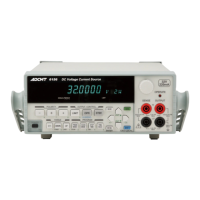
6247G/6247C DC Voltage Current Source/Monitor Operation Manual
2.3 Saving and Loading Parameters
2-48
2.3 Saving and Loading Parameters
The 6247G/6247C can save the setting parameters in the non-volatile memory, area 0 to 3.
The 6247G/6247 has a random memory data save area, separated from the parameter save area.
2.3.1 Auto Load at Power ON
When the 6247G/6247C is turned on, it starts up with the setting parameters from when it was previously
turned off.
However, the 6247G/6247C always starts up with the same condition by loading the parameters saved in
area 0.
Select which parameters to be loaded at power ON by selecting K) PARAMETER and then 3) PON.
Load on the menu screen.
P.OFF Start up using the parameters when the instrument was last turned off.
Load0 Start up using the parameters saved in area 0.
NOTE:
1. The auto load function does not apply to the random memory. At power ON, the random memory data saved
in the non-volatile memory is loaded.
2. The GPIB address, USB ID, RS-232 setting parameters and power on loading conditions are always saved in
a different area and loaded when the power is switched on.


 To Next Page