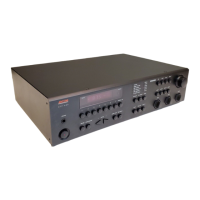
2.1 Placement
Your system components need a stable, vibration-
free supporting surface. Your ADCOM dealer will
be pleased to show you many different types of
audio/video equipment racks and cabinets. Keep
the GTP-830 (and other audio/video components)
away from moisture and out of direct sunlight.
Bear in mind that the GTP-830’s rear panel is the
central connecting point for almost every compo-
nent in your audio/video system. Leave sufficient
room behind the rear panel to accommodate
cables, antenna leads, power cords, etc. We recom-
mend a minimum of 5 inches of free space behind
the GTP-830 for maximum flexibility.
A distance of 1/2" should be maintained around the
GTP-830 for ventilation. Keep your GTP-830 in a
room where temperatures remain fairly moderate,
and never cover it with table cloths, curtains, news-
papers, etc., to avoid potential overheating.
2.2 Connections
Section 1.2 above has already provided the infor-
mation you need to successfully connect all the
audio/ video components you will need for a
sophisticated home theater system. Your ADCOM
dealer will be pleased to assist you should you
require detailed answers to more advanced system
configuration questions.
INSTALLING/CONNECTING THE GTP-830
ADCOM OWNER’S MANUAL | 29



 To Next Page