ADDAC SYSTEMpage 28
CHANNEL INPUT (Quantizing Mode = UP)
Quantized
Note OUT
ASSIGN CV INPUT (ASSIGNED TO SCALE TRANSPOSITION)
SCALE TRANSPOSE METHOD
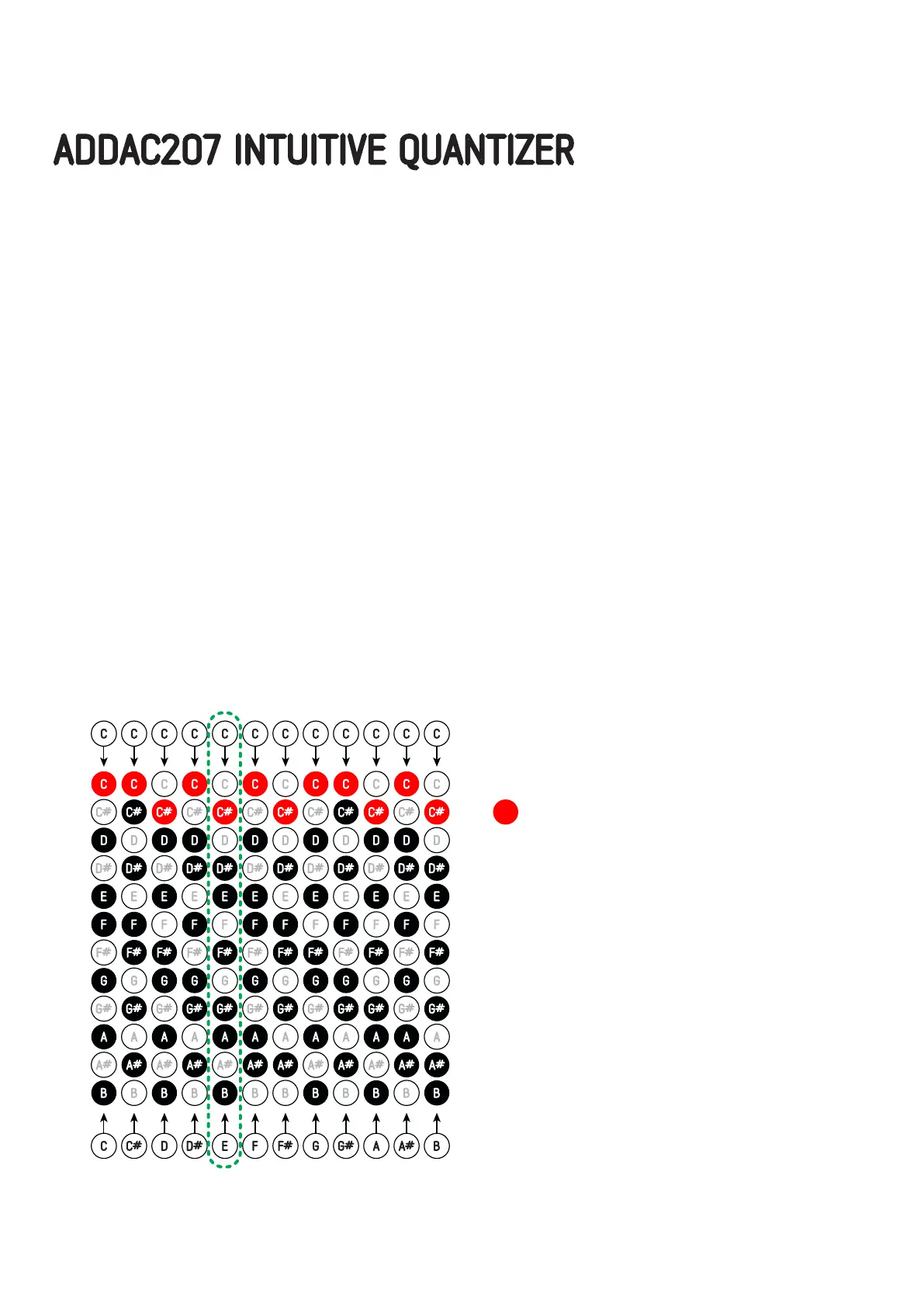
Below you’ll find a table with 12 examples, each column is an example.
In the top you can find the Channel CV input and on the bottom the CV input inserted into the Assign input.
The red circle shows the note that will appear at the Channel output.
Notice that we wanted to show how the Assign input relates to the Channel inputs so we kept the CV Input
at the same value: C or zero volts.
All examples assume the Quantizing Mode is set to UP.
Example - Channel input = C and Transpose Input = E
In this example, the selected scale will be transposed by the Assign CV, in this case, the Channel CV input is
a C and the scale transpose input is an E or 4 semitones up.
C Major scale + 4 semitones = E Major scale
Notice that our Channel’s input CV will not be transposed only the scale (shown in black circles).
In this case our Channel input is a C, once the scale transposition is done and the scale is updated we can
notice that there is no C in the E Major scale, in this case, the 207 will quantize the input C to the closest
note above which belong to the new scale, in this case, a C#.
ADDAC207 INTUITIVE QUANTIZER USER’S GUIDE
April.2021Revision.05


 To Next Page