10
Operation
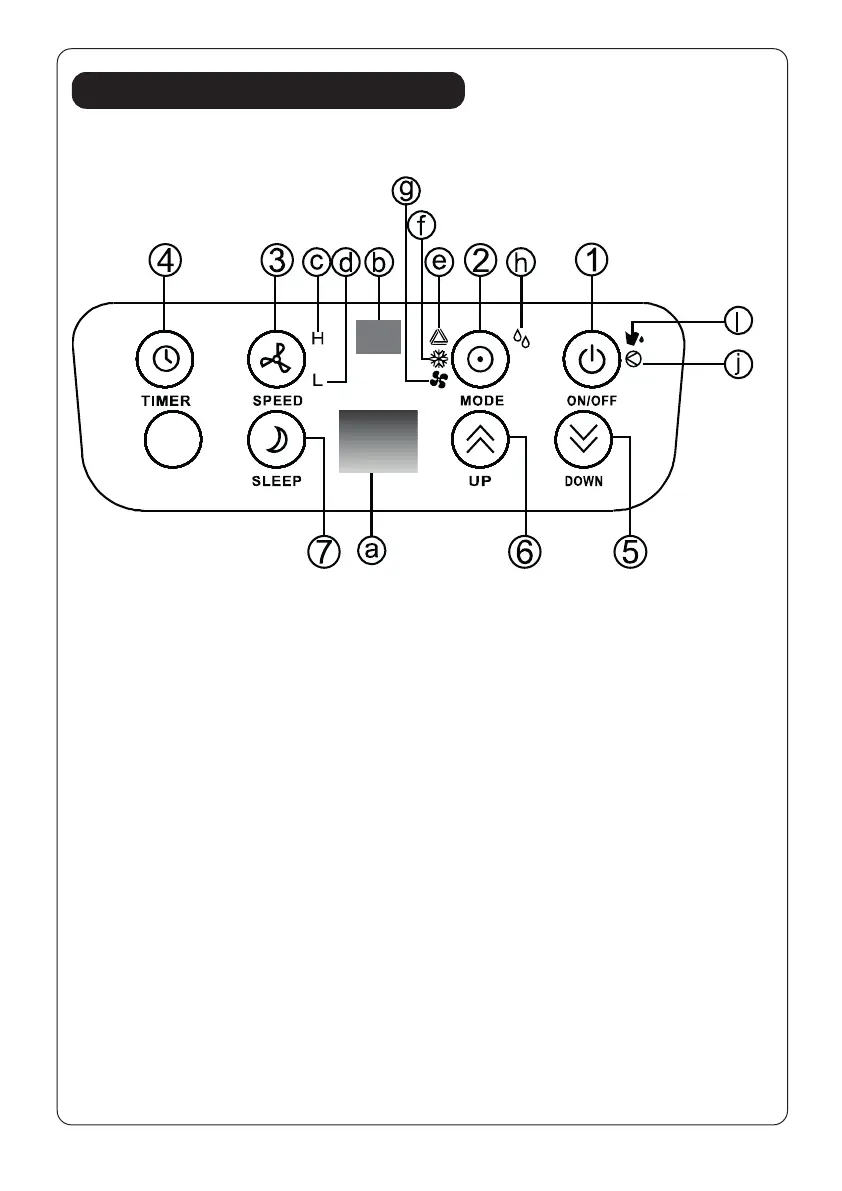
Control panel
1. ON/OFF (power) button
2. Mode (function) option
button
3. Speed (ventilation)button
4. “Timer” button
5. ‘Temperature down ‘ button
6. ‘Temperature up’ button
7. “Sleep” button
a. Display window
b. Receiver for remote control
c. High ventilation indicator
d. Low ventilation indicator
e. Automatic mode indicator
f. Cooling mode indicator
g. Fan mode indicator
h. DEHUMIDIFY(DRY) mode
indicator
i. “Full Water” indicator
j. Indicator for compressor
operation
Adjust the air vent
Before using the unit, please open the horizontal louvers. Adjust the louvers to
your desired direction.
FIG. 13


 To Next Page