Weighing
18
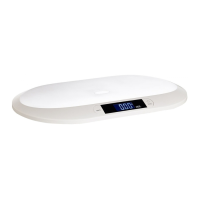
Digital baby scale BE 1817
Weighing
WARNING against injuries
Do not leave the child lying, standing or sitting unattended on the
scale. Hold the child rmly.
Make sure you can intervene at any time to prevent the child from
slipping or falling o the scale.
1. Press the
/TARE button.
The illuminated display will show “HELO” and “0.00” shortly thereafter, as well as
the set unit of measurement, e.g. “kg”.
2. Place a soft towel or small blanket on the weighing surface.
3. Press
/TARE to reset the scale to zero (observe the display indication “TArE”).
This ensures that the towel or blanket is not weighed.
4. Place the baby to be weighed on the towel or blanket.
The current weight value will be displayed dynamically shortly thereafter.
Of course, you can also perform the weighing without any towel or
blanket. In this case, steps 2 and 3 will be omitted.
Weigh the baby as undressed as possible.
Try to weigh yourself always at the same time and under consistent
conditions in order to obtain comparable values.
Switching off the scales
− Hold down /TARE until the indicator on the display goes out.
The scales automatically switch off if they are not used for approx. 20 seconds.
Resetting the scales
Reset the scales to factory settings if unusual or obviously incorrect values are shown
on the display.
1. Remove the batteries from the battery compartment and wait a moment.
2. Re-insert the batteries.
Pay attention to the correct polarity of the batteries (+/-).
After switching the scales on, you can weigh yourself as usual.


 To Next Page