31
CK 2304 bathroom clock
English
You can choose between the 12-hour or
24-hour time format. Follow the display
indication during setup ("PM" = afternoon
display in 12-hour format).
Using countdown
In the countdown mode, a time is counted down. You can
set a time period from 1 to 99 minutes.
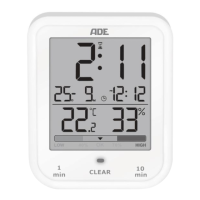
The countdown is displayed in large digits in
the area where the time is normally displayed.
During the countdown, the time is displayed
in a miniature form to the right of the date
display.
Proceed as follows to set a countdown:
− Use
or to set the desired countdown time:
Press and hold the respective sensor field to increase
the time value.
Releasing
or starts the countdown
automatically after a few seconds.
You can early terminate the countdown by pressing
.
After the countdown has elapsed, the device will beep
for approx. 1 minute and the LED will be flashing.
After that, the display shows the time again in large
digits at the top.
To terminate the beeps, press .


 To Next Page