Other functions
27
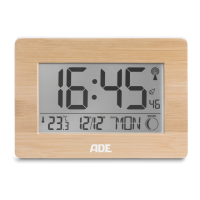
CK 2113 | CK 2308 XL radio-controlled wall clock
Other functions
Illuminating the display
− Tap the sensor field once to enable the display backlight for
approx. 8 seconds.
Changing the time display
− To toggle between the 12 and 24 hour formats, press .
In the 12 hour format, morning hours are indicated as “AM” and afternoon hours are
indicated as “PM”.
Change temperature unit
− Pressing the button displays the temperature in degrees Celsius (°C) or degrees
Fahrenheit (°F).
Switching between summer and winter time
Switching between summer and winter time, or vice versa, takes place automatically
with good time signal reception.
When daylight saving time is active, the display shows “DST” (Daylight Saving Time).
Resetting the radio-controlled wall clock to defaults
Reset the clock to defaults if the display shows unusual and/or obviously incorrect
values.
1. Remove the batteries from the battery compartment and wait a moment.
2. Reinsert the batteries.
Pay attention to the correct polarity of the batteries (+/-).
3. Proceed as described in the chapter “Receiving the time signal”.
Changing the battery
If the display fades out or shows , be sure to change the batteries completely.
− Proceed as described in the “Start-up” section.
Only use the type of battery that is specified in the “Technical data”.
Always change all batteries at the same time.
Dispose of old batteries in an environmentally appropriate way
(see “Disposal”).
English



 To Next Page