ZW60-210531-Rev006-UM-en 5
5. Operating and display elements
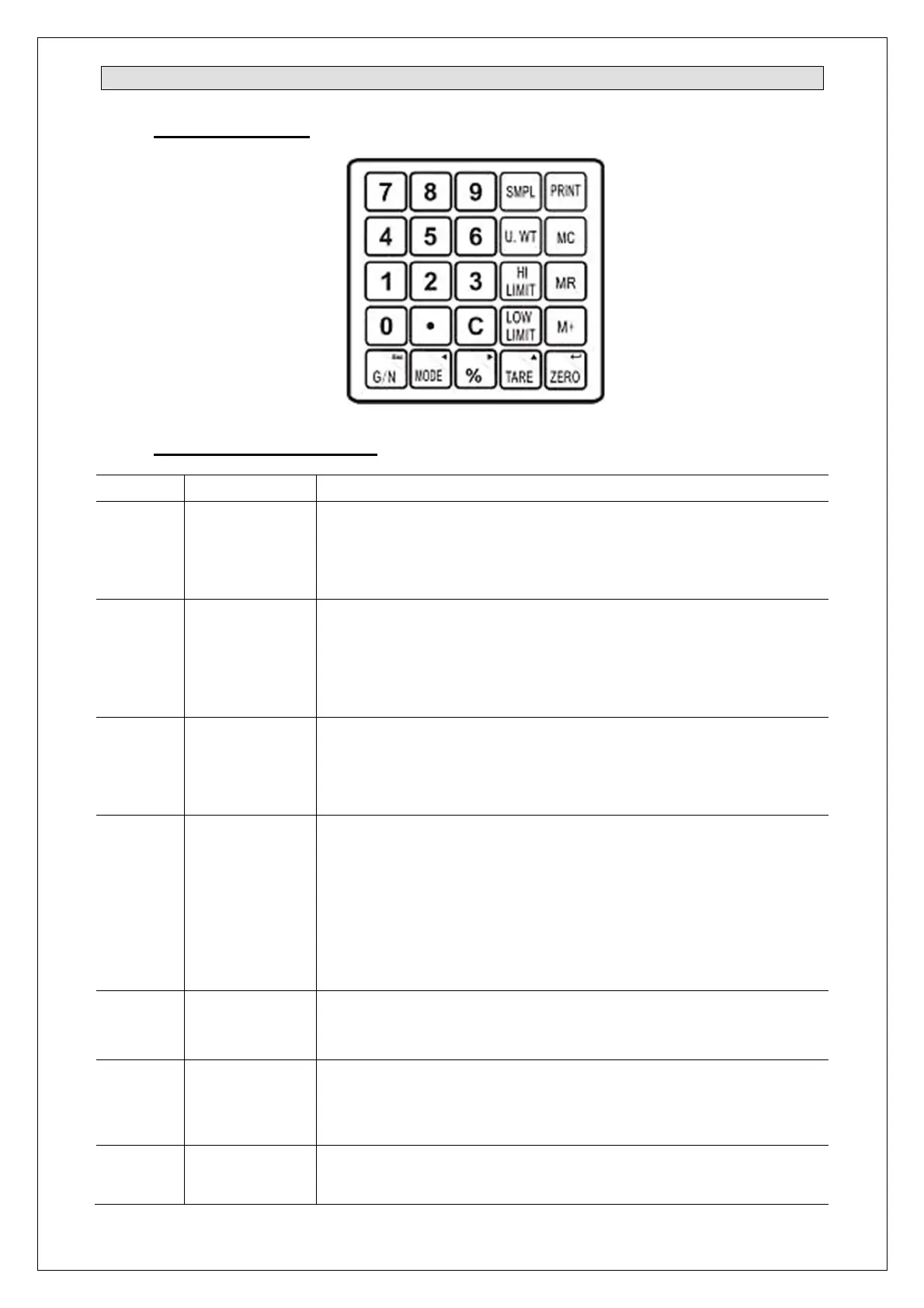
5.1 Operating Controls
5.2 Button terms and functions
Symbol Description Function
ZERO Zeroing
Sets the zero point for all next weighing operations. Zero is
displayed.
Secondary function: Confirms (“Enter”) adjustable parameters
or other functions.
TARE Tare
Tares the scales. Saves the current weight as a tare value,
subtracts the tare value from the weight and displays the results.
That is the net weight.
Secondary function: Increments the active digit when entering
values of adjustable parameters or other functions.
%
Percent
weighing
function
Percent function. Displays weight, unit weight and counted
quantity in counting mode.
Secondary function: Skips the active digit one place to the right
when entering values of adjustable parameters or other functions.
MODE Mode button
Changes the units in weighing mode.
Changes display between unit weight, counted quantity and total
weight in counting mode.
Displays weight in percent mode. The scale automatically
returns to percent mode in three seconds.
Secondary function: Skips the active digit one place to the left
when entering values of adjustable parameters or other functions.
PRINT Printing
Triggers data transfer to a connected printer or PC (only for
models with RS interface - special version). Otherwise without
function.
G/N
Switch
between
gross and net
weight
Switches between gross and net weight.
Secondary function: Returns (“ESC”) to operating mode while
setting adjustable parameters.
M+ Summarizing
Summarizing. Saves the current weight in memory.
Adds the value (weight or quantity) to the totaliser.


 To Next Page