A-dec 6300 Ceiling-Mount Dental Light Installation Guide
6 85.0521.00 Rev R
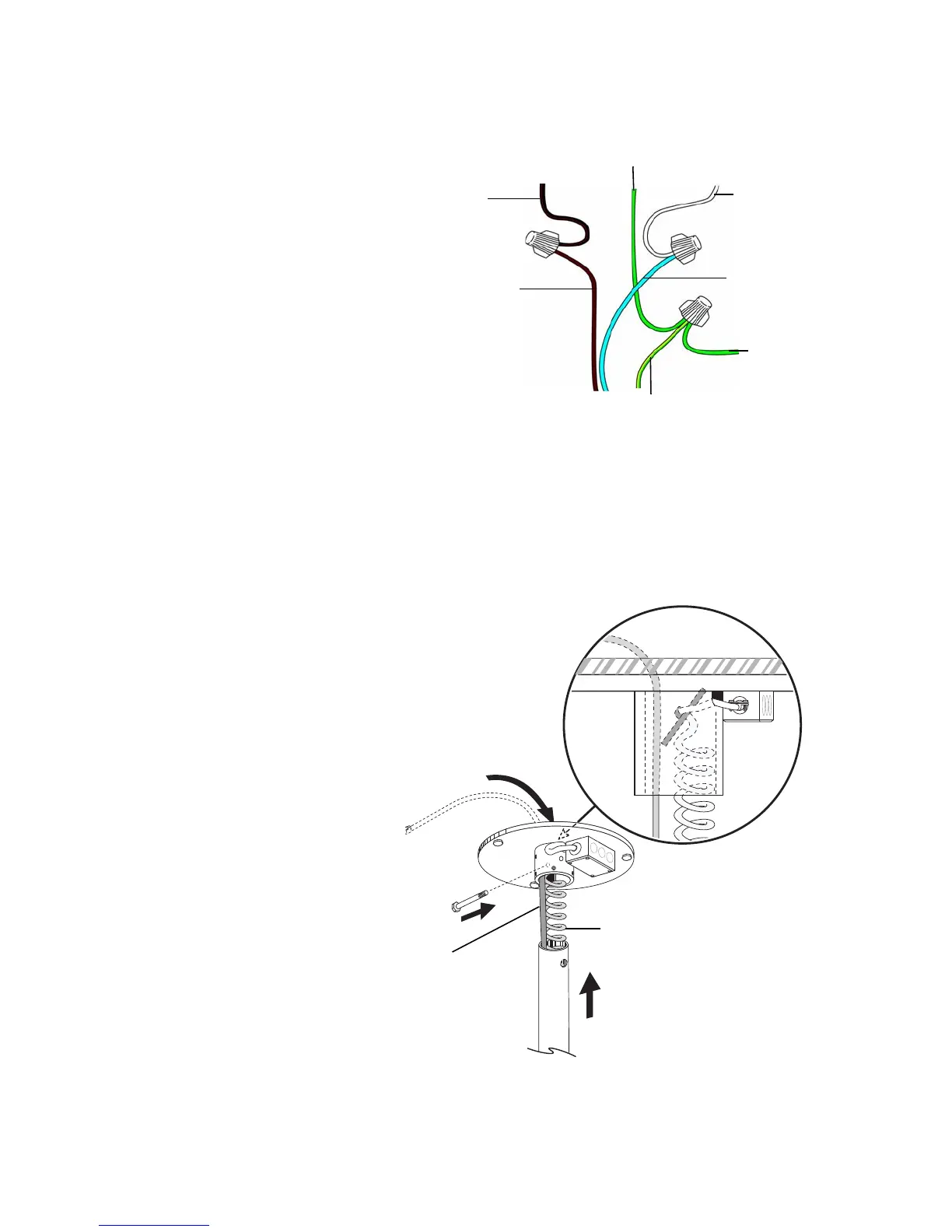
Wire and Level the Post
1. Use wire nuts to connect the electrical
wiring as follows:
○ Brown wire from the power cord to
the black or brown wire from the
electrical stub.
○ Blue wire from the power cord to the
white or blue wire from the electrical
stub.
○ Green/yellow wire from the power
cord to the ground wire from the
electrical stub, and the green wire
from the junction box.
2. Replace the junction box cover. Route the
cables past the strain relief, then slide the
power cord and data line through the
post and up into the collar. For lights
with a long post, use a piece of tubing
tied to the power cord to pull the cord
and data line through the post.
3. If the system has a touchpad, use the
in-line connector to connect the data line
from the light to a second data line (not
provided), which routes to the chair
circuit board.
4. Line up the holes in the post and the
collar where the collar bolt installs. It
does not matter where the slot in the post
faces. Use a 7/16" socket and ratchet to
install the bolt through the collar and
post. Firmly tighten the bolt.
Figure 7. Wire the Post
Figure 8. Connect Post to Hub Assembly
Black/Brown
Wire from
Electrical Stub
Green/Yellow
Wire From
Power Cord
Brown Wire From
Power Cord
Ground Wire From
Electrical Stub
White or Blue
Wire From
Electrical Stub
Blue Wire From
Power Cord
Green Wire
From
Junction Box


 To Next Page
 Loading...