EasyManua.ls Logo

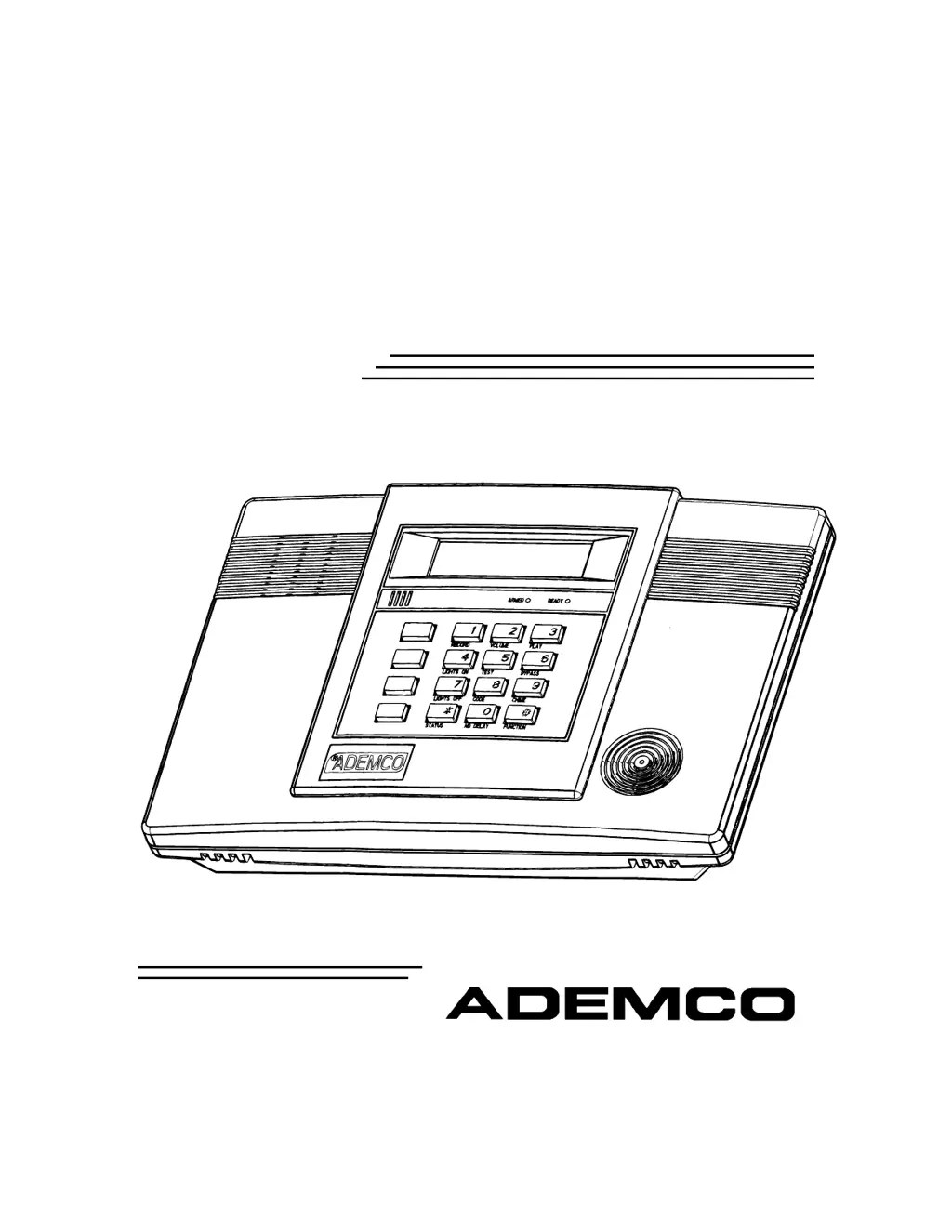
ADEMCO LYNXR - User Manual

ADEMCO LYNXR
44 pages
Print Icon
To Next Page IconTo Next Page
Loading...
/<1;5/<1;5
6HFXULW\6\VWHPV
8VHU*XLGH
AWAY
OFF
STAY
AUX
K5481 7/00
®

Other manuals for ADEMCO LYNXR

Questions and Answers

  • A
    Anita HuffmanAug 18, 2025
    What to do if I see a low battery message on my ADEMCO LYNXR keypad?
    • G
      Gerald SchmidtAug 18, 2025
      If your ADEMCO Security System keypad displays a low battery message, there are several possible causes. It could be due to a low or missing system battery, in which case you should replace the system battery. Alternatively, the remote RF keypad/button battery might be low, requiring you to replace the battery in the RF keypad. Finally, the transmitter for a specific zone might have a low battery, indicated by 'nn'; replace the battery in the displayed transmitter.
  • D
    David ButlerAug 20, 2025
    Why my ADEMCO LYNXR does not arm properly and the READY light is not on?
    • K
      Kevin AvilaAug 20, 2025
      If your ADEMCO Security System isn't arming and the READY light is off, it's likely due to open or faulted zone(s). Check for any zones that are currently faulted and ensure they are intact. If desired, you can also use Bypass arming to circumvent the faulted zones.
  • D
    David RamosAug 23, 2025
    Why is my ADEMCO LYNXR Security System keypad beeping periodically?
    • M
      Matthew RodriguezAug 23, 2025
      Periodic beeps from your ADEMCO Security System keypad can indicate several issues. The system might be in Test mode; if so, enter your code followed by OFF to exit. It could also signal a transmitter low battery, displayed on the keypad; enter your code followed by OFF and replace the battery. A supervision fault could be the cause; check the indicated transmitter and restore communication to the receiver. Lastly, it might indicate a system low battery, necessitating a battery replacement.
  • W
    William DavisAug 26, 2025
    How to fix if the word “AC” is not displayed on my ADEMCO LYNXR?
    • A
      Alexis AyalaAug 26, 2025
      If the word “AC” is not displayed on your ADEMCO Security System, it indicates an interrupted AC power supply. Check the transformer connection and the powerline circuit breaker to resolve this issue.
  • H
    Herbert JonesAug 27, 2025
    What to do if my ADEMCO Security System has an intrusion alarm for no apparent reason?
    • L
      Lisa PadillaAug 27, 2025
      If your ADEMCO Security System triggers an intrusion alarm for no apparent reason, consider these possibilities: a protected door or window may have been opened while the system was armed—check with all occupants. Improper user operation of exit/entry delays could be the cause—verify the settings. Also, magnets may be located too far from switches, or doors and windows may not be properly aligned—inspect all openings for correct switch and magnet orientation.
  • M
    Mrs. Sarah KleinSep 1, 2025
    Why is the digital communicator message from my ADEMCO Security System not being received?
    • J
      Jerry AtkinsSep 1, 2025
      If the digital communicator message from your ADEMCO Security System isn't being received, several factors could be responsible. First, ensure the system is not in Test mode. Next, verify all telephone connections are secure. If those aren't the issue, the digital communicator itself might be malfunctioning, so test with a different CONTROL PANEL. Also, the telephone number in the program may require a prefix or access code; program this into the CONTROL PANEL. Finally, if the telephone call to the central monitoring station requires operator assistance, the system cannot function in this situation.
  • D
    Danny PowellSep 4, 2025
    What causes nuisance or phantom alarms in my ADEMCO Security System?
    • J
      James ClarkSep 4, 2025
      Nuisance or phantom alarms in your ADEMCO Security System can arise from a few sources. Sensors might not be properly installed, wired, or monitored; check the installation against established procedures. Also, a universal transmitter (5817) could be programmed incorrectly; check the programming switches on the transmitter.
  • C
    chrishernandezSep 6, 2025
    Why is my ADEMCO Security System detector alarming for no apparent reason?
    • L
      laura91Sep 6, 2025
      If your ADEMCO Security System detector is alarming without a clear cause, consider these possibilities: dust or dirt in the sensing chamber—clean it with a vacuum cleaner following the unit's instructions. The detector may be in an improper location—consult the unit's instructions for locations to avoid and relocate if necessary. Finally, the unit itself could be malfunctioning, requiring replacement.
  • N
    Nicole BallSep 8, 2025
    What to do if my ADEMCO Security System keypad doesn't respond to keystrokes?
    • C
      Cynthia MccartySep 8, 2025
      If your ADEMCO Security System keypad is unresponsive, it could be because the system is communicating with a downloader at the central station; wait until the download session finishes. Alternatively, the system may have just been powered on and is in its one-minute initialization phase; wait for it to complete, or bypass this time by pressing '#' + '0'.
  • D
    daviscorySep 12, 2025
    Why is there no response to a transmitter in normal operation with my ADEMCO 5800 System, even though the zone number clears during Transmitter Sniffer mode?
    • J
      Jamie NortonSep 12, 2025
      With the ADEMCO 5800 System, if there's no response to a transmitter during normal operation, but the zone number clears in Transmitter Sniffer mode, it could mean that if another input causes the zone to be displayed, the wrong input was "entered" during programming. Delete the input's serial number (not the zone), and enter the correct input (see field *56). Alternatively, if there is no response from the transmitter at all, the physical transmitter has not been entered into the system. Determine which transmitter is programmed for this zone and reprogram as necessary.

Summary

SYSTEM OVERVIEW

General Operation

Explains zones, fire/burglary protection, security codes, and alarm behavior.

QUICK VIEW OF SYSTEM FUNCTIONS

Security Functions

Quick reference for arming, disarming, bypassing, and status checks.

SECURING THE PREMISES

Checking System Status

How to check the system's readiness before arming, using the STATUS key.

Arming the System

Arming in Stay Mode

Instructions for arming the system to protect the perimeter only.

Arming In Away Mode

Instructions for arming the system to protect the entire premises.

Arming With No Delay

How to arm the system without entry/exit delays for enhanced security.

Entry;Exit Delays

Exit Delay

Time allowed to leave after arming the system without triggering an alarm.

Disarming The System

Bypassing Protection Zones

Panic Keys; Chime Mode

FIRE ALARM SYSTEM

In Case of Fire

Actions to take in the event of a fire emergency.

Silencing a Fire Alarm

Procedures for silencing and clearing fire alarm displays.

SYSTEM FUNCTIONS

Security Codes

Managing user access codes, including master, babysitter, and duress codes.

Testing the System

Step-by-step guide for performing weekly system tests.

Trouble Messages

Explains common trouble condition displays and their meanings.

Summary Of Audible Notification

WARNING! The Limitations of This Alarm System

ADEMCO LYNXR Specifications

General IconGeneral
BrandADEMCO
ModelLYNXR
CategorySecurity System
LanguageEnglish

Related product manuals