EasyManua.ls Logo

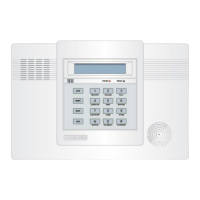
ADEMCO LYNX - User Manual

ADEMCO LYNX
40 pages
Print Icon
To Next Page IconTo Next Page
Loading...
/<1;
6HFXULW\6\VWHP
8VHU*XLGH
AWAY
OFF
STAY
AUX
N8891V1 10/98
®
Previous Menu

Other manuals for ADEMCO LYNX

Questions and Answers

  • C
    Christy ParkerAug 18, 2025
    Why does my ADEMCO LYNX Security System keypad beep periodically?
    • K
      Kevin ReyesAug 18, 2025
      Your ADEMCO Security System keypad may beep periodically because the system is in Test mode, a transmitter low battery has occurred, or a supervision fault has occurred. To exit Test mode, enter your code and then press OFF. If it is a low battery, replace the battery after entering your code and pressing OFF. For a supervision fault, check the indicated transmitter and restore communication to the receiver.
  • L
    livingstonconnieAug 20, 2025
    What to do if my ADEMCO LYNX Security System keypad shows a low battery message?
    • A
      Alexander MartinAug 21, 2025
      If your ADEMCO Security System keypad displays a low battery message, it could be due to a low or missing system battery, a low battery in the remote RF keypad, or a low battery in a specific transmitter. Replace the system battery, the battery in the RF keypad, or the battery in the displayed transmitter, as appropriate.
  • D
    Daniel FisherAug 23, 2025
    How to stop intrusion alarms for no apparent reason from ADEMCO LYNX Security System?
    • M
      matthewbushAug 23, 2025
      Intrusion alarms for no apparent reason in your ADEMCO Security System can occur if a protected door or window was opened while the system was armed, there's improper user operation of exit/entry delays, or magnets are located too far from switches. Check with all occupants, verify entry and exit delay settings, and check all openings for proper switch and magnet orientation.
  • A
    Adam PachecoAug 26, 2025
    What to do if my ADEMCO LYNX does not arm properly?
    • A
      Amber HuffAug 26, 2025
      To solve the issue of your ADEMCO Security System not arming properly, check for any faulted zones and ensure they are intact. Alternatively, you can use Bypass arming if desired.
  • C
    Christopher BlackAug 28, 2025
    What causes nuisance or phantom alarms in ADEMCO LYNX Security System?
    • J
      Joseph HannaAug 28, 2025
      Nuisance or phantom alarms in your ADEMCO Security System can be caused by sensors not properly installed, wired, or monitored, or a universal transmitter (5817) programmed incorrectly. Check the sensor installation and the programming switches on the transmitter.
  • D
    dscottAug 30, 2025
    How to fix an ADEMCO LYNX Security System transmitter signal not being received?
    • M
      Mary WallaceAug 30, 2025
      If your ADEMCO Security System transmitter signal is not being received, consider these potential solutions: * Check or change the transmitter's battery. * If it's a 5827/5827BD transmitter, verify the House Code setting. * Move the transmitter or RF receiver closer. * Remove metal shielding between the transmitter and receiver. * Verify the transmitter's programming. * If the transmitter is malfunctioning, test with a similar transmitter.
  • P
    Peter KimSep 1, 2025
    Why does my ADEMCO LYNX Security System detector alarm for no apparent reason?
    • H
      heidi34Sep 1, 2025
      If your ADEMCO Security System detector alarms for no apparent reason, it could be due to dust or dirt in the sensing chamber, an improper location, or a malfunctioning unit. Clean the sensing chamber with a vacuum cleaner, relocate the unit, or replace the detector.
  • H
    hector29Sep 3, 2025
    What to do if ADEMCO LYNX Security System detector's siren sounds?
    • J
      Jon CruzSep 3, 2025
      If your ADEMCO Security System detector's siren sounds, it may not be receiving the required power or the unit is malfunctioning. Check the battery installation and try a new battery. If the problem persists, replace the detector.
  • S
    Shannon RobinsonSep 6, 2025
    What to do if my ADEMCO LYNX Security System doesn't respond to keystrokes on keypad?
    • D
      Donald AndersonSep 6, 2025
      If your ADEMCO Security System is not responding to keystrokes on the keypad, it could be communicating with a downloader at the central station or undergoing its one-minute initialization process after being powered on. Wait until the download session is finished or allow the initialization to complete, or bypass the initialization by pressing '#' + '0.'
  • D
    Dr. Susan NguyenSep 8, 2025
    How to resolve ADEMCO Security System transmitter zone number that appears during Transmitter Sniffer mode, but does not clear?
    • A
      Amy BrownSep 8, 2025
      If the transmitter zone number appears during Transmitter Sniffer mode, but does not clear on your ADEMCO Security System, ensure that the transmitter zone type (ZT) is set to a valid active zone type in field *56. Also, verify that the transmitter battery is installed and that the 5800 System transmitter is 'entered' in the system via field *56 or *83.

Summary

System Overview

General Information

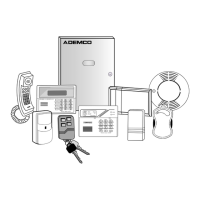
Provides an overview of the system's components, features, and monitoring capabilities.

Features

Lists user-programmable features like STAY/AWAY modes, panic keys, paging, and more.

Quick View of System Functions

Security Functions

Quick reference for arming, disarming, bypassing zones, and chime mode operations.

Message Center

Instructions for recording, playing back, and managing system messages.

Volume Adjustment

How to adjust the volume for system announcements and message playback.

Other Functions

Covers setting time/date, device activation, user codes, test mode, and AUX function.

Securing the Premises

General Operation

Explains system zones, fire protection, burglary protection modes, security codes, and alarm events.

Security Codes

Details personal and secondary security codes for system access and operation.

Alarms

Describes alarm behavior, keypad display, and monitoring station communication during events.

About the Master Keypad

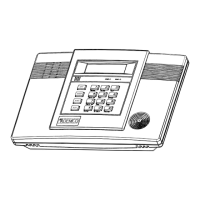
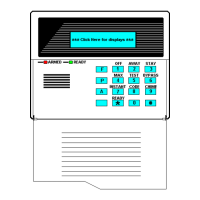
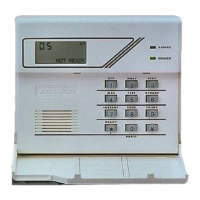
Details the physical master keypad, its display, keys, sounder, and speaker functions.

About the Display and Indicators

Explains the meaning of various display messages and LED indicators on the keypad.

Master Keypad Definitions

Defines the functions of each key and component on the master keypad.

Checking System Status

Explains how to check system status using the STATUS key and READY light.

System Can Be Armed

Describes the condition under which the system is ready to be armed.

Arming in Stay Mode

Instructions for arming the system in STAY mode for home protection.

Arming In Away Mode

Instructions for arming the system in AWAY mode for vacant premises.

Arming the System With No Delay

How to arm the system with no entry delay for increased security.

Quick Arming

Explains how to arm the system quickly without entering the security code.

Exit Delay

Details the exit delay period after arming and its purpose.

Entry Delay

Explains the entry delay period for disarming the system upon re-entry.

Disarming the System

Procedures for disarming the system and silencing alarms and trouble sounds.

Memory of Alarm

How alarm zone information is displayed and cleared.

Bypassing Individual Zones

How to bypass specific zones to arm the system without protection.

Quick Bypass

A faster method to bypass all open or faulted zones.

Displaying Bypassed Zones

How to view which zones have been bypassed.

Panic Keys

Using special keys to activate panic functions like silent or audible emergencies.

Chime Mode

How to enable chime mode to be alerted to door/window openings when disarmed.

User Functions

Automatic Paging

How the system sends messages to a pager based on system events.

Code Format

Explains the structure of pager messages sent by the system.

Manual Paging

How to manually send a pager message using the AUX key.

Using Device Commands (Lights On;Lights Off Keys)

How to control connected devices like lights using keypad commands.

Device Descriptions

A placeholder for device number assignments.

Recording a Message

Steps to record a brief message on the master keypad.

Message Playback

How to play back recorded messages.

Adjusting the Volume

Methods to adjust volume for announcements and mute system sounds.

AUX FUNCTION

How the AUX key can be programmed for predefined functions or pager messages.

Defining the AUX Function

Steps to program a custom sequence for the AUX key.

Performing the AUX function

How to activate a defined AUX function sequence.

Setting the Time and Date

Procedure for setting the system's internal clock and date.

Fire Alarm System

General

Explains the 24/7 operation of the fire alarm system and its activation triggers.

In Case of Fire

Steps to take when becoming aware of a fire emergency.

Silencing a Fire Alarm

Procedures for silencing and clearing a fire alarm display.

National Fire Protection Assn.;Smoke Detectors

Recommendations for smoke and heat detector placement based on NFPA standards.

Emergency Evacuation

Recommended steps for planning and executing fire escape routes.

System Functions

Security Codes

Details about primary, secondary, Babysitter, and Duress codes.

To Add;Delete a User or Change a Users Code

Step-by-step instructions for managing user codes.

Testing the System (to be conducted weekly)

Procedures for entering and exiting system test mode to check components.

Entering Test Mode

How to activate the system test mode for functional checks.

Exit Test Mode

How to properly exit the system test mode.

Typical Trouble Condition Displays

Explains common trouble messages displayed on the keypad, like FAULT, FC, CC, etc.

Routine Care

Guidelines for basic maintenance of system components.

Maintaining your system

General advice on system upkeep and testing.

Low Battery Conditions in Wireless Sensors

How low battery conditions are indicated and handled.

Changing the System Battery

Instructions for replacing the master keypad's internal battery.

Summary Of Audible Notification

Details sounds, causes, and displays for system events and announcements.

FCC Statement

FEDERAL COMMUNICATIONS COMMISSION (FCC) Part 15 STATEMENT

FCC compliance statement, user guidance on interference, and changes to equipment.

FEDERAL COMMUNICATIONS COMMISSION (FCC) Part 68 NOTICE

FCC Part 68 notice regarding telephone network connections and REN.

Canadian Department of Communications (DOC) Statement

NOTICE

Canadian DOC certification, installation, and safety precautions.

Owners Insurance Premium Credit Request

A. GENERAL INFORMATION

Form section for insured's details, insurance company, and alarm type.

B. NOTIFIES

Details about notification devices like local sounding or central station.

C. POWERED BY

Information on the system's power source.

D. TESTING

Frequency of system testing.

E. SMOKE DETECTOR LOCATIONS

Checklist for smoke detector placement within the home.

F. BURGLARY DETECTING DEVICE LOCATIONS

Checklist for burglary sensor placement in the home.

G. ADDITIONAL PERTINENT INFORMATION

Space for any other relevant details for the insurance request.

Servicing Information

Your local ADEMCO dealer is:

Encourages regular service and provides fields for dealer contact information.

The Limitations of this Alarm System

WARNING!

Important warnings about system limitations, potential failures, and maintenance.

ADEMCO One Year Limited Warranty

ADEMCO ONE YEAR LIMITED WARRANTY

Details the terms and conditions of the product's one-year limited warranty.

ADEMCO LYNX Specifications

General IconGeneral
Control PanelBuilt-in
CategorySecurity System
ManufacturerADEMCO (Honeywell)
TypeWireless Security System
CommunicationCellular
Alarm SounderBuilt-in 85dB Siren
ModelLYNX
KeypadTouchscreen
CompatibilityHoneywell

Related product manuals