Need help?
Do you have a question about the Adesso NuScan 5000 and is the answer not in the manual?
How to connect the scanner to a PC using a USB cable.
Steps to reset the scanner to factory default settings.
Advice on optimal scanning angles for better performance.
Instructions for cleaning the scanner window for optimal performance.
Configuration options for scanner modes like Trigger and Auto-Sensing.
Settings related to sensor sensitivity and timeouts.
Options to enable/disable reading all symbologies or only programming codes.
Programming scanner for different country keyboard layouts.
Enabling or disabling specific 1D barcode symbologies.
Enabling or disabling specific 2D barcode symbologies.
Configuration for symbology check digits and transmission settings.
Bar codes for configuring termination characters like Carriage Return (CR).
 General
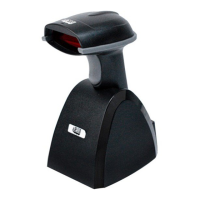
| Type | Handheld Barcode Scanner |
|---|---|
| Connectivity | Wired |
| Connectivity Technology | USB |
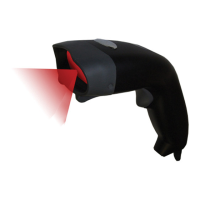
| Scanning Technology | Laser |
| Scan Pattern | Single Line |
| Light Source | 650 nm visible laser diode |
| Weight | 4.8 ounces |
| Operating System Compatibility | Windows, Mac OS, Linux |
| Supported Barcodes | UPC-A, UPC-E, EAN-13, EAN-8, Code 39, Code 128, Codabar, Interleave 2 of 5 |
| Scan Rate | 100 scans per second |


 To Next Page