EasyManua.ls Logo

ADI AR-146 - DUAL-WATCH FREQUENCY MONITORING; Dual-Watch with CH1 Frequency; Dual-Watch with Memory;Call Frequency; Sequential Memory Scan Dual-Watch

ADI AR-146
44 pages
Print Icon
To Next Page IconTo Next Page
To Previous Page IconTo Previous Page
Loading...
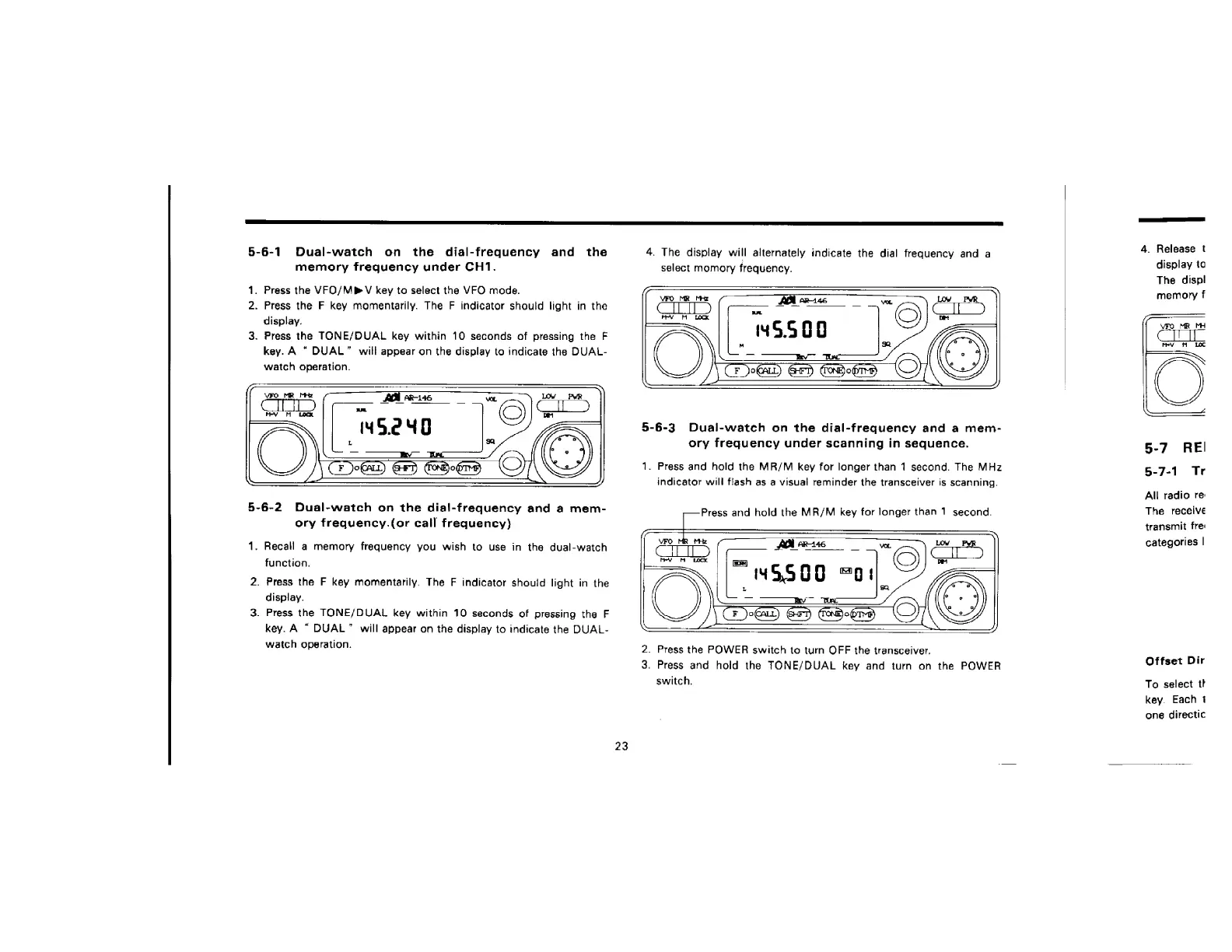
5-6-1
Dual-watch
on
the
dial-frequency
and
the
memory
frequency
under
CH1.
1.
Press
the
VFO/MPV
key
to
select
the
VFO
mode.
2.
Press
the
F
key
momentarily.
The
F
indicator
should
light
in
the
display.
3.
Press
the
TONE/DUAL
key
within
10
seconds
of
pressing
the
F
key.
A
DUAL”
will
appear
on
the
display
to
indicate
the
DUAL-
watch
operation.
5-6-2
Dual-watch
on
the
dial-frequency
and
a
mem-
ory
frequency.(or
call
frequency)
1.
Recall
a
memory
frequency
you
wish
to
use
in
the
dual-watch
function.
2.
Press
the
F
key
momentarily.
The
F
indicator
should
light
in
the
display.
3.
Press
the
TONE/DUAL
key
within
10
seconds
of
pressing
the
F
key.
A
DUAL”
will
appear
on
the
display
to
indicate
the
DUAL-
watch
operation.
23
4.
The
display
will
alternately
indicate
the
dial
frequency
and
a
select
momory
frequency.
5-6-3
Dual-watch
on
the
dial-frequency
and
a
mem-
ory
frequency
under
scanning
in
sequence.
1.
Press
and
hold
the
MR/M
key
for
longer
than
1
second.
The
MHz
indicator
will
flash
as
a
visual
reminder
the
transceiver
is
scanning.
Press
and
hold
the
MR/M
key
for
longer
than
1
second.
2.
Press
the
POWER
switch
to
turn
OFF
the
transceiver.
3.
Press
and
hold
the
TONE/DUAL
key
and
turn
on
the
POWER
switch.
4.
Release
t
display
to
The
displ
memory
f
VFO
MR
MH
hY
MM
LO
5-7
REl
5-7-1
Tr
All
radio
re:
The
receive
transmit
fre:
categories
|
Offset
Dir
To
select
th
key.
Each
1
one
directic

Related product manuals