EasyManua.ls Logo

ADI AR-446 - Scan Operations; Scan Operation; Hold;Resume Programming; Band Scan

Default Icon
44 pages
Print Icon
To Next Page IconTo Next Page
To Previous Page IconTo Previous Page
Loading...
@
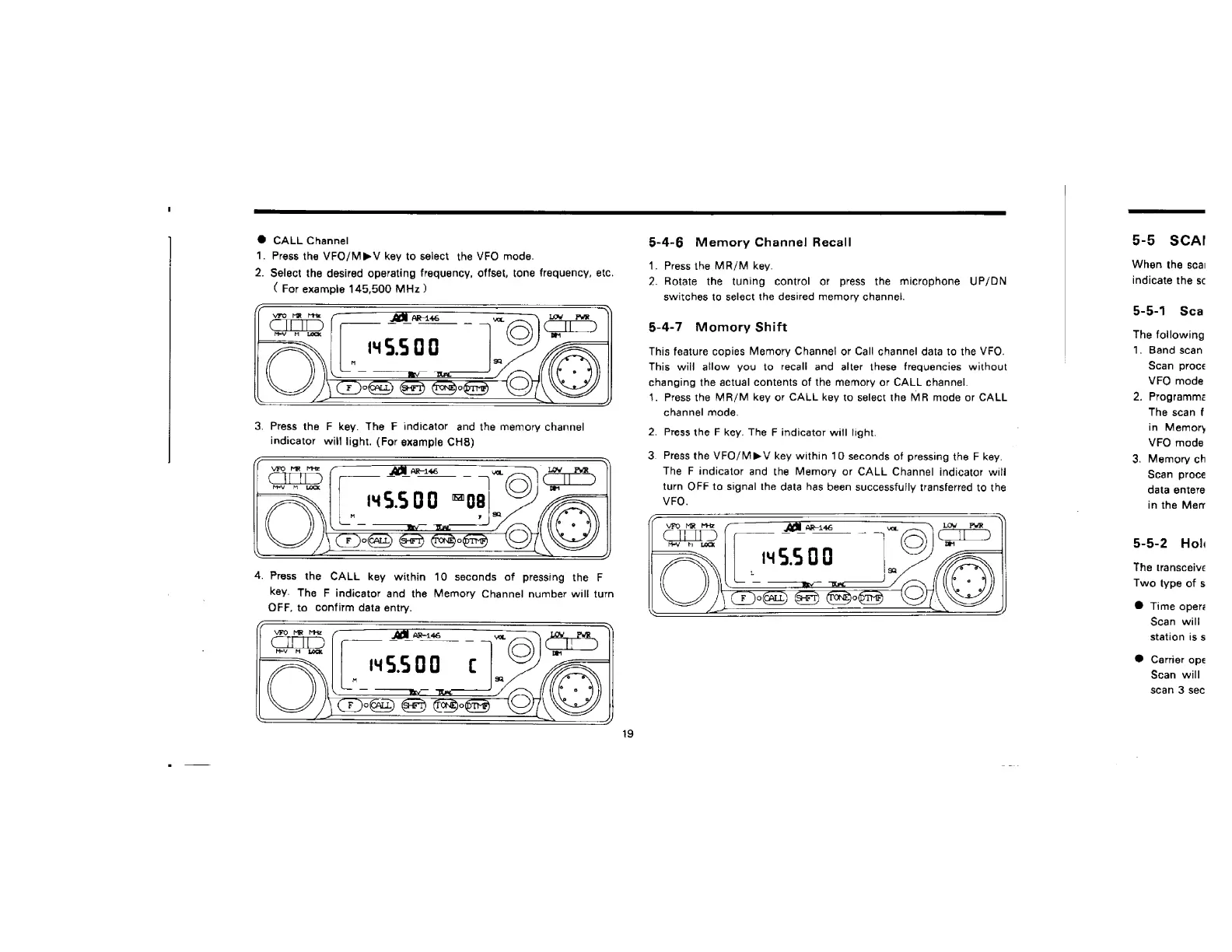
CALL
Channel
1.
Press
the
VFO/MPV
key
to
select
the
VFO
mode.
2.
Select
the
desired
operating
frequency,
offset,
tone
frequency,
etc.
(
For
example
145,500
MHz
)
3.
Press
the
F
key.
The
F
indicator
and
the
memory
channel
indicator
will
light.
(For
example
CH8)
4.
Press
the
CALL
key
within
10
seconds
of
pressing
the
F
key.
The
F
indicator
and
the
Memory
Channel
number
will
turn
OFF,
to
confirm
data
entry.
5-4-6
Memory
Channel
Recall
1.
Press
the
MR/M
key.
2.
Rotate
the
tuning
control
or
press
the
microphone
UP/DN
switches
to
select
the
desired
memory
channel.
5-4-7
Momory
Shift
This
feature
copies
Memory
Channel
or
Call
channel
data
to
the
VFO.
This
will
allow
you
to
recali
and
alter
these
frequencies
without
changing
the
actual
contents
of
the
memory
or
CALL
channel.
4.
Press
the
MR/M
key
or
CALL
key
to
select
the
MR
mode
or
CALL
channel
mode.
2.
Press
the
F
key.
The
F
indicator
will
light.
3.
Press
the
VFO/MPV
key
within
10
seconds
of
pressing
the
F
key.
The
F
indicator
and
the
Memory
or
CALL
Channel
indicator
will
turn
OFF
ta
signal
the
data
has
been
successfully
transferred
to
the
VFO.
“5500
|e
SSO
5-5
SCAI
When
the
sca:
indicate
the
sc
5-5-1
Sca
The
following
1.
Band
scan
Scan
proce
VFO
mode
2.
Pragramme
The
scan
f
in
Memory
VFO
mode
3.
Memory
ch
Scan
proce
data
entere
in
the
Merr
5-5-2
Holi
The
transceive
Two
type
of
5
@
Time
oper:
Sean
will
station
is
s
@
Carrier
ope
Scan
will
scan
3
sec

Related product manuals