EasyManua.ls Logo

ADI AR-446 - Memory Channel Lockout; Dual-Watch Operation

Default Icon
44 pages
Print Icon
To Next Page IconTo Next Page
To Previous Page IconTo Previous Page
Loading...
woah
oo
8
wo
Ww
nnn
SS
4.
Scan
will
begin
at
the
same
direction
as
last
time.
You
can
reverse
the
direction
by
rotating
the
Tuning
control
counterclockwise,
or
by
pressing
the
microphone
UP/DN
switch.
The
scan
step
size
depends
upon
the
current
step
programming.
5.
Scan
will
stop
whenever
a
signal
is
received
{that
activates
the
BUSY
indicator)
for
a
limited
time.
6.
Press
the
PTT
switch
or
any
front
panel
key
to
stop
scan.
5-5-4
Programmable
Band
Scan
1.
Press
the
F
key
for
janger
than
1
second
and
then
pressing
the
CALL
key
to
turn
ON/OFF
the
programming
scan
mode.
2.
The
flower
scan
limit
must
be
stored
in
memory
channel
11.
The
higher
scan
limit
must
be
stored
in
memory
channel
12.
Notes
If
the
frequency
in
Memory
Channel
11
is
equal
to
or
greater
than
the
frquency
stored
in
Memory
channel
12
scan
will
proceed
aver
the
entire
band
*
Band
Scan”.
.
Adjust
the
§Q
control
to
the
threshold
point.
.
Press
the
VFO/M@®
V
key
to
select
the
VFO
mode.
.
Select
a
VFO
frequency
between
the
twa
programmed
scan
limits.
.
Press
and
hold
the
VFO/MpV
key
for
longer
than
1
second.
The
MHz
indicator
will
flash
as
a
visual
reminder
the
transceiver
is
scanning
and
SCAN
is
on.
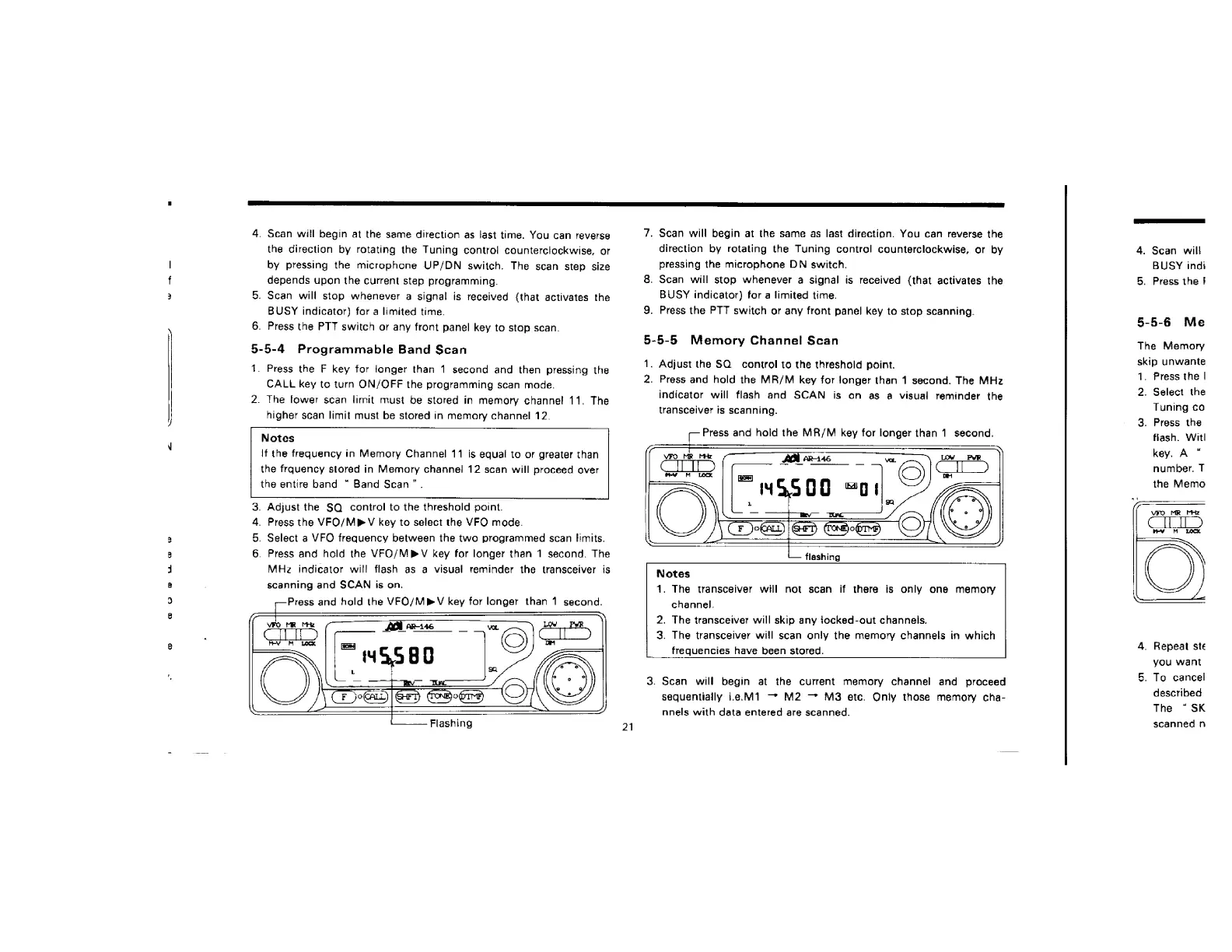
Press
and
hold
the
VFO/MPV
key
for
longer
than
1
second.
om
WwW
21
7.
Scan
will
begin
at
the
same
as
last
direction.
You
can
reverse
the
direction
by
rotating
the
Tuning
control
counterclockwise,
or
by
pressing
the
microphone
DN
switch.
8.
Scan
will
stop
whenever
a
signal
is
received
(that
activates
the
BUSY
indicator)
for
a
limited
time.
9.
Press
the
PTT
switch
or
any
front
panel
key
to
stop
scanning.
5-5-5
Memory
Channel
Scan
1.
Adjust
the
SQ
control
to
the
threshold
point.
2.
Press
and
hold
the
MR/M
key
for
longer
than
1
second.
The
MHz
indicator
will
flash
and
SCAN
is
on
as
a
visual
reminder
the
transceiver
is
scanning.
Press
and
hold
the
MR/M
key
for
longer
than
1
second.
flashing
.
The
transceiver
will
not
scan
if
there
is
only
one
memory
channel.
.
The
transceiver
will
skip
any
iocked-out
channels.
.
The
transceiver
will
scan
only
the
memory
channels
in
which
frequencies
have
been
stored.
3.
Scan
will
begin
at
the
current
memory
channel
and
proceed
sequentially
i.e.M1
M2
M3
etc.
Only
those
memory
cha-
nnels
with
data
entered
are
scanned.
4.
Scan
will
BUSY
indi
5.
Press
the
}
5-5-6
Me
The
Memory
skip
unwante
1.
Press
the
|
2.
Select
the
Tuning
ca
3.
Press
the
flash.
Witl
key.
A
number.
T
the
Memo
4.
Repeat
ste
you
want
5.
To
cancel
described
The
“SK
scanned
n

Related product manuals