A.D.J. Supply Europe B.V. – www.americandj.eu – Stinger II Instruction Manual Page 9
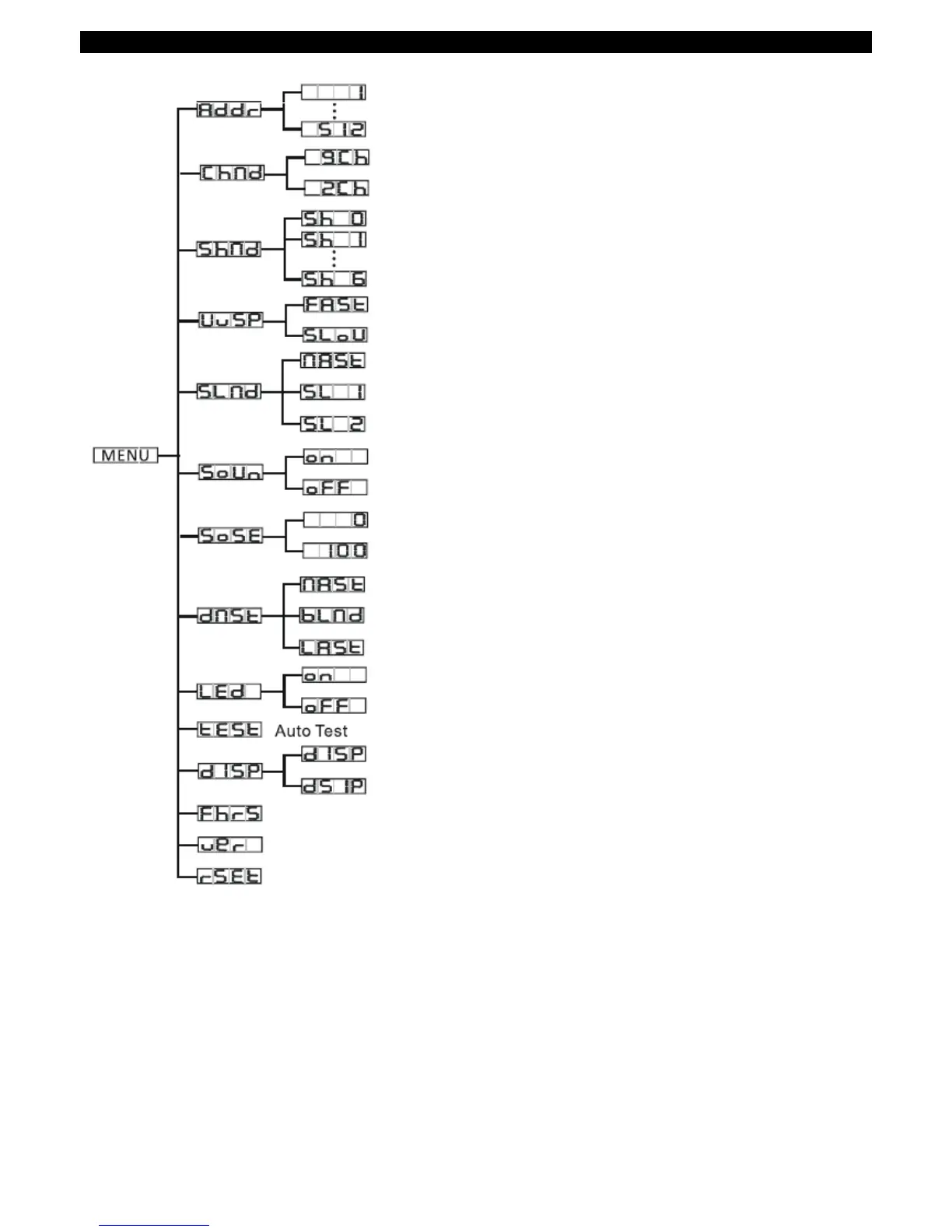
SYSTEM MENU
System Menu: When making adjustments press ENTER to confirm your setup then press and hold the
MENU button for at least 3 seconds. To exit without making any adjustments press the MENU button.
The display will lock after 30 seconds, press the MENU button for 3 seconds to unlock.
ADDR - DMX Address Setting.
1. Press the either the MENU, UP, or DOWN buttons until “ADDR” is displayed, press ENTER.
2. The current address will now be displayed and flashing. Press the UP or DOWN buttons to find your desired
address. Press ENTER to set your desired DMX address.


 To Next Page