LESSON 7
164
Tables
7
Click in the first body cell below the new heading and type
350
.
8
Click in the next empty body cell in the current column and type
160
.
9
Click in the last body cell in the current column and type
266
.
10
Save the document.
Rearranging information
In this section, you will rearrange some of the information in the table. You’ll move the
Line Screen column to the far right, and then move the Art Book row to the bottom of the
table.
First, you’ll move the column.
1
Drag from the heading
Line Screen
down into the first body row to select the entire
column. Whenever you drag from the heading into the body, the entire column is
selected.
2
Choose Edit > Cut.
3
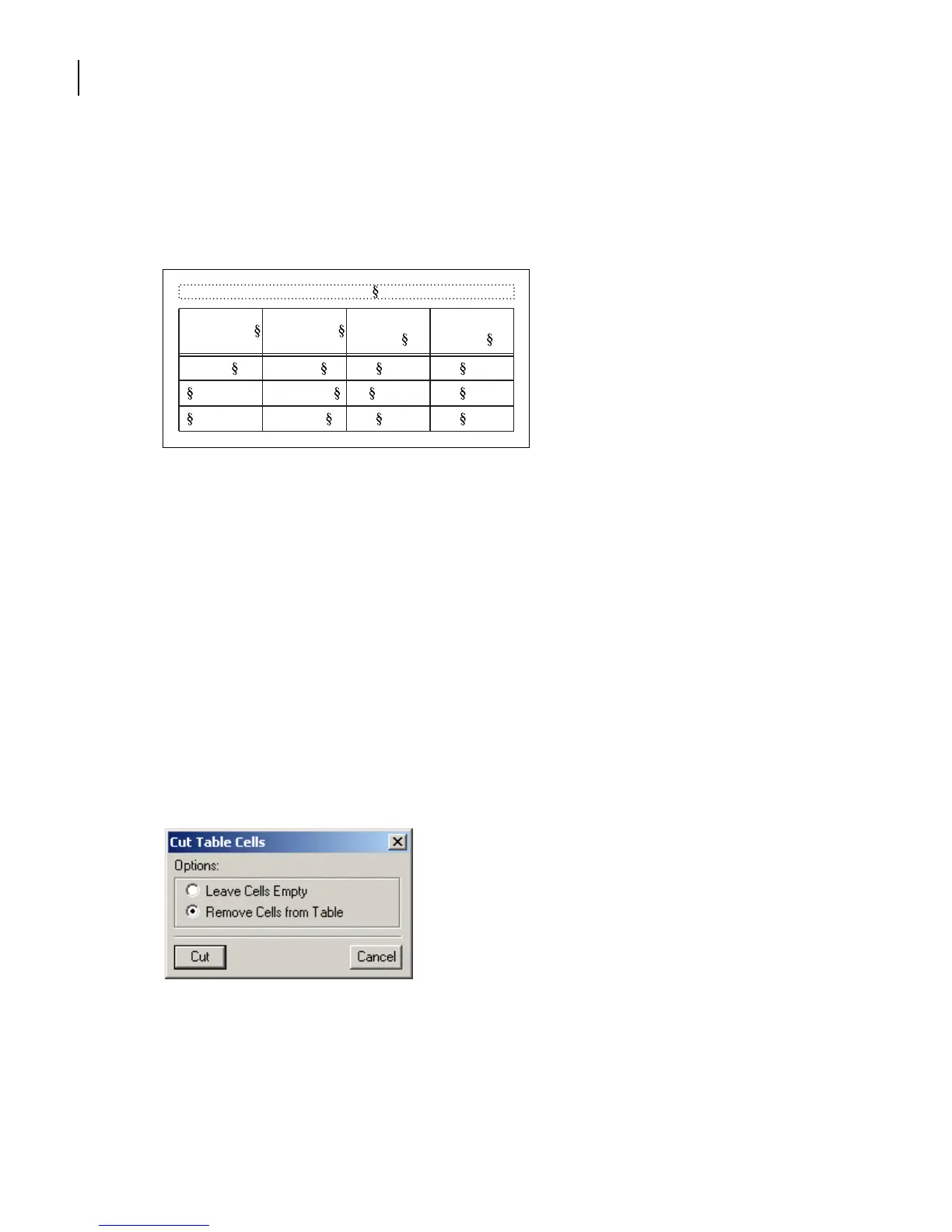
In the Cut Table Cells dialog box, select Remove Cells from Table and click Cut.
Table 1:
Image Size Publication
Line Screen
(lpi)
Resolution
(ppi)
5 x 5 in. Art book 175 350
Newspaper 80 160
Magazine 133 266



 To Next Page