LESSON 7
168
Tables
2
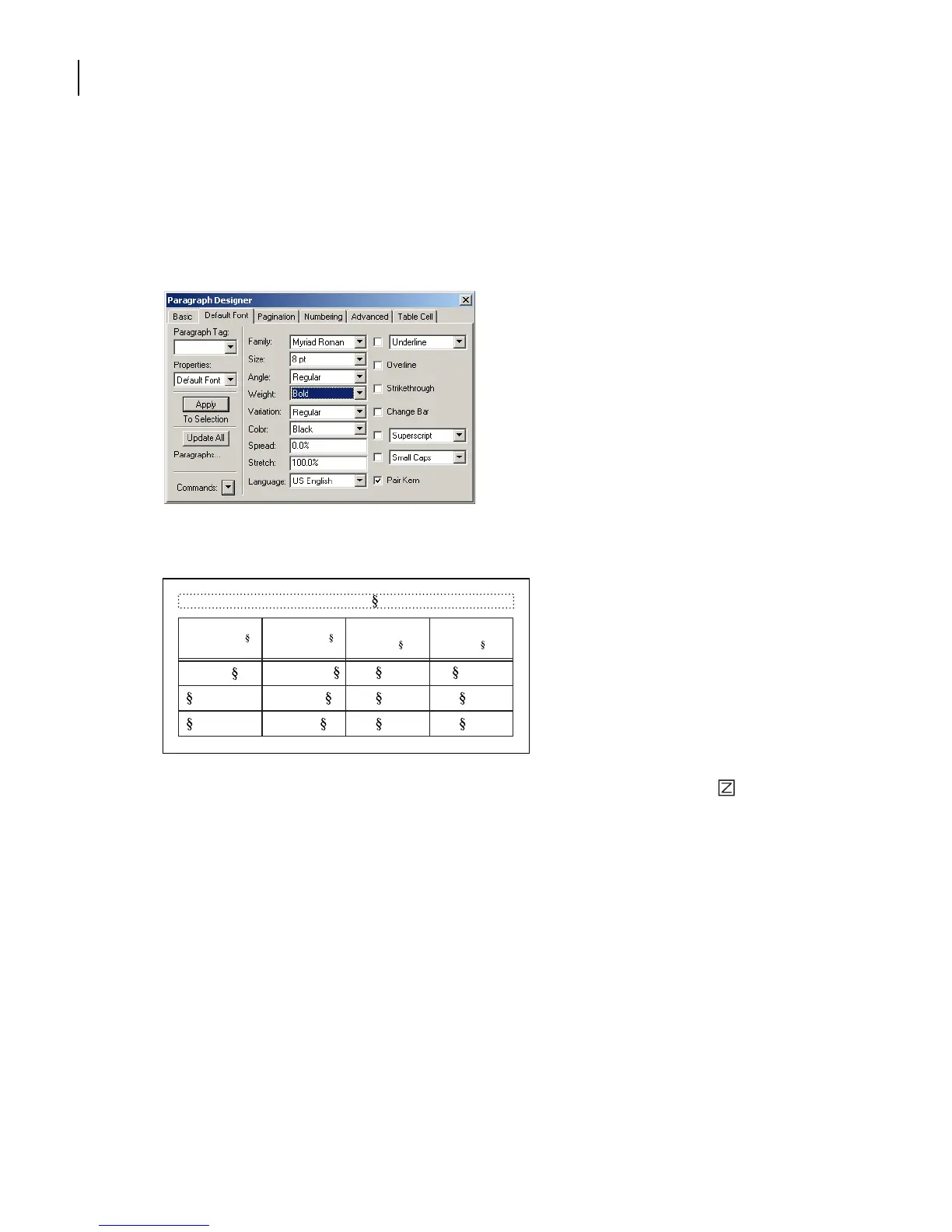
Choose Default Font from the Properties pop-up menu. (In Windows, you can just
click the Default Font tab at the top of the Paragraph Designer.)
3
Change the Family to Myriad-Roman (Windows) or Myriad (Mac OS and UNIX), the
Size to 8, and the Weight to Bold.
4
Click Update All.
5
If the table headings appear as gray bars, click the Zoom In button ( ) in the status
bar until the headings are legible.
Yo u’re finished with the heading format for now.
6
Click the text in any body cell. The paragraphs in body cells use the CellBody
paragraph format.
Table 1:
Image Size Publication
Resolution
(ppi)
Line Screen
(lpi)
Art book 350 175
Newspaper 160 80
Magazine 266 133
5 x 5 in.



 To Next Page