169
ADOBE FRAMEMAKER 7.0
Classroom in a Book
7
In the Paragraph Designer, change the Family to Myriad-Roman (Windows) or Myriad
(Mac OS and UNIX), the Size to 8, and then click Update All.
Finally, you’ll center the numbers in the last two columns of the table. Because you don’t
want to center the contents of all the body cells, you’ll create a new paragraph format just
for the centered body cells.
8
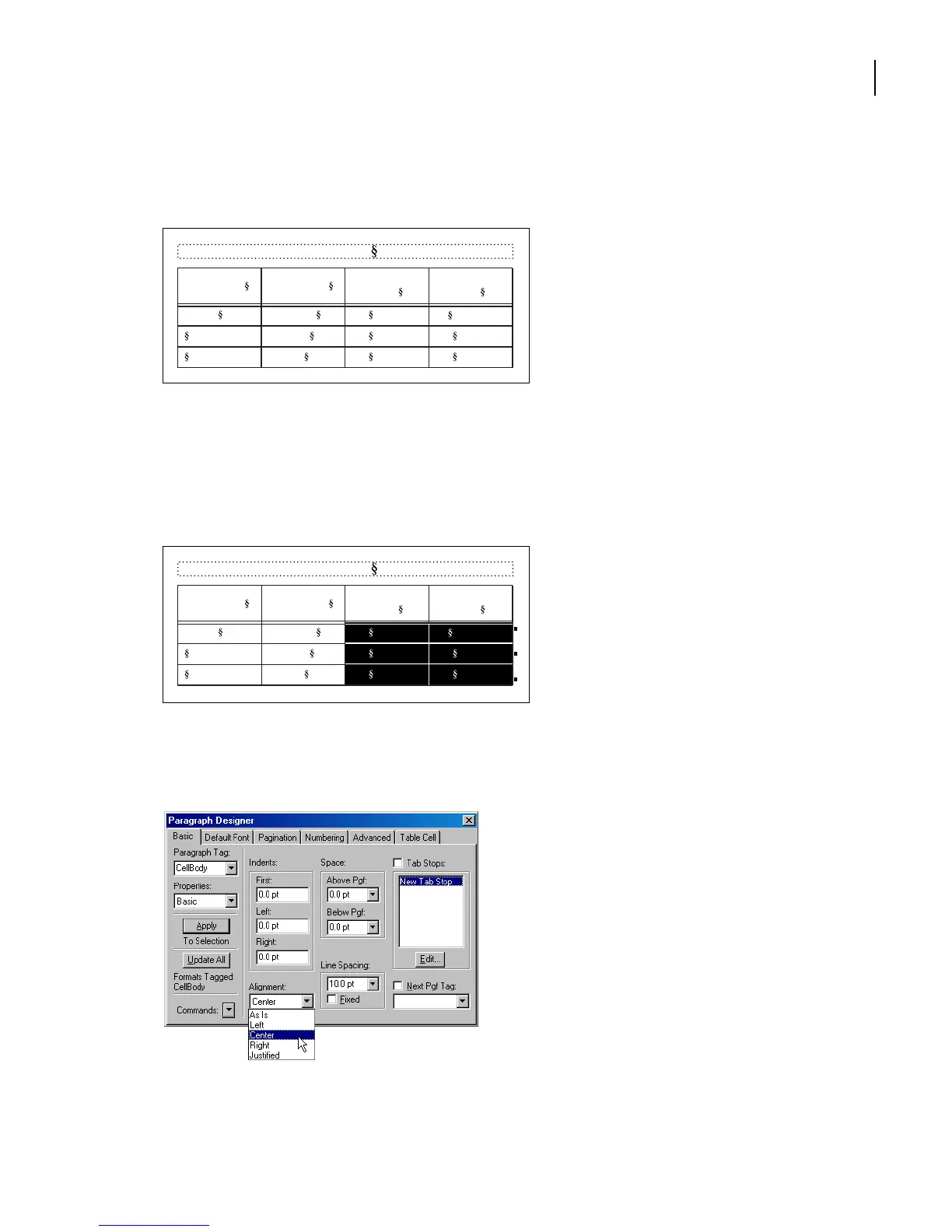
Drag to select all the body cells in the Resolution and Line Screen columns.
9
In the Paragraph Designer, choose Basic from the Properties pop-up menu.
10
Choose Center from the Alignment pop-up menu and click Apply.
Table 1:
Image Size Publication
Resolution
(ppi)
Line Screen
(lpi)
5 x 5 in. Newspaper 160 80
Magazine 266 133
Art book 350 175
Table 1:
Image Size Publication
Resolution
(ppi)
Line Screen
(lpi)
5 x 5 in. Newspaper 160 80
Magazine 266 133
Art book 350 175



 To Next Page