LESSON 7
176
Tables
The bottom border is thick enough, but the color is too dark. You’ll create your own
ruling style that uses a different color.
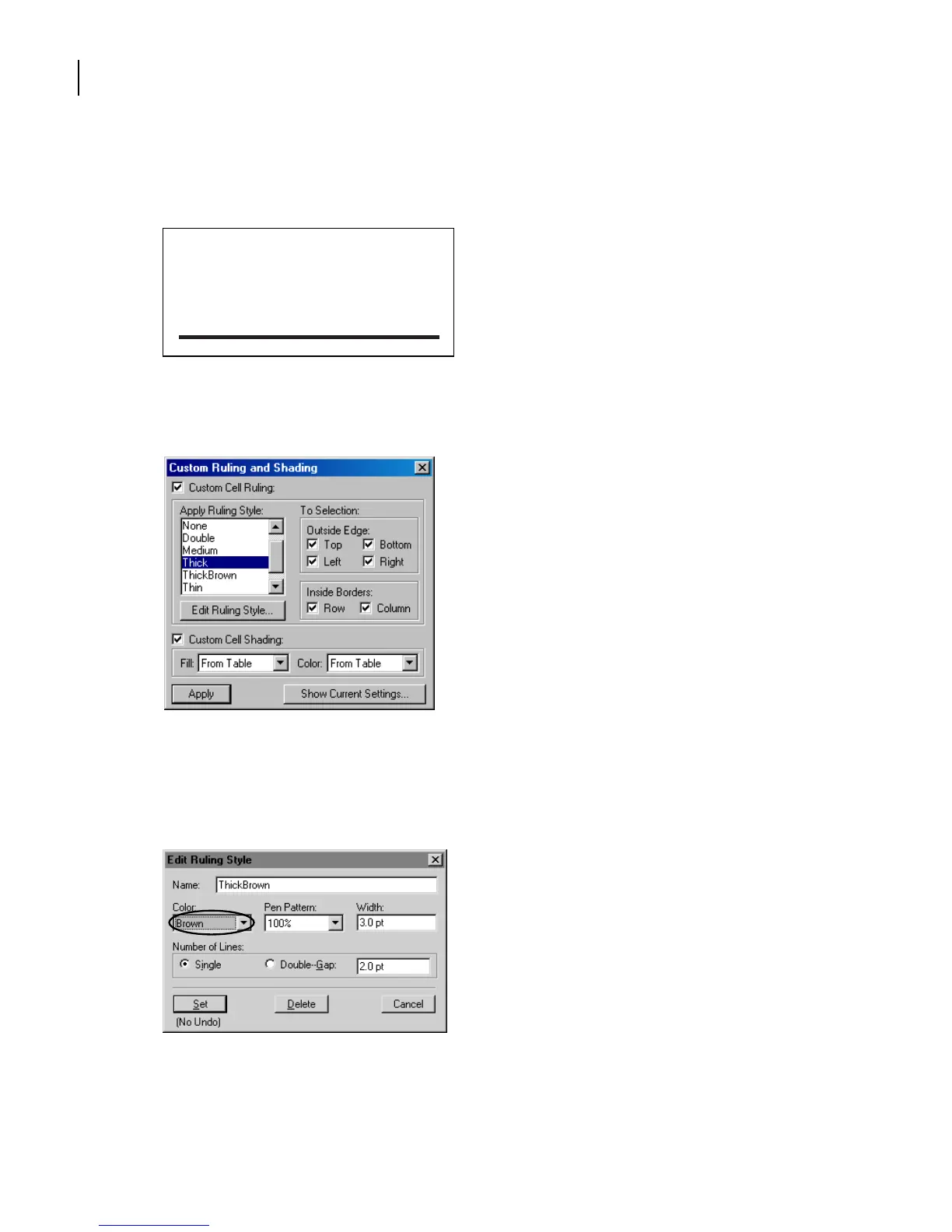
6 With the insertion point still in the table, choose Table > Custom Ruling & Shading.
The ruling styles available in the document appear in the Apply Ruling Style scroll list.
7 Select Thick in the Apply Ruling Style scroll list, and click Edit Ruling Style.
8 Enter ThickBrown in the Name text box. This will be the name of the ruling style.
9 Choose Brown from the Color pop-up menu and click Set.
The ThickBrown ruling style is now available for table ruling.
Resolution
(ppi)
Line Screen
(lpi)
5 x 5 in. Newspaper 160 80
Magazine 266 133
Art book 350 175
Publication
Image
Size



 To Next Page