LESSON 14
364
Hypertext and PDF
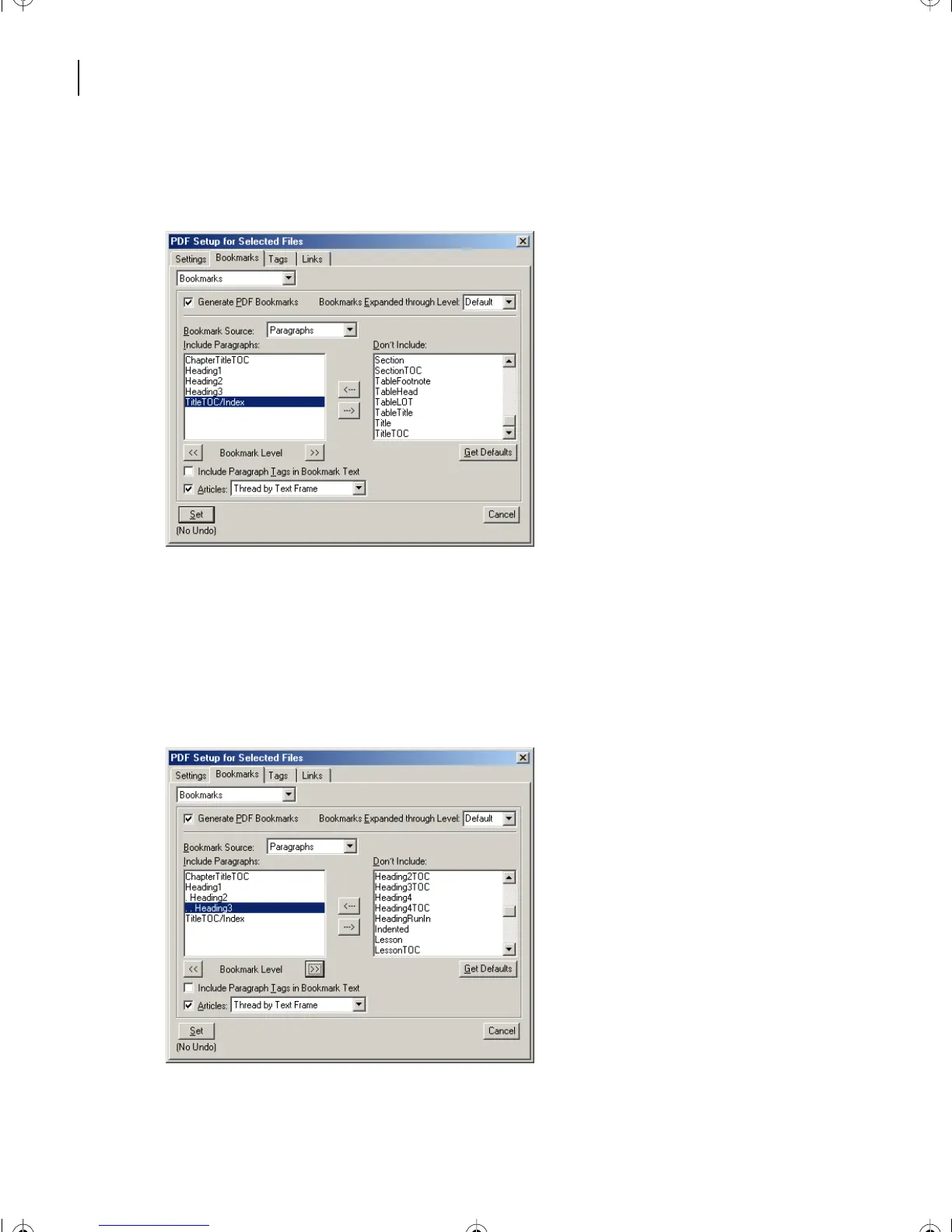
7 Repeat step 6 to move the following paragraphs back to the Include Paragraphs list:
Heading1, Heading2, Heading3, and TitleTOC/Index.
Now indent the headings to show how the Acrobat bookmarks will be nested in the PDF file.
8 Select Heading2, then click the right Bookmark Level arrow button once. Heading2 is
now indented below Heading1.
9 Select Heading3, then click the right Bookmark Level arrow button twice. Heading3 is
now indented below Heading2.
L14.fm Page 364 Sunday, July 7, 2002 10:18 PM



 To Next Page