LESSON 17
446
Authoring XML
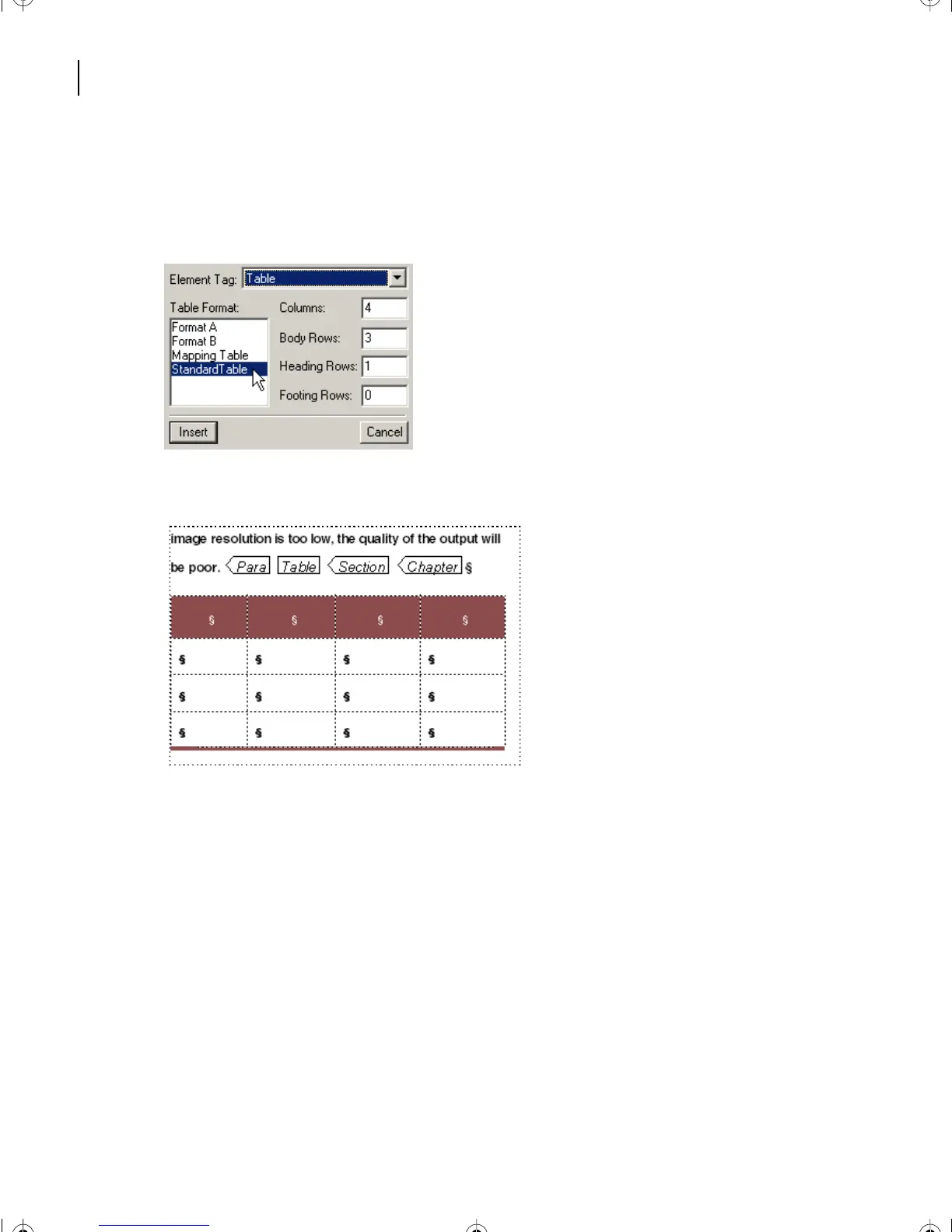
4 Choose Standard Table. Make sure it will insert 4 columns, 3 body rows, 1 Heading
row, and 0 Footer rows.
5 Click Insert.
An empty table appears at the end of the document.
6 To gain quick access for the text to insert into the table cells, choose File > Open.
7 Go to the L17XML folder within the Lesson17 folder.
8 Open the FrameMaker file called Table.fm.
The Table.fm file appears as a separate document.
L17.fm Page 446 Saturday, July 6, 2002 4:37 PM



 To Next Page