LESSON 17
448
Authoring XML
Adding [Topic] elements
At this point, you’ve imported and changed the fonts of a valid XML section; imported
and corrected attributes of a [Figure] element to make them valid; and inserted a [Table]
element as well as its text. The final exercise in this lesson is to finish authoring your XML
document by adding interactive Topic Paragraph elements. Topics are created as cross-
references, which make them linkable within PDF and HTML files upon export to those
and other types of documents.
1 Scroll to the beginning of CIBColorDoc1.fm.
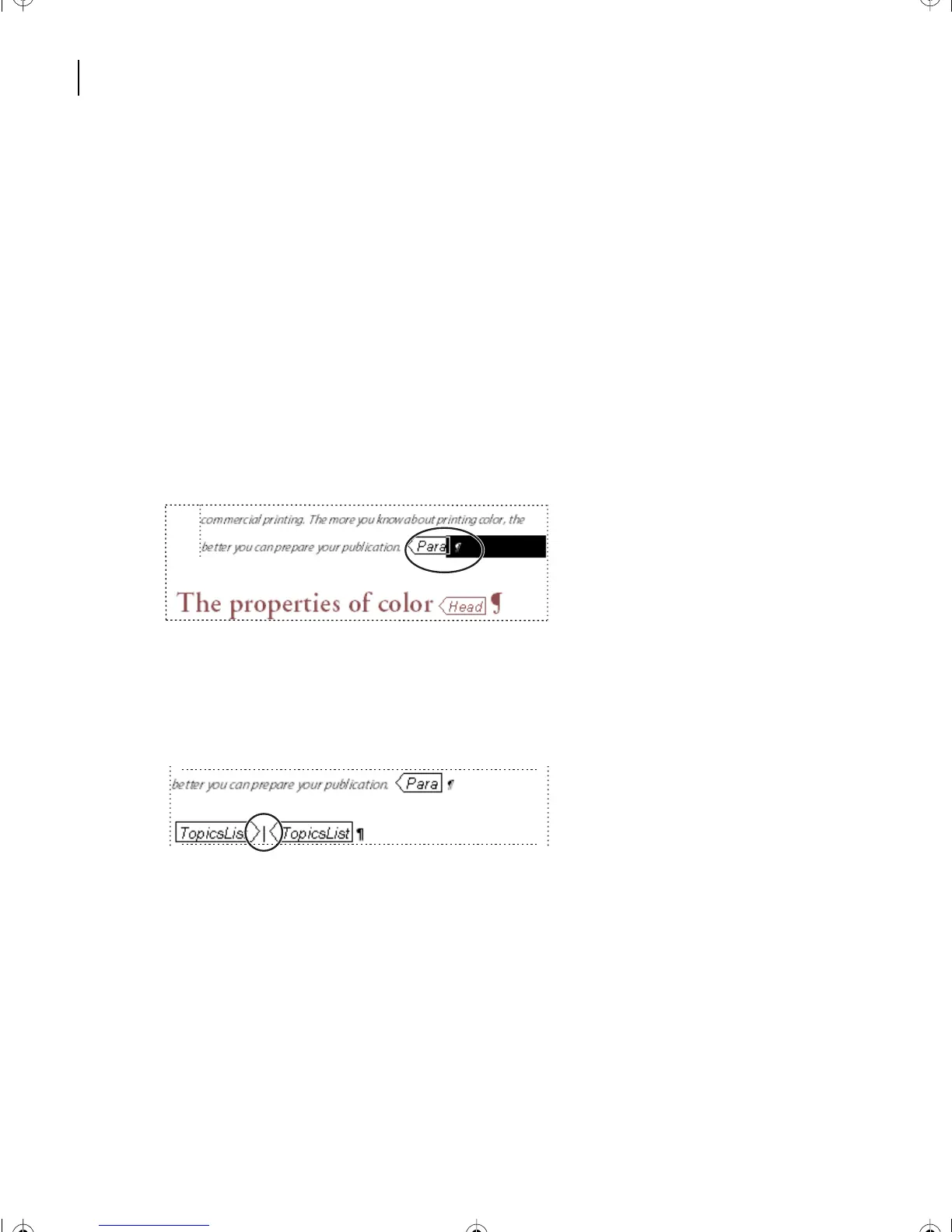
2 Place the cursor at the end of the second paragraph that ends with the words, your
publication. [Para].
3 Select the Paragraph Text Symbol after the [Para] element.
4 In the Element Catalog, click once on TopicsList.
5 Click Insert.
6 The cursor appears between two [TopicsList] elements in a new paragraph.
7 In the Element Catalog, click on TopicHead.
8 Click Insert.
9 Between the new [TopicHead] elements, type, Chapter Topics:
10 In the Paragraph Designer, change the [head] paragraph Default Font Family to:
• (Windows) AGaramond-Semibold;
• (Mac OS and UNIX) Adobe Garamond, Weight: Semibold.
L17.fm Page 448 Saturday, July 6, 2002 4:37 PM



 To Next Page