LESSON 3
72
Defining Colors and Character Formats
7
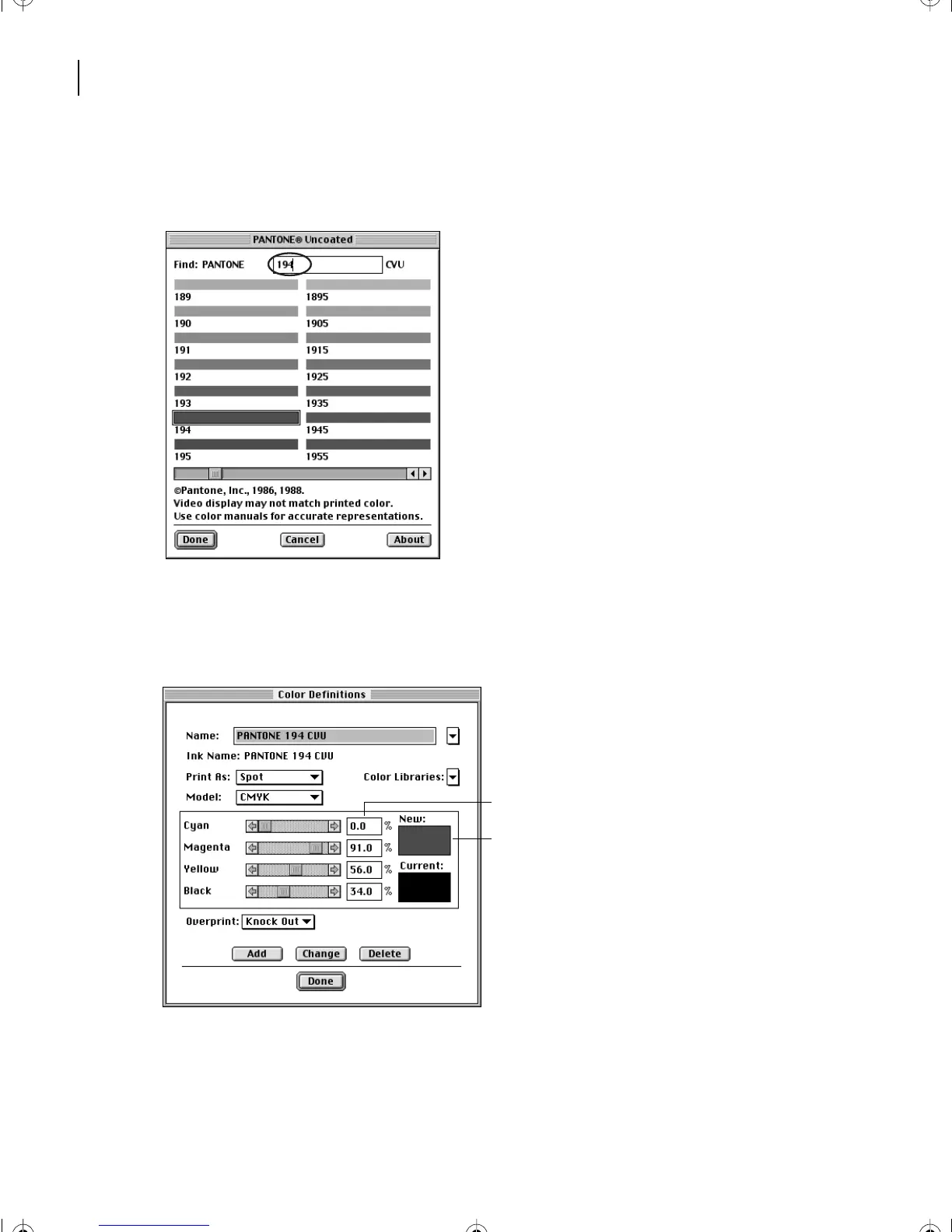
At the top of the PANTONE Uncoated dialog box, enter
194
in the Find text box. The
contents of the dialog box scroll to show you the PANTONE color you specified.
8
Click Done. FrameMaker 7.0 displays a swatch of the color in the New area and inserts
the corresponding color values—percentages of cyan, magenta, yellow, and black—in the
dialog box. These four colors can combine to represent most of the visible colors.
A.
Color values
B.
Color swatch
Yo u’ll leave the color values unchanged and give the color a name that describes how it’s
used (to highlight technical terms when they first appear).
A
B
L03.fm Page 72 Saturday, July 6, 2002 11:39 AM



 To Next Page